PYRO A/V LINK 19
Connecting an external TV for
Simulation Video Preview
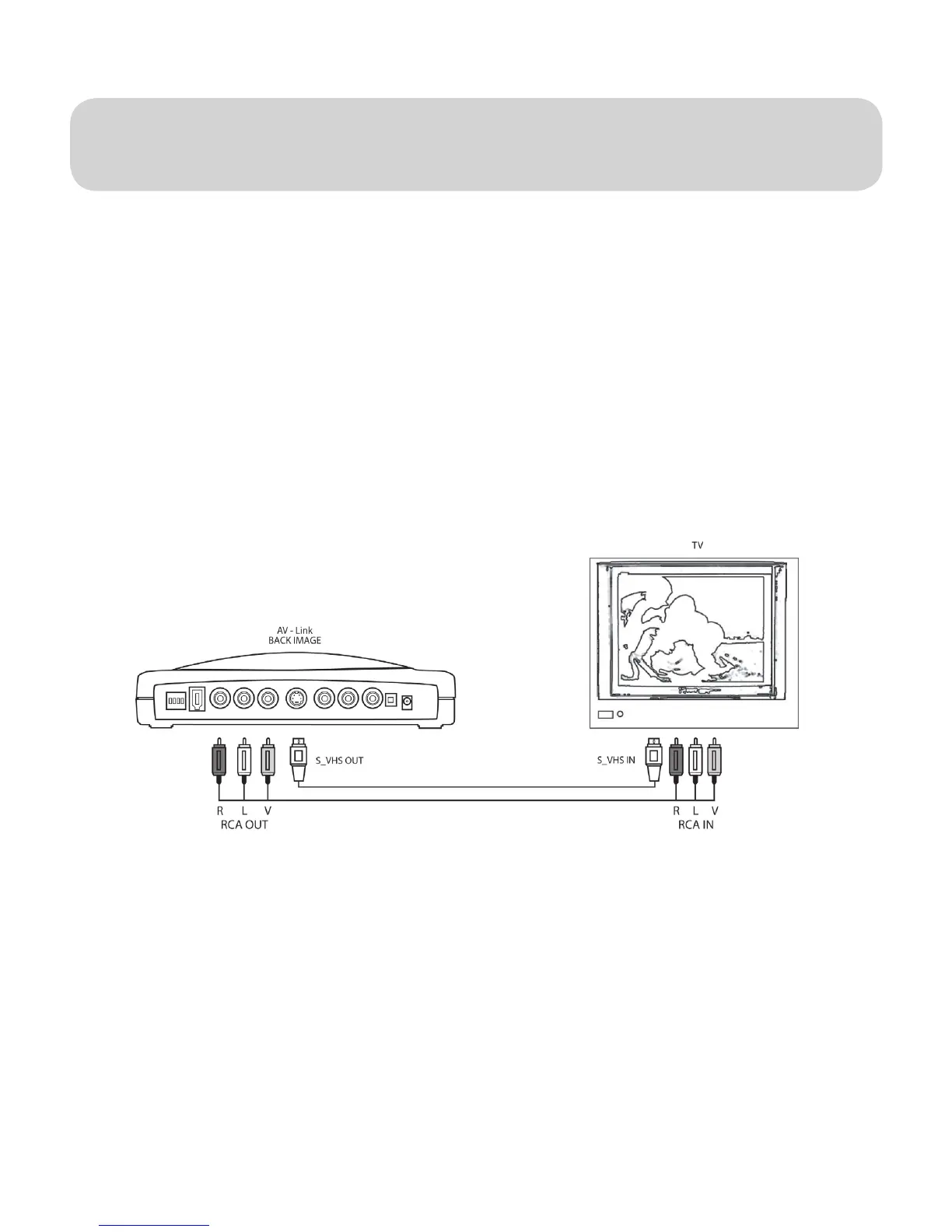
PYRO A/V Link allows you to preview video while being captured and edited so
you can see your results full screen on the TV.
1.) Connect a video cable from the RCA or S-VHS OUT jacks on the back of
the PYRO A/V Link and into an external video input (RCA or S-VHS) on
your TV.
2.) Connect an audio cable to the Left and Right RCA audio OUT jacks on the
back of the PYRO A/V Link to the external audio inputs (RCA) on your TV.
3.) Apply Power to the TV and switch the TV to accept the external video
source. (Check your TV manual if you are not sure how to do this.)


 To Next Page