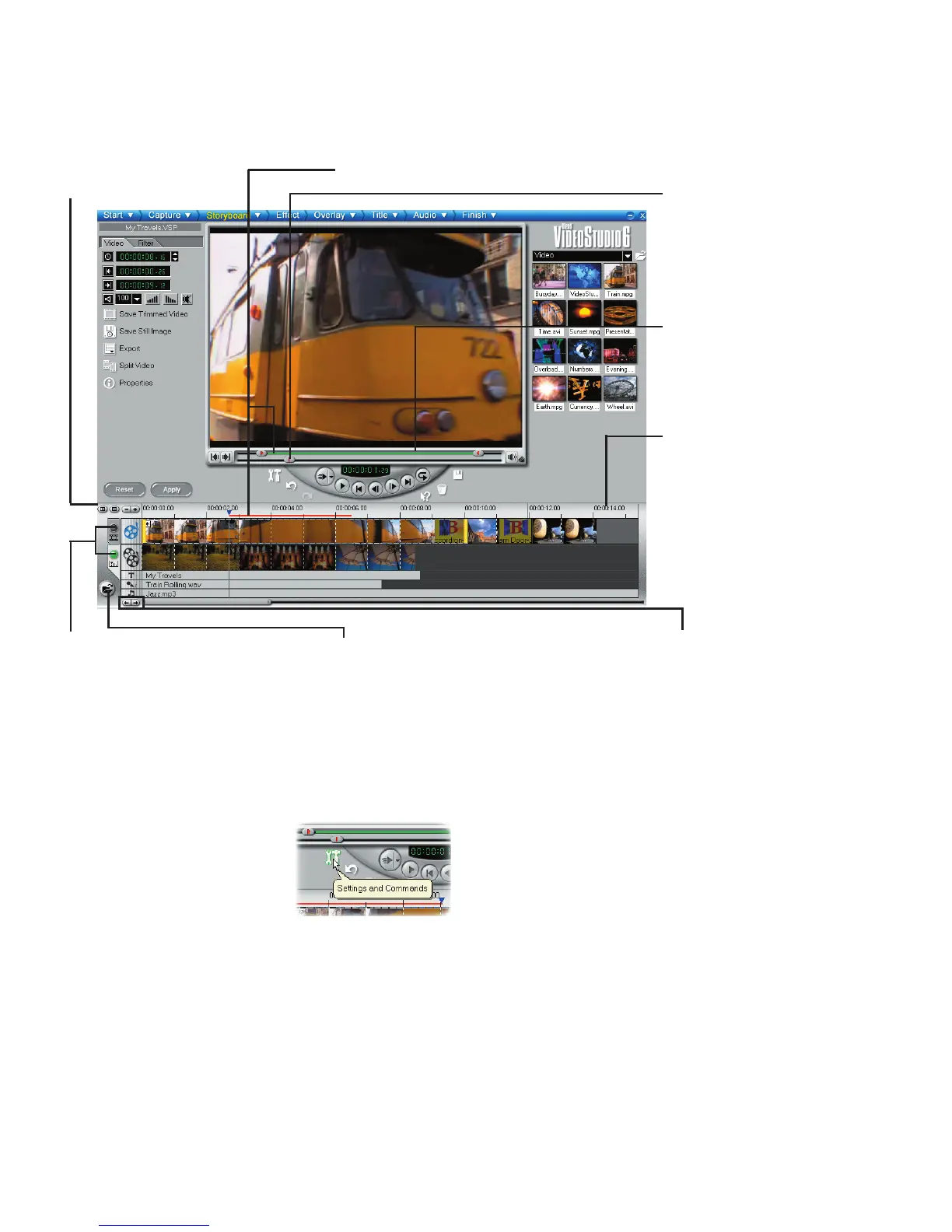
ToolTips
Place the mouse over a button or object to display a
balloon which identies the item.
Zoom controls
Increase or decrease the
number of frames dis-
played in the Timeline.
Selected range
These color bars represent the
trimmed or selected part of a clip
or project.
Trim handle
Click and drag to trim
a clip.
Time units
Represents the tim-
ing of clips in hours :
minutes, seconds, and
milliseconds
Project scroll con-
trols
Use the left and right
buttons or grab the
Scroll Bar to move
around your project.
Insert media les
Displays a menu allowing you
to place video, audio or image
clips directly on the project.
Storyboard and Timeline
Click tabs to switch between
Storyboard Mode and Time-
line Mode.
Preview Bar
Click and drag these
controls to scroll
through a clip. The
position is shown in
the Preview Window’s
content.


 To Next Page