Instruction Manual
www.adsdental.com
- 7 -
OPERATION
Turn On/Turn O Power
NOTE
If you turn o the vacuum unit for long
periods of non-use, like an extended oce
shutdown, ensure that the power remains
connected. The vacuum will automatically
turn on, momentarily, every 12 hours to
prevent components from seizing. This also
helps extend the life of the motor.
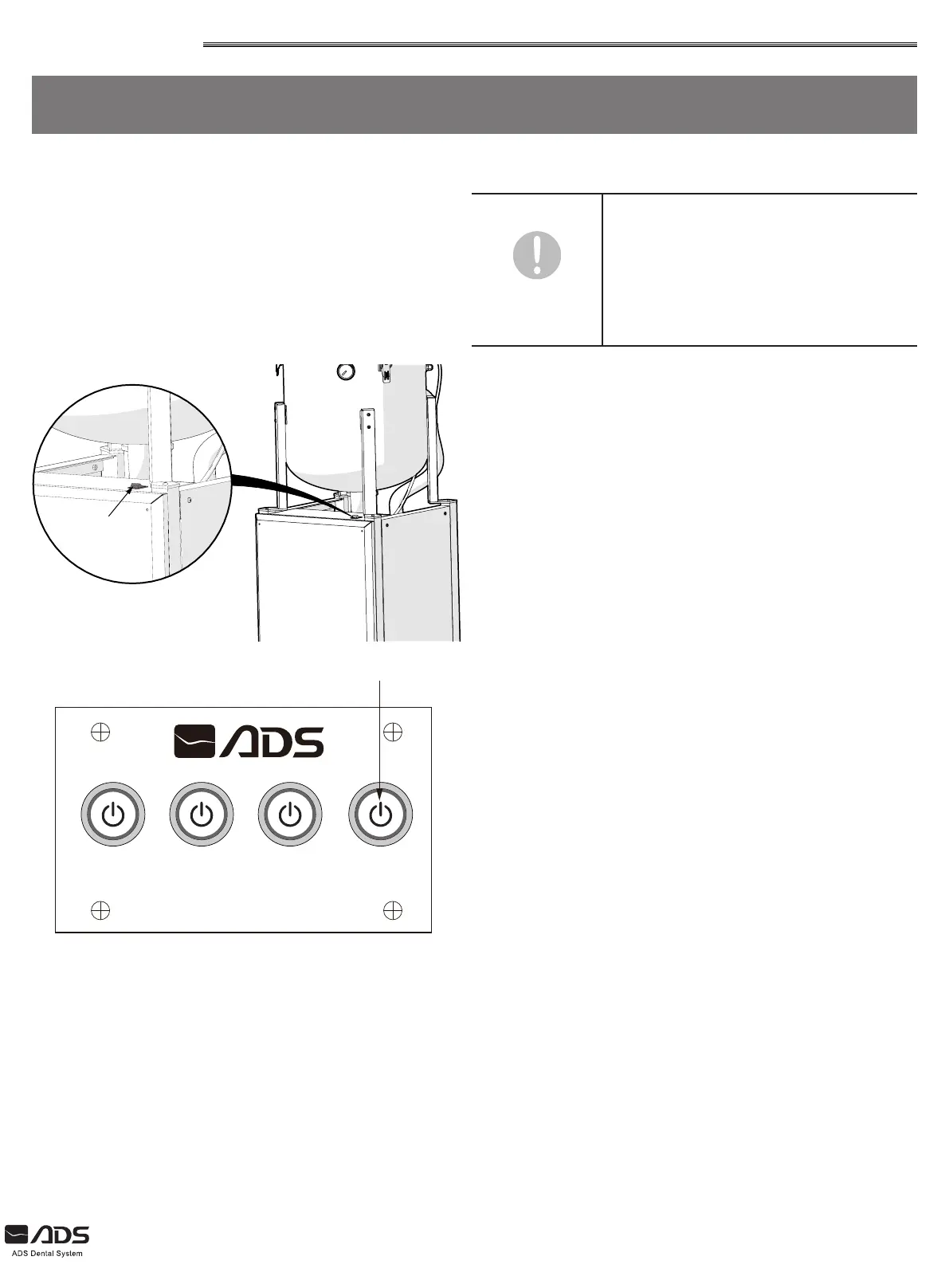
Main Power Button
Main Power Button
The main power buton switches the dental vacuum system on
or o.
The conveniently located main power button allows dental
sta to easily turn the vacuum system on in the morning and
o in the evening from the equipment itself.
The main power button should be switched to the o (O)
position when performing maintenance or at the end of the
day.
AIR WAT
ADS DENTAL PRODUCT
VAC VAC
LED Push-Button Controls (Optional)
Optionally, units can be equipped with LED push-button
controls, which allow users to power the vacuum with the
touch of a button. Pressing the button once will power on
the vacuum unit. An illuminated white LED light indicates the
vacuum is powered on.
If the LED light does not illuminate when the button is pressed,
users should verify the main power button on the vacuum unit
is in the ON (–) position to enable push-button functionality.
With the main power button set to ON (–) position, the push-
button controls will engage the vacuum as expected.


 To Next Page