Chapter 1: Introduction
DBC835 Wireless Doorbell Camera Installation
4
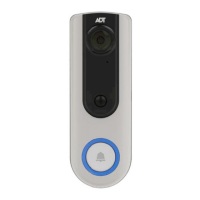
Doorbell/WPS
Button
This button has two functions:
1. WPS Pin Code Mode. When pressed and held for
0-10 seconds, the doorbell camera will be in the
WPS Pin Code mode.
Note: When WiFi connection is established, the WPS
function is disabled.
2. Doorbell. Press the button to ring the bell.
LED Behavior
z Off - No power.
z On (Blue) - Power On / Network connection is
available.
z Blinking (Green). The WPS connection is active.
z On (Red) - If the LED is on for 5 seconds and
then turns off, the WPS function has failed.
z Blinking (Red) - Network connection is failed.
z Spinning (Green). The firmware is being
upgraded.
z Intermittent Blinking (Red) – If the LED is
blinking for 2 seconds, means AC power is
disconnected.
Physical Details


 To Next Page