2
Chapter 3: ADT Pulse Enrollment
9
DBC835 Wireless Doorbell Camera Installation
9.
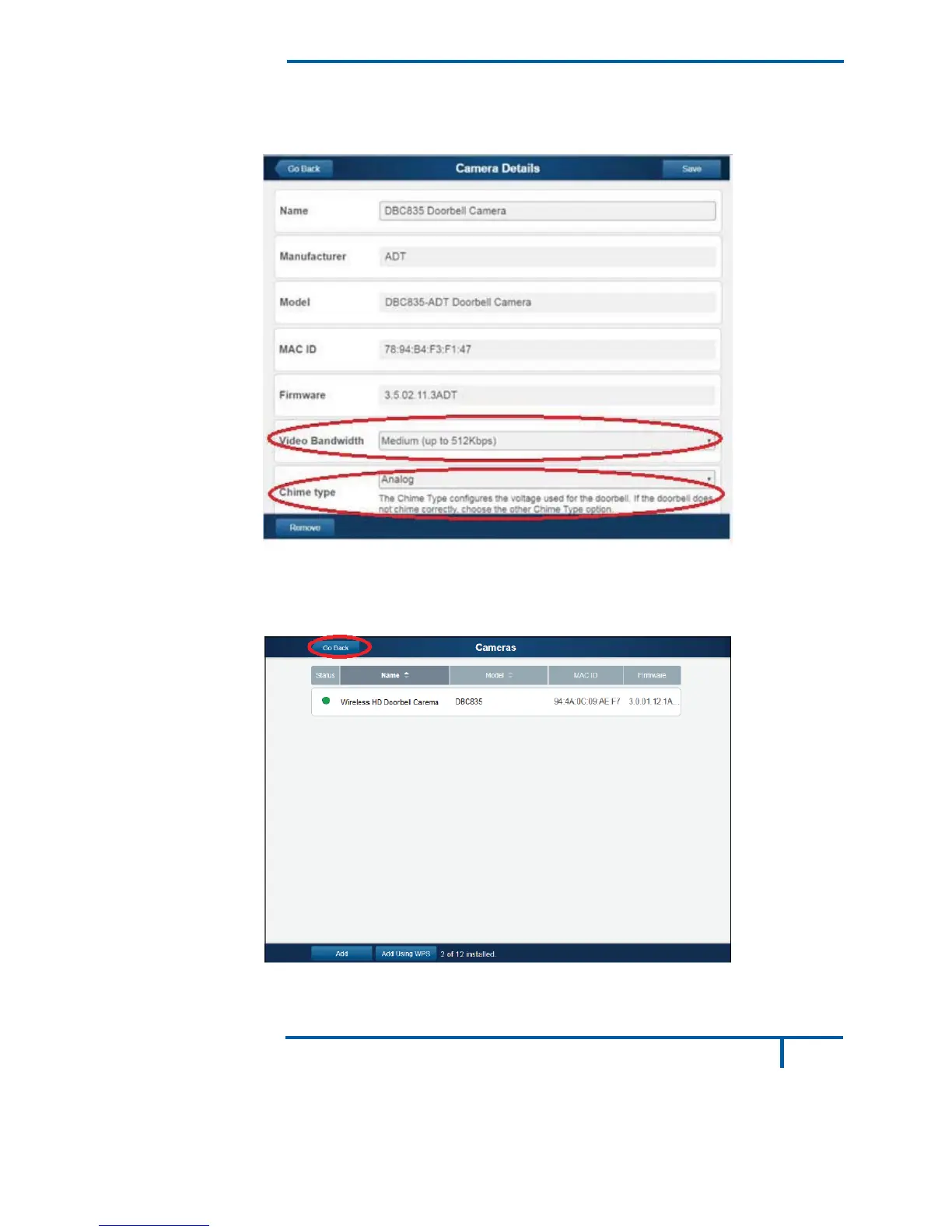
If the doorbell camera is enrolled, the Camera Details screen will be
displayed. Name the device and select the desired bandwidth & chimer
type. Click Save after entering all the data.
Figure 9: Saving Camera Details
10.
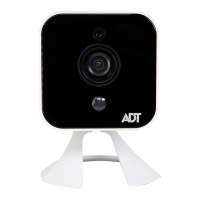
The newly-added device will be shown in the Cameras list, then click
Go Back at the top left of the screen.
Figure 10: Clicking Go Back Button


 To Next Page