2
Chapter 3: ADT Pulse Enrollment
7
DBC835 Wireless Doorbell Camera Installation
5.
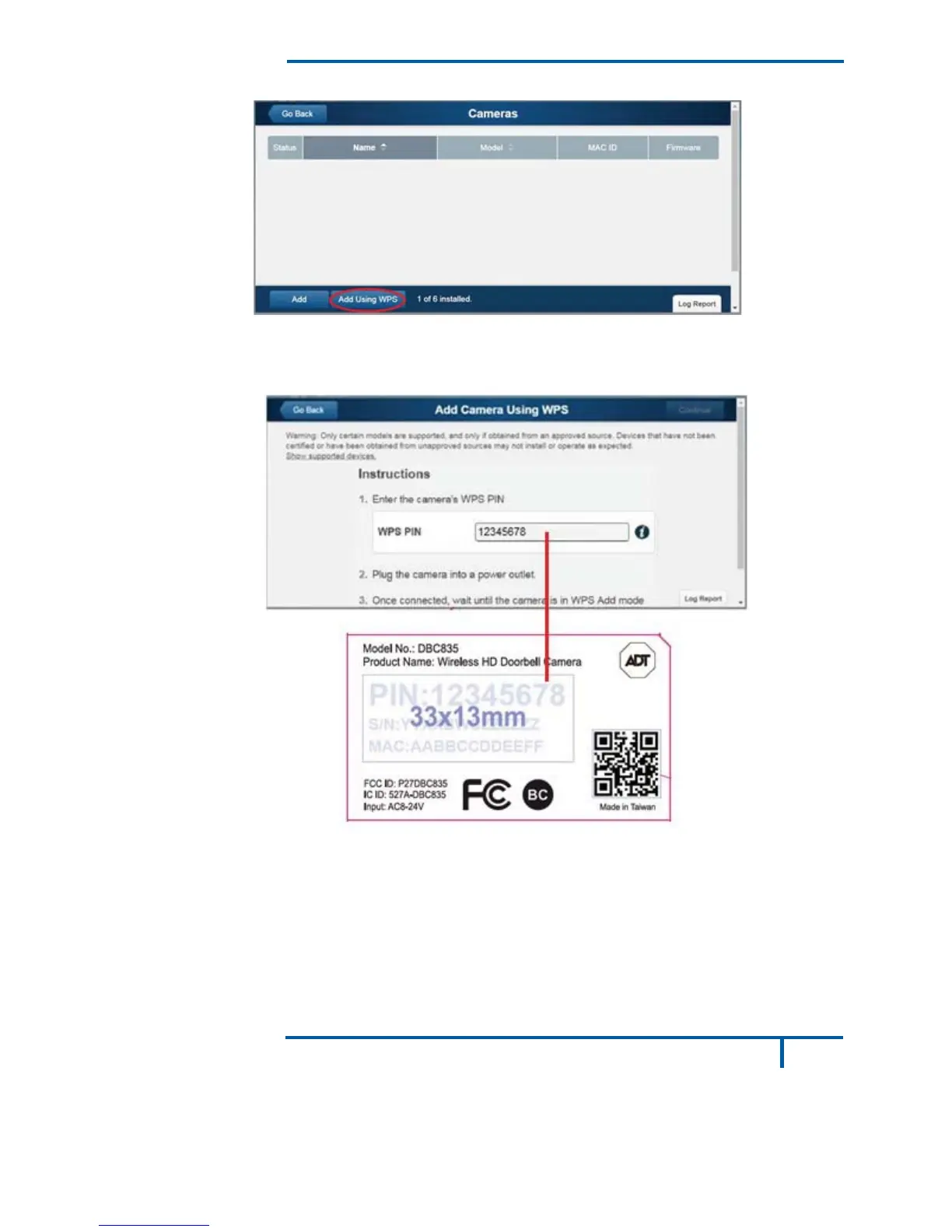
Click the Add Using WPS button at the bottom of the screen.
Figure 5: Clicking "Add Using WPS" Button
6.
Locate the camera’s PIN number on the label on the rear of the
camera. Enter the PIN number in the WPS PIN field.
Figure 6: Entering the PIN


 To Next Page