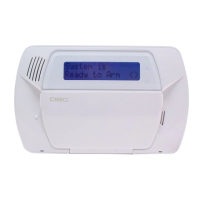
The DSC 9047 is a security alarm system designed to protect premises from intrusion and other potential threats. It features a keypad for user interaction, allowing for arming, disarming, and various system configurations. The system is manufactured by ADT, a well-known provider of security solutions.
Function Description:
The primary function of the DSC 9047 is to provide security monitoring for a property. It achieves this by monitoring various sensors (e.g., door/window contacts, motion detectors) and triggering an alarm when a protected area is breached while the system is armed. Users can arm the system in different modes:
- AWAY mode: This mode arms all sensors and is typically used when occupants are leaving the premises. It requires entering a security code or holding the [AWAY] key for two seconds, followed by exiting before the exit delay expires.
- STAY mode: This mode arms perimeter sensors but leaves interior sensors disarmed, allowing occupants to move freely inside the property. It is activated by holding the [STAY] key for two seconds or entering a security code without leaving the premises.
Disarming the system involves entering a valid security code before the entry delay expires.
Beyond basic arming and disarming, the DSC 9047 offers several advanced features:
- Zone Bypass: This allows users to intentionally disarm specific protected areas while the rest of the system remains armed. This is useful for accessing a particular area without triggering an alarm or for temporarily disabling a faulty sensor. The bypass procedure involves entering the function menu by pressing [], then [] again to reach [Zone Bypass], followed by entering [1] or [] and the security code. Users then input the zone number to be bypassed or use the [<>] keys to locate it and press []. A [B] will appear next to the bypassed zone number on the display. To exit, press [#]. To unbypass a zone, the procedure can be repeated, or the system can be armed and disarmed.
- Chime Mode: When enabled, the system will sound three tones whenever a protected door or window is opened. This provides an audible alert for entry/exit points without triggering a full alarm. The chime function can be toggled on or off by holding the [Chime] key for several seconds or by pressing [*] + [4].
- Trouble Condition Monitoring: The system continuously monitors its operational status and will display the word 'FAULT' on the panel if a trouble condition is detected. Users can view the specific trouble condition by pressing [*] + [2] and using the [<>] keys to scroll. The beeps associated with trouble conditions can be silenced by pressing [#].
- Security Code Management: The system supports up to 16 additional user codes, allowing multiple individuals to arm and disarm the system. Only the Master user can program new user codes and attributes. To program a new user, press [] + [5] + [Master security code], then enter the two-digit number for the access code (e.g., 06 for Access Code 6), followed by the new user's code. Users can continue adding codes or press [#] to exit. To erase an access code, press [] + [5] + [Master code] + [user access code] + [*], then [#] to exit.
- Buzzer Volume Control: The system's buzzer volume can be adjusted. This is done by pressing [] + [6] + [Master code], then using the [<>] keys to scroll to [Buzzer Control] and pressing []. Once a volume is selected, pressing [#] saves the selection.
Important Technical Specifications:
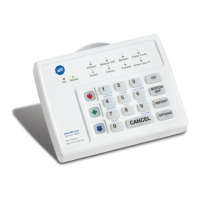
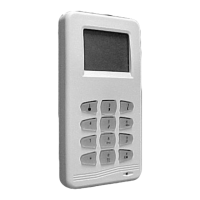
While specific technical specifications like power consumption, sensor types, or communication protocols are not detailed in this quick guide, the manual indicates that the system operates on the "DSC Power Series 9047." This suggests it is part of a broader product line, likely utilizing wired or wireless sensors compatible with the Power Series platform. The keypad features dedicated keys for common functions like [Stay], [Away], [Chime], [Bypass], and [Exit], along with a numeric keypad (0-9, *, #) for code entry and menu navigation. The display provides feedback on system status, zone numbers, and trouble conditions.
Usage Features:
The DSC 9047 is designed for user-friendly operation with its intuitive keypad layout.
- Direct Access Keys: Dedicated keys like [Stay], [Away], [Chime], and [Bypass] provide quick access to frequently used functions.
- Numeric Keypad: The standard numeric keypad allows for easy entry of security codes, zone numbers, and menu selections.
- Audible Feedback: The system provides audible beeps for key presses, chimes for opened doors/windows, and distinct sounds for trouble conditions, enhancing user awareness.
- Visual Feedback: The display shows system status, zone information, and trouble messages, guiding the user through operations.
- Exit/Entry Delays: These configurable delays provide users with time to leave or enter the premises after arming/before disarming without triggering an immediate alarm.
Maintenance Features:
The quick guide highlights a few key maintenance aspects:
- Battery Replacement: The DSC Power Series 9047 operates on a battery, and the guide refers to a "Battery Replacement Page" for instructions, indicating that battery maintenance is a user-serviceable item. This is crucial for ensuring continuous operation during power outages.
- Clearing Display After Alarm: After an alarm event, the display can be cleared by arming and disarming the system, which is a simple user action to reset the system status.
- Date and Time Setting: Users can adjust the system's internal clock. This is important for accurate event logging and scheduling functions (if available). To change the date and time, press [] + [6] + [Master security code] + [1], then use [<>] to find [Time and Date], press [], enter minutes and hours in 24-hour format (e.g., 16:45), enter date in MM:DD:YY format (e.g., 082315), and press [#] to exit.
For more detailed information on any of these topics, the guide consistently refers users to the complete "DSC 9047 manual," indicating that this quick guide serves as an overview for common operations.

 Need help?
 General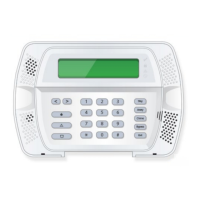

 To Next Page