PCL-818 Series User Manual 14
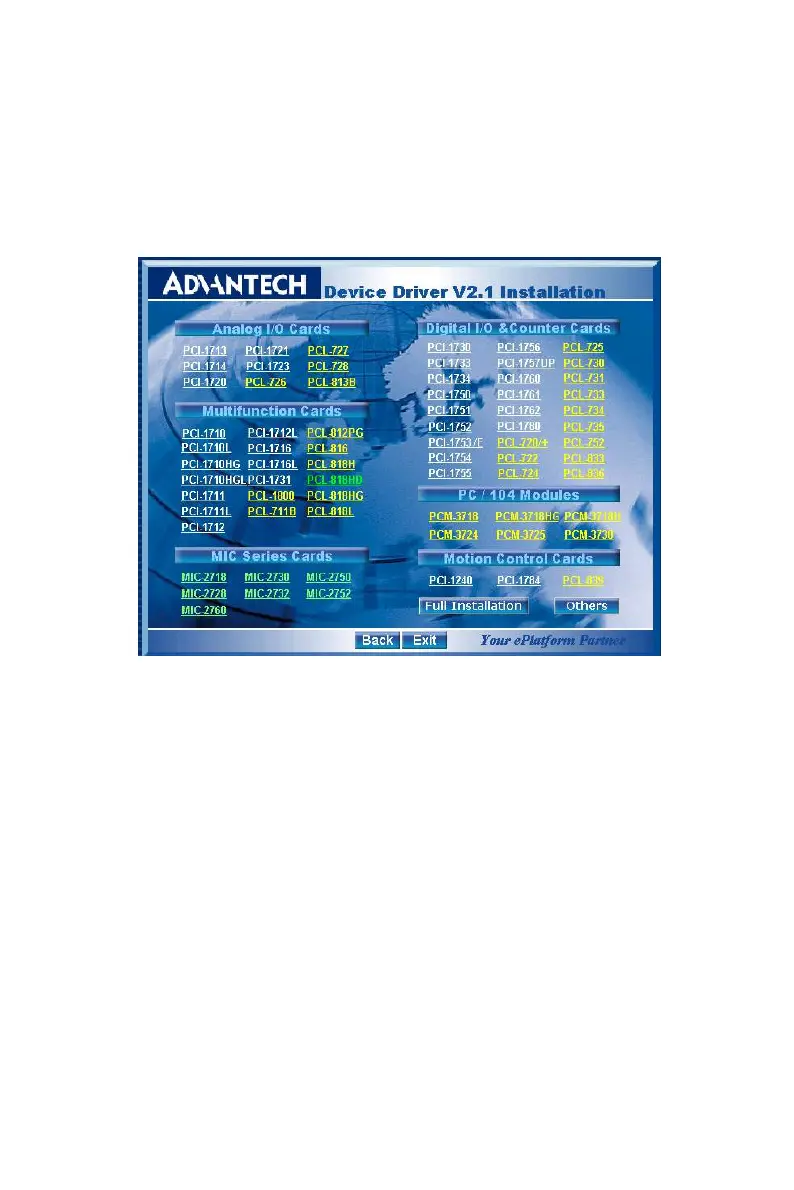
Step 3: Select the Device Drivers option.
Step 4: Select the specific device then just follow the installation
instructions step by step to complete your device driver installa-
tion and setup.
Figure 2.2: Options for Driver Setup
For further information on driver-related issues, an online version of the
Device Drivers Manual is available by accessing the following path:
Start/Advantech Automation/Device Manager/Device Driver’s Manual


 To Next Page