PCL-818 Series User Manual 64
Appendix D Calibration
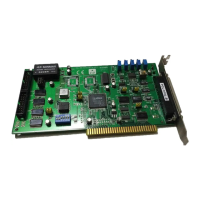
This chapter provides brief information on PCL-818HD/HG/L calibra-
tion. Regular calibration checks are important to maintain accuracy in
data acquisition and control applications. We provide the calibration pro-
gram on the companion CD-ROM to assist you in D/A calibration.
The PCL-818HD/HG/L is calibrated at the factory for initial use. How-
ever, a recalibration of the analog input and the analog output function
every six months is recommended.
These calibration programs make calibration an easy job. With a variety
of prompts and graphic displays, these programs will lead you through
the calibration and setup procedures, showing you all the correct settings
and adjustments.
To perform a satisfactory calibration, you will need a 4½-digit digital
multi-meter and a voltage calibrator or a stable, noise-free D. C. voltage
source.
A calibration program, CALB.EXE, is included on the CD-ROM:
CALB.EXE PCL-818HD/HG/L calibration utility
This calibration utility is designed for the Microsoft
DOS environment.
Access this program from the default location:
C:\Program Files\Advantech\ADSAPI\Utilities\PCL818
Note: If you installed the program to another directory, you
can find these programs in the corresponding sub-
folders in your destination directory.
Note: Before you calibrate the D/A function, you must turn
on the power at least 15 minutes to make sure the
DA&C card is already stable.


 To Next Page