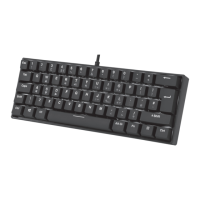
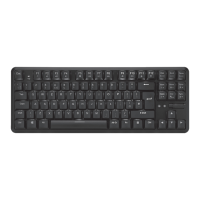
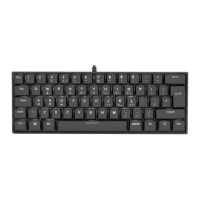
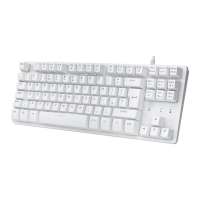
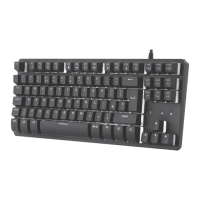
The ADXWMK0520 is an RGB Wireless TKL Mechanical Gaming Keyboard designed for an enhanced gaming experience. This instruction manual provides comprehensive details on its features, usage, and maintenance.
Function Description:
The keyboard offers both wired and wireless connectivity, allowing for flexible use with various devices. It features a Tenkeyless (TKL) layout, which means it lacks a numeric keypad, making it more compact and portable. The RGB backlighting provides customizable lighting effects, enhancing the aesthetic appeal and user experience, especially in low-light environments. The mechanical switches offer tactile feedback and durability, which are highly valued by gamers.
Important Technical Specifications:
- Model: ADXWMK0520
- Rated Input: DC 5V 500mA
- Wireless Frequency: 2.4GHz
- Operating Range: < 8m (open space)
- Frequency Band(s): 2406-2470 MHz
- Max. Radio Frequency Power Transmitted: Keyboard: -8 dBm, Dongle: -12 dBm
- Battery Life: Up to 10 hours
- Charging Time: 4.5 hours
- Operation Temperature: 5-40 °C
- Dimensions (L x W x H): 362 x 134 x 35 mm
- Net Weight (Keyboard): 885 g
- Battery Model: ARS3034120
- Battery Type: DC 3.7V 1000mA
- Battery Rating: 3.7V 1000mAh 3.7Wh
- Number of Batteries: 1
- Battery Designation Code: 1ICP4/35/51-2
- Battery Manufacturer: Dongguan Airuisi Battery Co. Ltd.
- Battery Dimension: 120 x 34.2 x 3.2 mm
- Net Weight (Battery): 26 g
- System Requirements: Microsoft® Windows® 8 / 10, 1 available USB port.
Usage Features:
Connectivity:
- Wireless Connect: To use wirelessly, press the "Mode" button until the LED is off. Plug the USB dongle directly into your computer's USB port. The keyboard will automatically connect. Ensure the "Charging Mode" switch (located on the bottom of the keyboard) is in the OFF position for wireless operation.
- Wired Connect: To use in wired mode, press the "Mode" button until the LED is on. Connect your computer and the keyboard using the USB Type-C cable.
Charging the Battery:
The keyboard is powered by a built-in rechargeable battery. For first-time use, charge it fully.
- Connect the USB Type-C cable to the keyboard.
- Connect the other end of the USB charging cable to a powered USB device.
- LED Indicator Status:
- Low battery: The battery indicator will flash.
- Charging: The battery indicator will light up.
- Fully charged: The battery indicator will turn off.
- For optimal charging speed, turn the "Charging Mode" switch to the ON position. Note that wireless connection will be disconnected during fast charging.
Function Keys (accessed by pressing Fn Key + desired key):
- Media Control:
- Fn + F1: Start default Media Player program.
- Fn + F2: Decrease Volume.
- Fn + F3: Increase Volume.
- Fn + F4: Mute sound.
- Fn + F5: Stop playback.
- Fn + F6: Back to previous track.
- Fn + F7: Play/pause track.
- Fn + F8: Go to next track.
- System Functions:
- Fn + F9: Start default Web browser and load Home Web page.
- Fn + F10: Start default e-mail program.
- Fn + F11: Lock Keyboard.
- Fn + F12: Open Calculator.
- Note: Not all functions may be available depending on your operating system.
Backlight Effect (accessed by pressing Fn Key + desired key):
- Fn + "Brightness Up/Down" key: Adjust the backlight flashing sequence level.
- Fn + "Light On/Off" key: Switch the backlight on/off.
- Fn + "Mode" key: Select different backlight effects (5 modes / 1 customized mode).
- Fn + "Brightness Up/Down" key: Adjust the backlight brightness.
- Fn + Spacebar: Change the backlight color.
Customizing the Backlight Effect:
You can customize the backlight for each keypress.
- Press Fn + "Mode" repeatedly to select the customize backlight mode. Keypress WASD and the arrow keys will light up as the first time.
- Press and hold Fn + "Mode" to enter backlight setting mode. CAPS and WIN keypresses will start flashing.
- Press Fn + Spacebar to select the color (8 colors + 1 colorless). Spacebar will flash the chosen color.
- Press and hold Fn + "Mode" when done. CAPS and WIN keypresses will stop flashing.
- To reset customized backlight effect to default, press and hold Fn + "Light On/Off" key until all backlights start lighting in succession.
Maintenance Features:
Safety Warnings:
- Read all instructions carefully and retain the manual for future reference.
- Inspect the unit for damage after unpacking. Do not operate if damaged or not working normally; switch off, unplug, and consult your dealer.
- Wireless devices transmit RF energy when batteries are installed and the device is on.
- Avoid extreme temperatures (hot or cold). Keep away from heat sources and direct sunlight.
- Never place candles or naked flames on or near the unit.
- Avoid placing the unit on or near appliances that cause electromagnetic interference, as this may affect performance and cause distorted sound.
Built-in Battery Care:
- The product uses a built-in rechargeable battery.
- The battery has a limited lifespan and will eventually wear out.
- Unplug the charger from the electrical plug and the product when not in use.
- Do not leave a fully charged battery connected to a charger, as overcharging shortens its lifetime.
- Unused, a fully charged battery will lose charge over time.
- Leaving the product in hot or cold places (e.g., a closed car) will reduce battery capacity and lifetime.
- Keep the device in a cool, moisture-free environment (less than 32°C). Extreme temperatures can affect battery performance.
- If storing the device for over six months, charge the battery for an hour every six months to keep it fresh.
- Fully recharge the unit after each use to maintain battery health.
Battery Warning:
- The battery may present a risk of fire or chemical burn if mistreated.
- Do not attempt to open or replace the battery; it is built-in and not changeable. Using other batteries may cause fire/explosion and void the warranty.
- Only recharge with the provided approved USB cable.
- Dispose of batteries according to local regulations; recycle when possible. Do not dispose as household waste or in fire, as they may explode.
- Batteries may explode if damaged.
Hints and Tips:
- Restart the computer if issues arise.
- Recharge the battery if the keyboard is unresponsive.
- Ensure the USB plug is fully inserted into a USB port and the computer is on. Try a different USB port if needed.
- If the Nano Receiver is plugged into a USB hub, try plugging it directly into the computer.
- If keyboard performance is slow or intermittent near a wireless network, unplug the Nano Dongle from the USB port, then reinsert it. To reactivate the keyboard, switch the "Charger Mode" switch (on the bottom of the keyboard) off, then on, then off again.
Environmental Disposal:
- Batteries contain chemicals harmful to the environment. Dispose of used batteries according to local laws/regulations. Do not dispose with normal household waste.
- The product symbol indicates it should not be disposed of with other household waste. It is your responsibility to hand over waste equipment to a designated collection point for recycling waste electrical and electronic equipment. This helps conserve natural resources and protects human health and the environment.
Compliance:
- Windows is a registered trademark of Microsoft Corporation.
- All trademarks are property of their respective owners.
- Declaration of Conformity (RED): DSG Retail Ltd. declares that the radio equipment type [ADXWMK0520] complies with Directive 2014/53/EU. The full text of the EU declaration of conformity is available at https://www.teamknowhow.com/ (search for the model number).

 Need help?

 To Next Page
 General