GB
13
Fire button
B5
Backward
B4
Forward
1
1
2
2
3
3
4
4
0
0
9
9
8
8
7
7
6
6
5
5
RESET ALL
Save & Exit Cancel Apply
PROFILE 1 PROFILE 2 PROFILE 3 PROFILE 4 PROFILE 5
ASSIGN BUTTONS MACRO MANAGER ADVANCED SETTING LIGHT
LOAD PROFILE SAVE PROFILE
General Setting
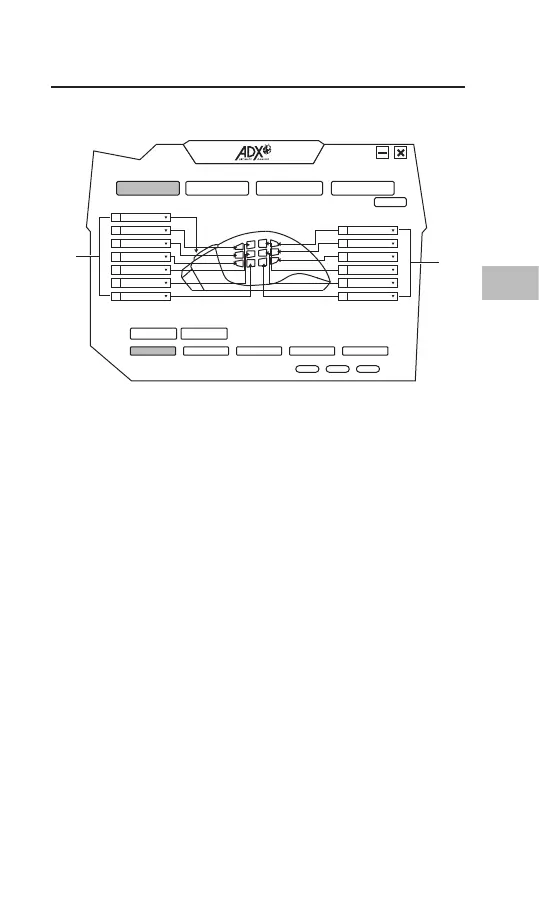
Select ASSIGN BUTTONS from the user interface.
1. Customising the Buttons
Change the mouse button into desired functions from the
function list.
Left click cannot be customised unless another left click is set.
1
1



 To Next Page