12
GB
Playback
Out In
EQ KS SF
EM VF
VSS SMX
Speakers Out
48 KHz
7.1
Capture
Mic In
Show System Tray Icon :
Application Setting
Speakers
Mic
UI Transparent :
Don’t show start up message :
OK Cancel Apply
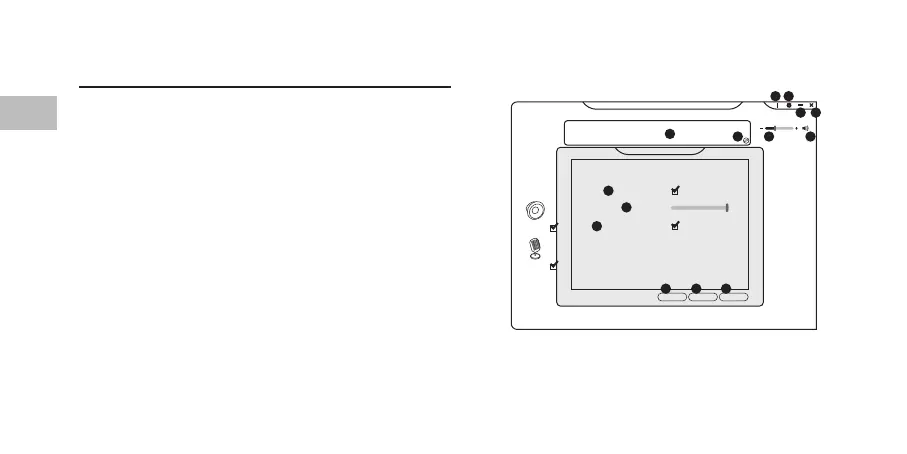
User Interface
Choose AFSH0917 Conguration.exe from the desktop to
start the software.
1. Software Information.
2. Setting options.
3. Minimise the software.
4. Exit the software.
5. Enabled feature will be highlighted.
6. Switch between Status and Prole panel.
7. Adjust the volume.
8. Mute or restore the sound.
9. “Show System Tray Icon” option.
10. Adjust UI Transparent level.
11. “Don’t show start up message” option.
12. Save the current setting and exit
13. Cancel setting and exit.
14. Save the current setting.
5
9
10
11
12 13 14
1 2
3 4
6 7 8


 To Next Page