8
aee.com
DE
EN
ES
PT
IT
EL
FR
NL
PL
CS
HU
SV
FI
NO
RU
DA
Preparations Before Use
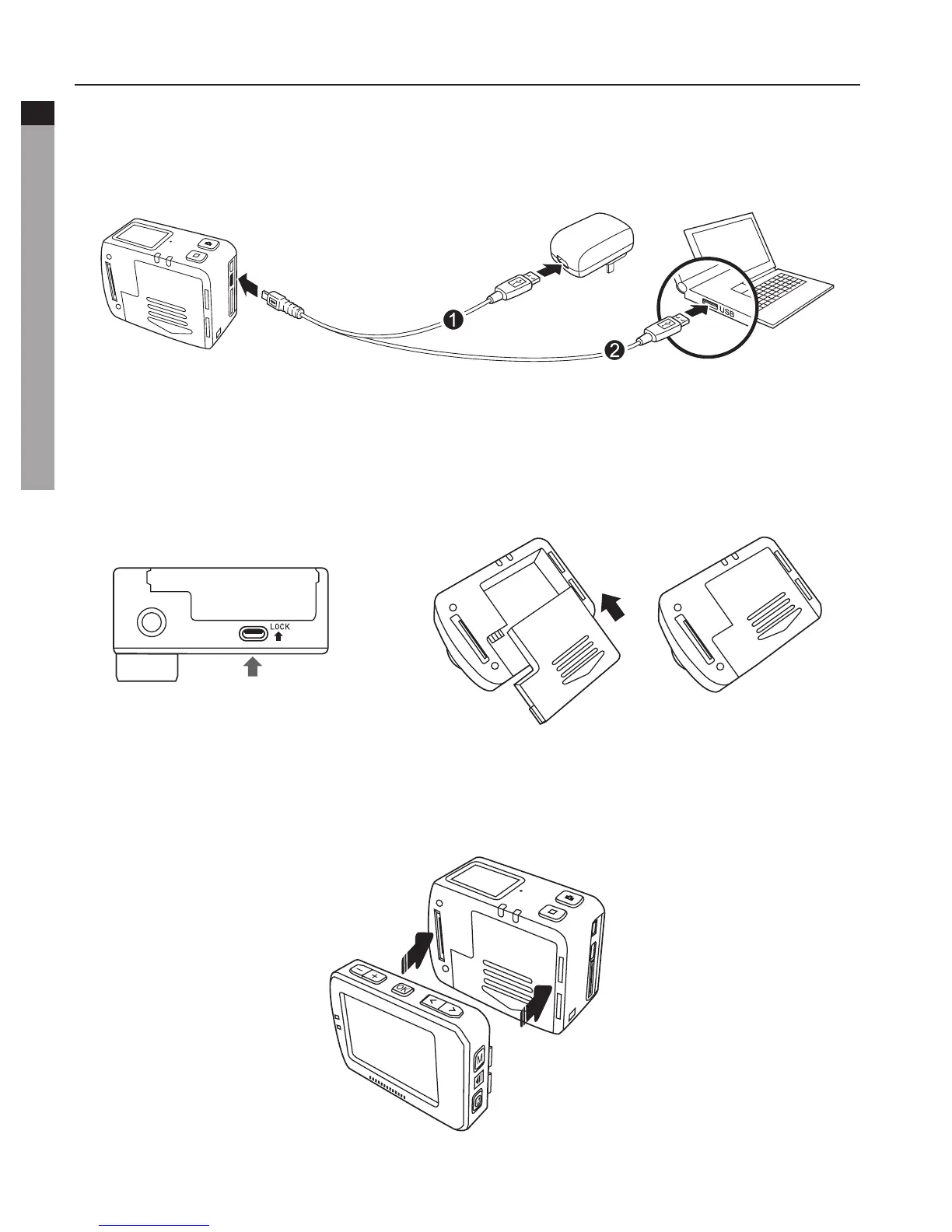
1. Charging
Start up the unit to check the battery power. If the battery level is low, charge it.
Use USB cable to charge S50+:
Poweradapter
Input:100~240V0.5A
Output:DC5V2000mA
2. Installing the Battery
a. Before Installing the battery, ensure that the battery "Battery lock" at the bottom of S50+
is unlocked.
b. Pushthebatteryintothebatteryslotcompletelyasbelow:
Battery lock
3. Install TFT Display
S50+supportsexternaldedicated2"TFTdisplay,whichcanperformSetup,Playbackand
Delete, etc. on the camera to preview or play back the video.
Install the display as shown below:



 To Next Page