10
aee.com
DE
EN
ES
PT
IT
EL
FR
NL
PL
CS
HU
SV
FI
NO
RU
DA
Video Modes
1. Basic Operations of Video Recording
a. Turn on S50+ to enter recording standby mode;
b. AimthelenstothesubjectandpreviewitinTFTdisplay;
c. Press"Videorecording"keyoncetostartvideorecording;
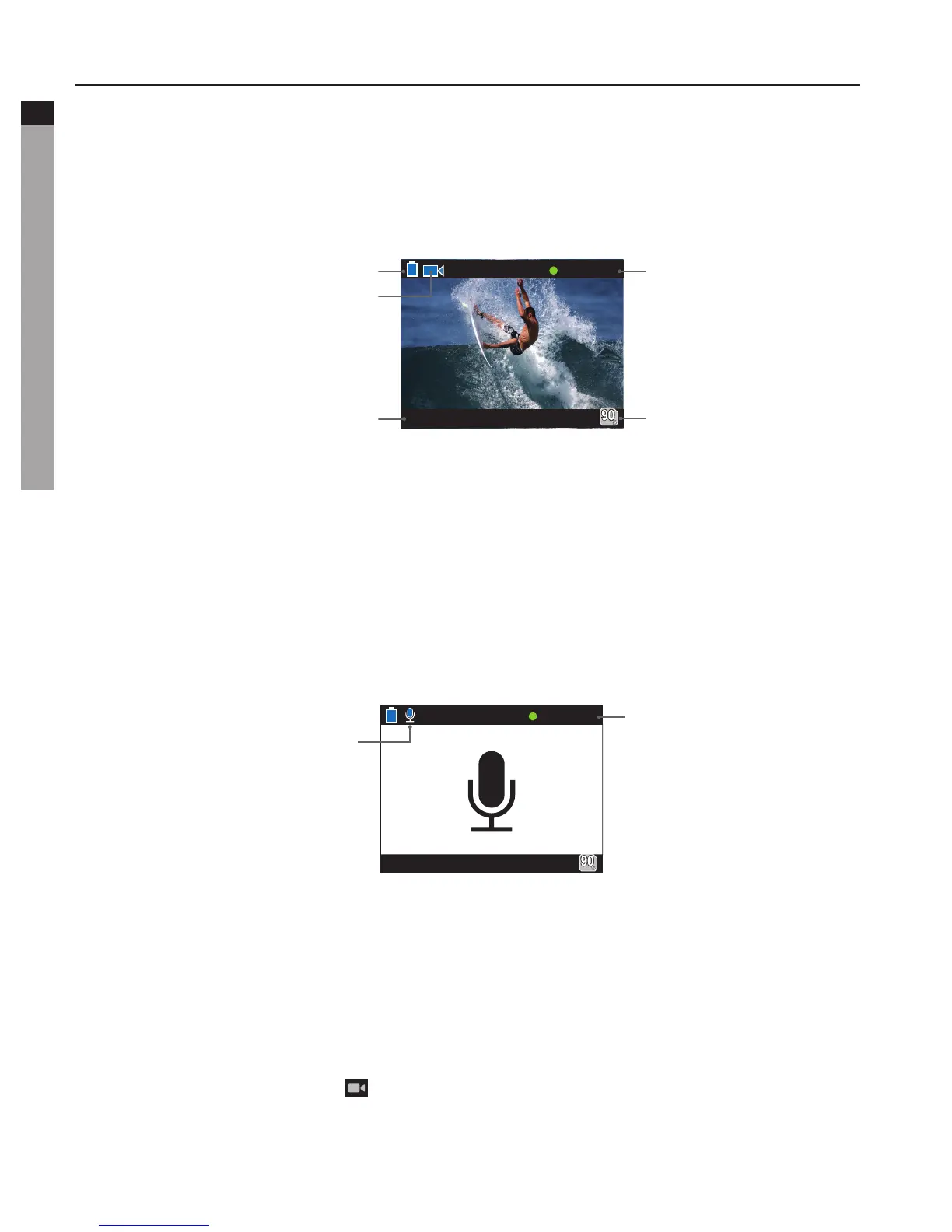
- The system will tick once to indicate the effective of video recording, TFT display is shown
as below for video recording:
free space of the
memory card
Working mode
(video recording)
Resolution of video recording
Time of video
recording
BatterylevelVisualangle
000:00:01
d. During video recording, press the "Stop" key once to stop video recording.
- the system generates a tick tone twice ,indicating that the video recording operation
stops recording, and the time counter stops.
- The display will return to recording standby mode.
2. Basic Operations of audio record
a. Enteraudiorecordmodeandpress"VideoRecording"keytostartaudiorecording.
- The system will tick once to indicate the effective of video recording:
Working mode
(Audiorecording)
Recording time
b. During audio recording, press the "Stop" key once to stop audio recording.
- The system generates a tick tone twice, indicating that the video recording operation
stops.
- The display will return to recording standby mode.
* Exitaudiorecordmode:
a. Press"M"keytoenterthecamerasettingmenu;
b. Press"+"/"-"keytoselect"Exe.:audioonly"andpress"OK"keytoconfirm;
c. Press"<"/">"keytoselect" "modeandpress"OK"keytoconfirm,S50+willreturnto
recording standby mode.



 To Next Page