Use and Installation
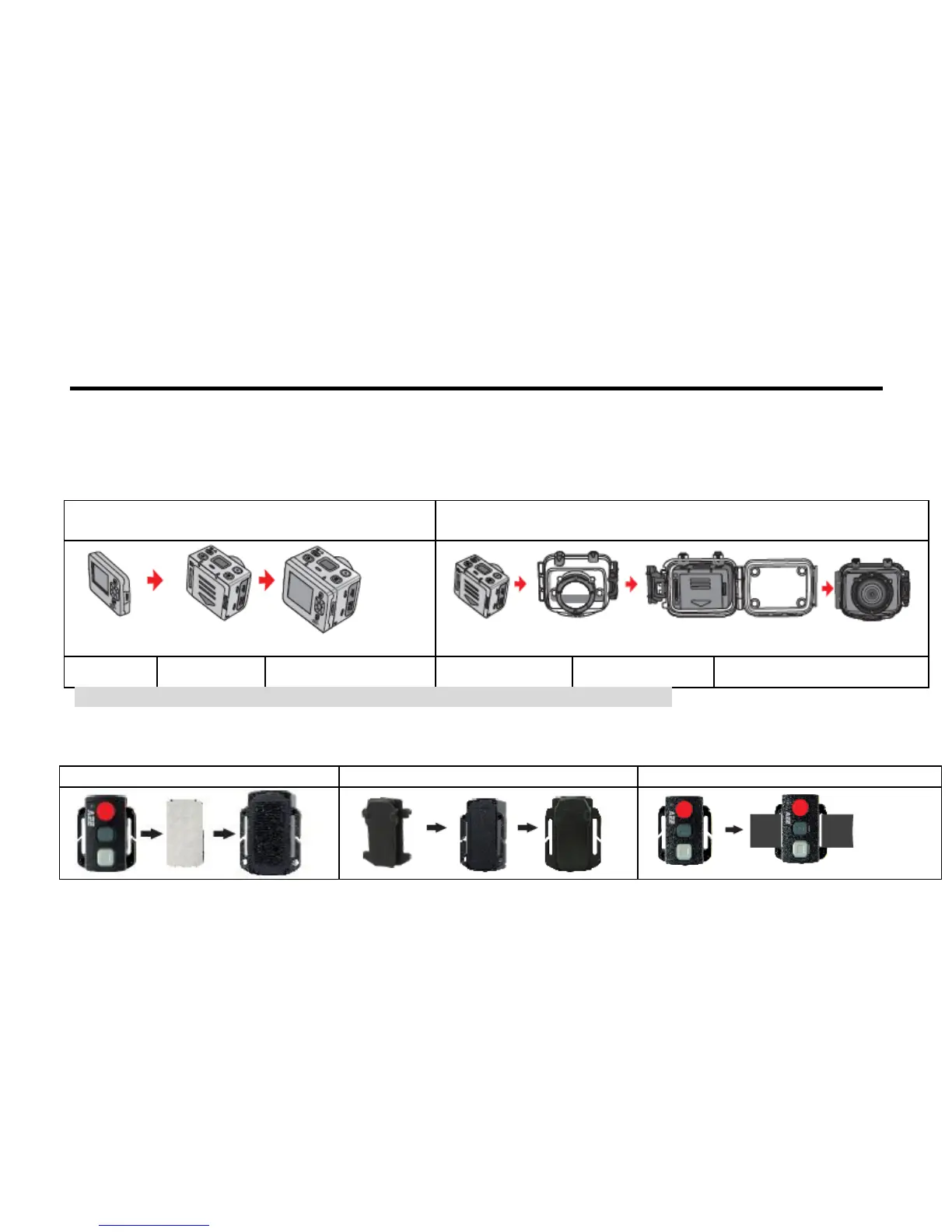
1. Installing the SD21 video camera
The SD21 video camera can be hand-held or used with hand-free accessories. It can be installed at your
desired place or, after being equipped with a waterproof housing, placed in water for shooting underwater
sceneries.
How to install the SD21 video camera
1. Assemble the TFT screen onto the video
camera.
2. Put the SD21 video camera into the waterproof housing.
Assemble the TFT screen
onto the video camera
Put the video camera into the
waterproof housing
** To remove the TFT screen, press the PUSH snap button and then remove it.**
2. Installing the Remote Controller
The SD21 video camera is equipped with an independent remote controller, which can be placed at different
positions, depending on the accessories.
3. Binding strap (provided by users)



 To Next Page