27Operating the Oven
The display changes to the current
core temperature.
3 If OVEN FUNCTIONS is already dis-
played in the text line, before the
desired core temperature has been
set, then press the SELECTION
button, until the symbol flashes and then perform the setting.
3 The core temperature is displayed from 30°C.
3. Set the oven function and, if necessary, the oven temperature.
3 Within a few minutes, a provisional end time is calculated, at which the core
temperature set will be reached. This time is constantly recalculated and updat-
ed in the display. For the system to work, it is essential that the meat probe is in
the meat and in the socket at the start of the cooking process and that it is not
removed during the cooking process.
During the calculation phase, the display for the time of day and meat’s core
temperature shows a “flashing square”.
As soon as the pre-set core temperature is reached, a signal sounds and the ap-
pliance switches itself off automatically.
4. Press any button to switch off the signal.
Changing the core temperature at a later time:
Press the SELECTION button repeatedly until the MEATPROBE function flash-
es and the core temperature set appears in the temperature display.
Then change the temperature using the or button.
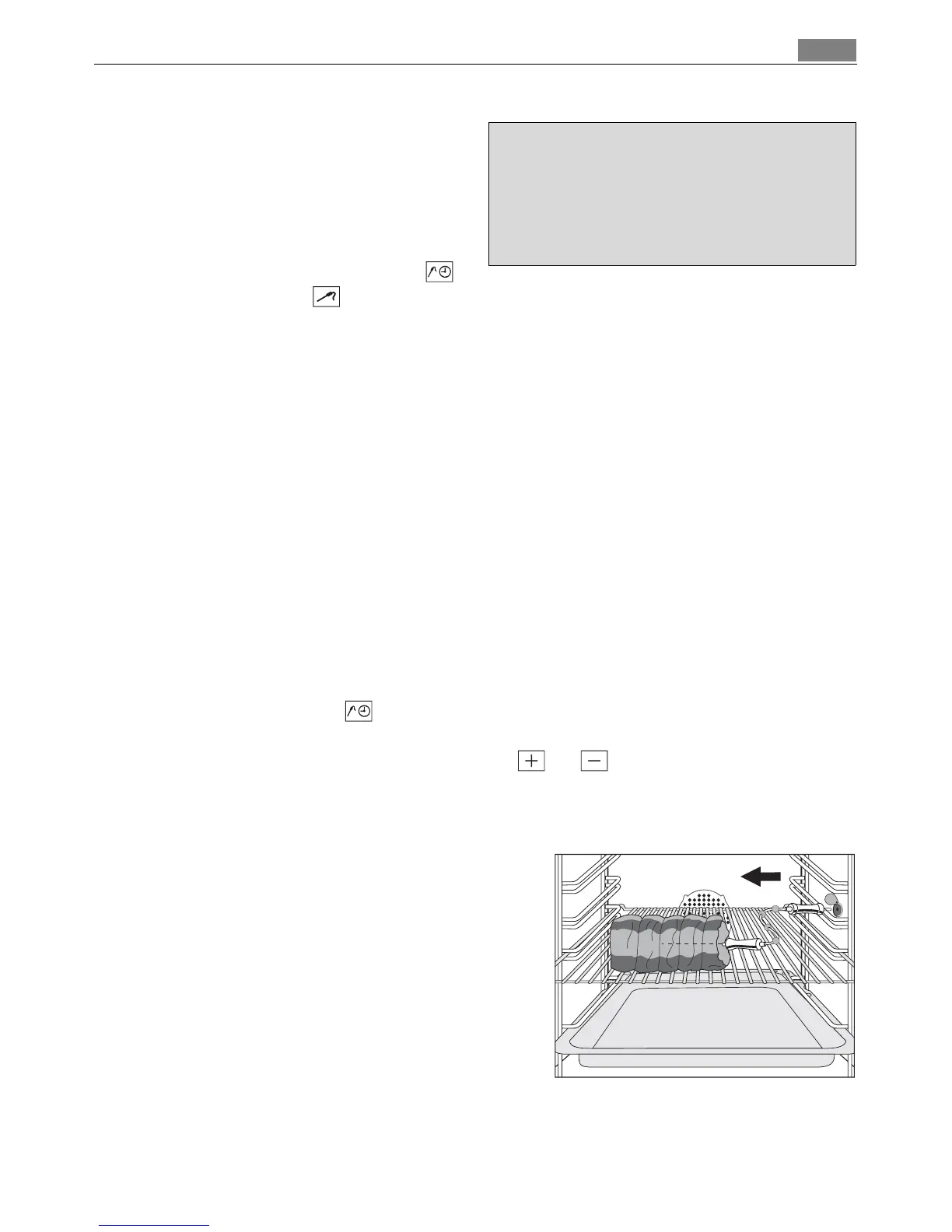
Removing the meat probe
1 Warning: The meat probe is very hot.
There is a risk of being burned when re-
moving the plug and the tip of the meat
probe.
1. Remove the meat probe’s plug from the
socket and take the meat out of the oven.
2. Switch off the appliance.
3 You will find instructions on the meat
programmes with meat probe in the
section “Automatic programmes”.
–—OVEN FUNCTIONS
ý ý ý ýþ ë ý
ý ý
ý
ý
ý ý
888ûcþ þüþ8ü3ü0û8
ý
88.8ú8
wm¸¹º»¼-+



 To Next Page