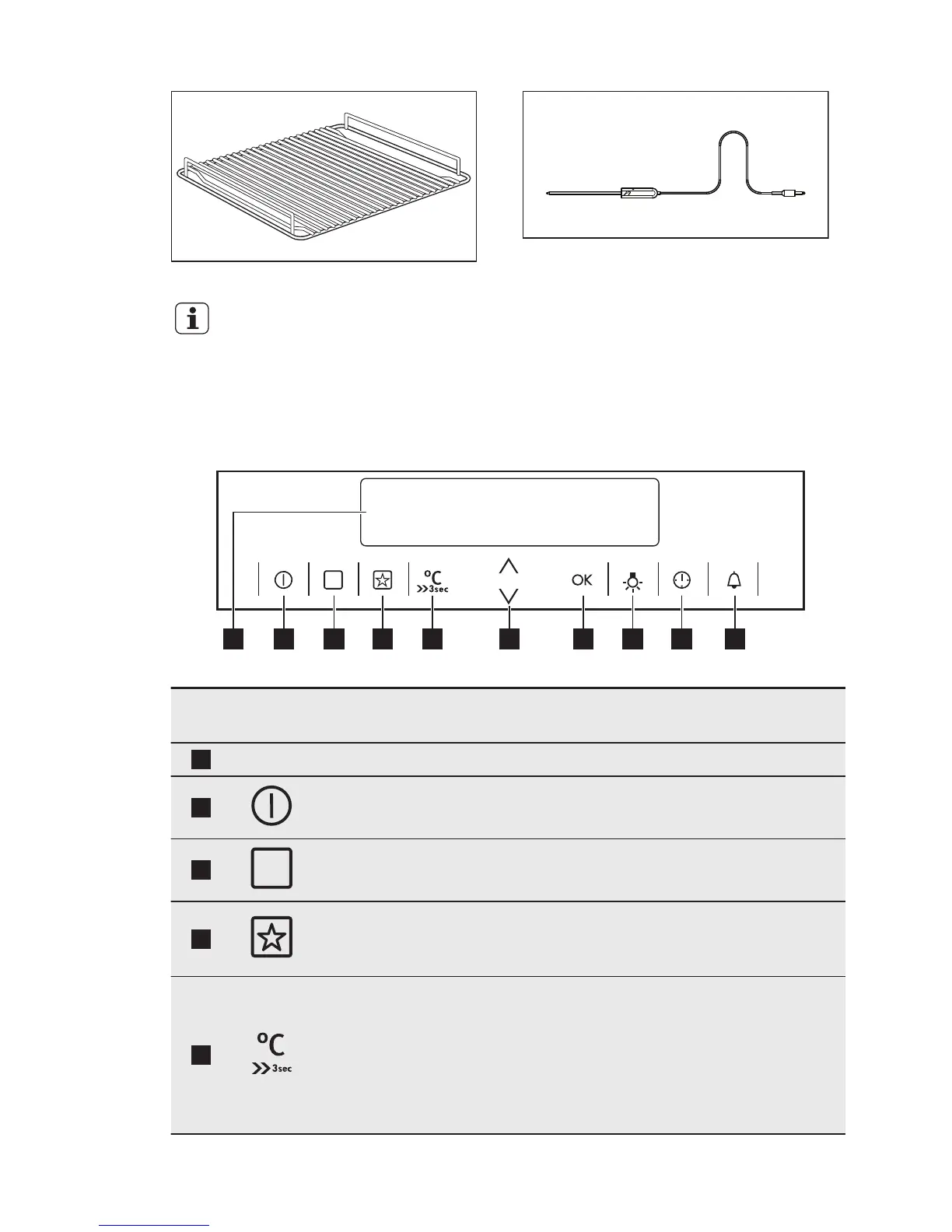
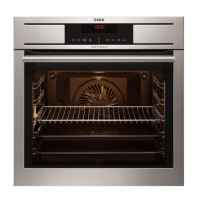
Trivet
For roasting and grilling.
Use the trivet only with the
Grill- / Roasting pan.
Core temperature sensor
To measure how far the food is cooked.
4. CONTROL PANEL
4.1 Electronic programmer
Use the sensor fields to operate the appliance.
Sensor
Field
Function Description
1
- DISPLAY Shows the current settings of the appliance.
2
ON / OFF To activate and deactivate the appliance.
3
OPTIONS To set an oven function or an automatic pro-
gramme.
4
MY FAVOURITE
PROGRAMME
To store your favourite programme. Use it to
have access to your favourite programme direct-
ly or when the appliance is deactivated.
5
TEMPERATURE /
FAST HEAT UP
To set and see the cavity temperature or the
core temperature sensor temperature (if
present). If you press and hold it for three sec-
onds, it turns the Fast heat up function ON or
OFF. Straight access to the temperature setting
of the first oven function when the appliance is
off.
www.aeg.com8


 To Next Page