5.3 Display
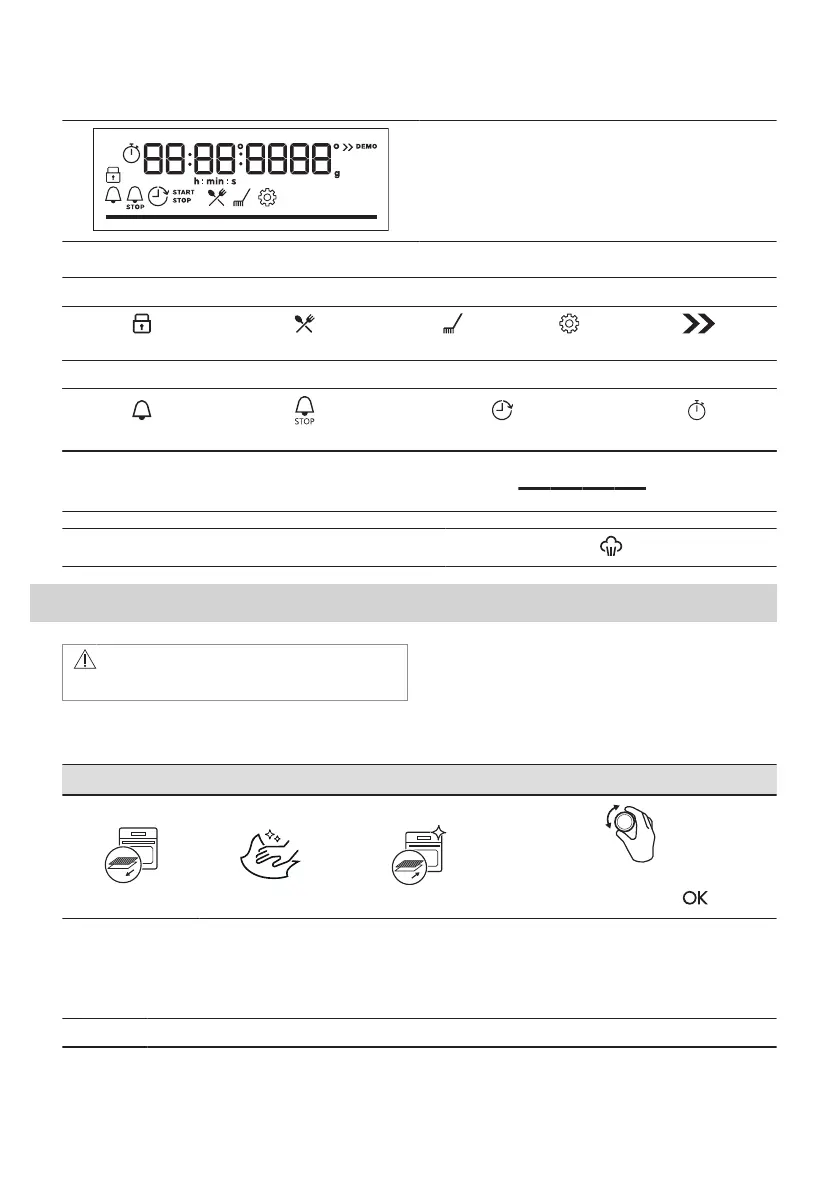
Display with key functions.
Display indicators
Basic indicators
Lock
Assisted Cooking
Cleaning
Settings
Fast Heat Up
Timer indicators
Minute minder
End time
Time Delay
Uptimer
Progress bar - for temperature or time. The bar is
fully red when the appliance reaches the set tem‐
perature.
Steam cooking indicator
6. BEFORE FIRST USE
WARNING!
Refer to Safety chapters.
6.1 Initial cleaning
Before the first use, clean the empty appliance and set the time:
00:00
Set the time. Press .
6.2 Initial preheating
Preheat the empty oven before the first use.
Step 1 Remove all accessories and removable shelf supports from the oven.
10 ENGLISH


 To Next Page