14.5 Submenu for: Service
Submenu Description
Demo mode Activation / deactivation code: 2468
Software version Information about software version.
Reset all settings Restores factory settings.
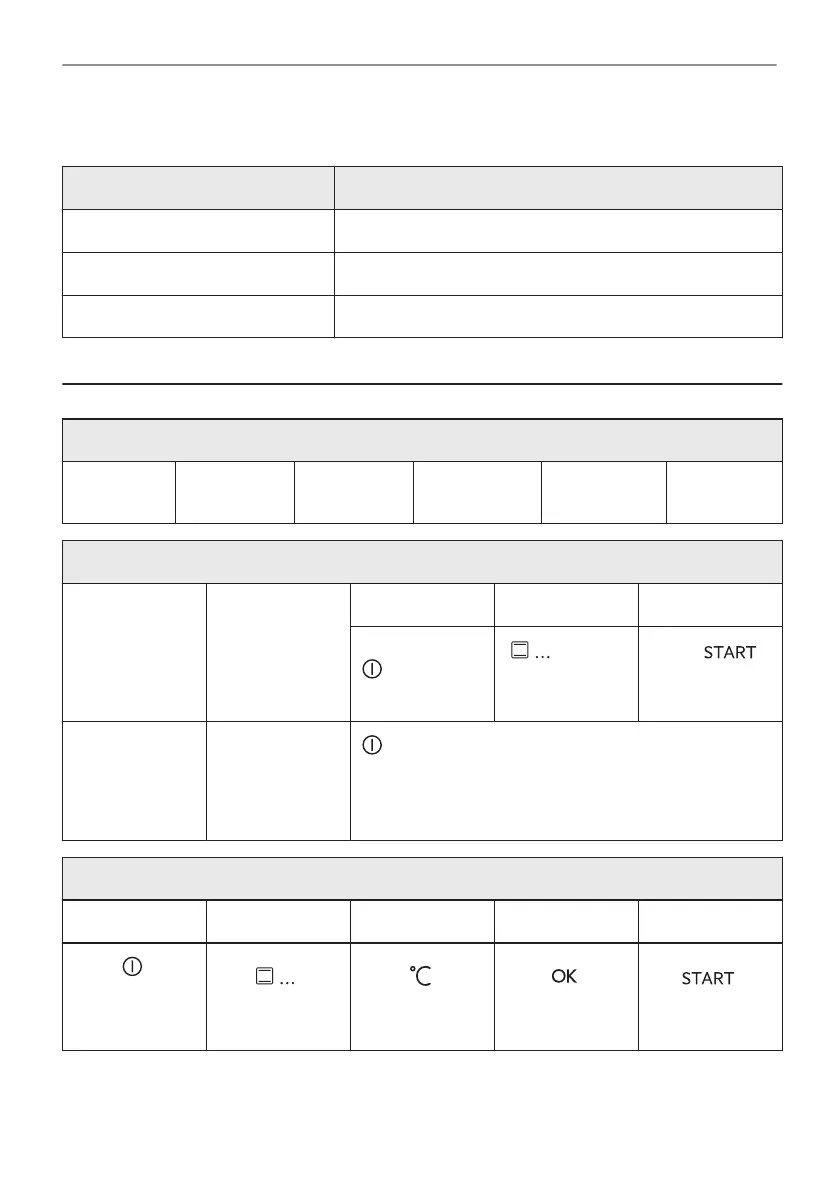
15. IT'S EASY!
Before the first use you have to set:
Language
Display
brightness
Key tones
Buzzer vol‐
ume
Water hard‐
ness
Time of day
Start using the appliance
Quick start Turn on the ap‐
pliance and start
cooking with the
default tempera‐
ture and time of
the function.
Step 1 Step 2 Step 3
Press and hold:
.
- select
the preferred
function.
Press: .
Quick Off Turn off the ap‐
pliance, any
screen or mes‐
sage at any
time.
- press and hold until the appliance turns off.
Start cooking
Step 1 Step 2 Step 3 Step 4 Step 5
- press to turn
on the appli‐
ance.
- select the heat‐
ing function.
- set the temper‐
ature.
- press to con‐
firm.
- press to start
cooking.
121/336
IT'S EASY!


 To Next Page
 Loading...