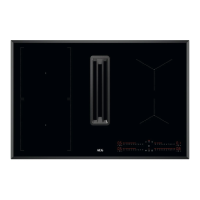
Sensor
field
Function Description
6
Pause To activate and deactivate the function.
7
- Hood timer display To show the time in minutes.
8
- Hood control bar To set a fan speed.
9
Boost To activate and deactivate the function.
10
AUTO Automatic mode of the hood To activate and deactivate the function.
11
Breeze To activate and deactivate the function.
12
Hood filter indicator To indicate and remind that hood filter needs regenerat‐
ing.
13
Lock / Child Safety Device To lock / unlock the control panel.
14
PowerBoost To activate the function.
15
- Hob control bar To set a heat setting.
4.4 Display indicators
Indicator Description
+ digit
There is a malfunction.
/ /
OptiHeat Control (3 step Residual heat indicator): continue cooking / keep warm / resid‐
ual heat.
5. DAILY USE
WARNING!
Refer to Safety chapters.
5.1 Activating and deactivating
Press and hold to activate or deactivate
the hob.
5.2 Pot detection
This feature indicates the presence of
cookware on the hob and deactivates the
cooking zones if no cookware is detected
during a cooking session.
If you put cookware on a cooking zone before
you select a heat setting, the indicator above
0 on the control bar appears.
If you remove cookware from an activated
cooking zone and set it aside temporarily, the
indicators above the corresponding control
bar will start blinking. If you do not place the
cookware back on the activated cooking zone
within 120 seconds, the cooking zone will
automatically deactivate.
To resume cooking, make sure to put the
cookware back on the cooking zones within
the indicated timeout.
5.3 Using the cooking zones
Place the cookware in the centre of the
selected zone. Induction cooking zones adapt
to the dimension of the bottom of the
cookware automatically.
12 ENGLISH



 To Next Page