Operating Instructions
10
Appliance structure
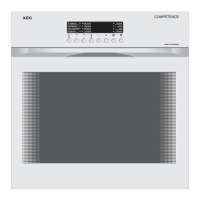
Control panel
Mains Button
For switching the entire appliance on and off.
The appliance is: -switched on when the button is released,
-switched off when the button is depressed.
Oven Function and Function Indicators
Buttons for selecting the required oven function. The selected oven
function is indicated by the respective function indicator.
Fast Warm Up
Selected after an oven function or temperature has been selected, used
to warm up the oven quickly. When the temperature set is reached, the
oven automatically switches to the selected oven function.
Temperature and Time Selectors
Buttons for adjusting the times or temperatures depending on the fun-
ction selected. The setting selected is indicated digitally in the
temperature/time display.
Clock Functions and Function Indicators
Button for setting the clock functions. The selected function is indica-
ted by the respective function indicator.


 To Next Page
 Loading...