Problem Possible solution
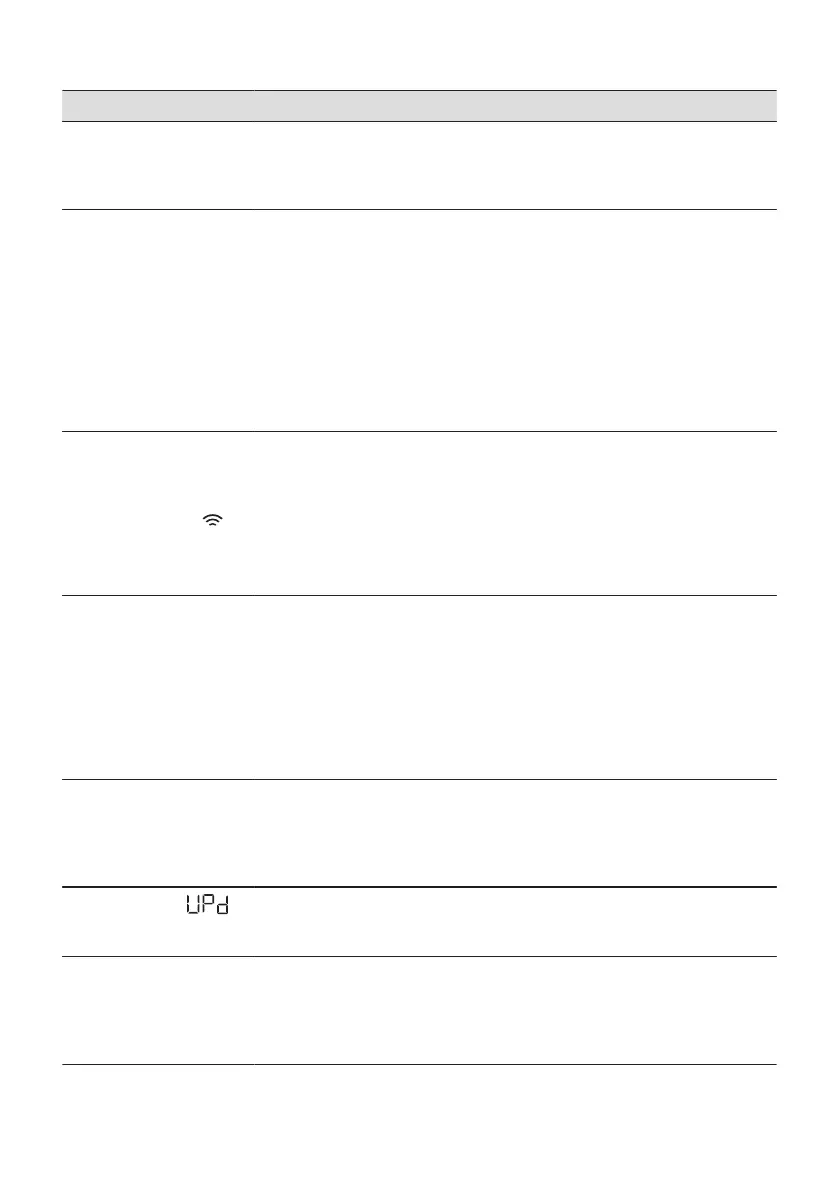
There is water on the floor.
• Make sure that the couplings of the water hoses are tight and there is not wa‐
ter leakages.
• Make sure that the water inlet hose and the drain hose have no damages.
• Make sure you use the correct detergent and the correct quantity of it.
You cannot open the appli‐
ance door.
• Make sure that a washing programme that ends with water in tub, has not
been selected.
• Make sure that the washing programme is finished.
• Set the drain or the spin programme if there is water in the drum. If the spin
and drain programmes are not available in the programme dial, they can be
set via App.
• Make sure that the appliance receives electrical power.
• This problem may be caused by a failure of the appliance. Contact the Author‐
ised Service Centre.
If you need to open the door, please read carefully "Emergency door opening".
• Make sure that the Remote start is not activated. Deactivate it.
The display does not show
the wireless indicator .
• Check the wireless signal.
• Make sure that the wireless connection is on. Refer to paragraph "Configuring
the washing machine wireless connection" in "Wi-Fi - Connectivity setup"
chapter.
• Check your home network and router.
• Restart the router.
• Contact your wireless service provider if there are further problems with the
wireless network.
The App cannot connect to
the appliance.
• Check the wireless signal.
• Check if your smart device is connected to the wireless network.
• Check your home network and router.
• Restart the router.
• Contact your wireless service provider if there are problems with the wireless
network.
• The appliance, the smart device, or both, need to be configured again be‐
cause a new router has been installed or the router configuration has been
changed.
The App cannot frequently
connect to the appliance.
• Make sure that the wireless signal reaches the appliance. Try to move the
home router as near the appliance as possible or consider purchasing a wire‐
less range extender.
• Make sure the wireless signal is not disrupted by microwave. Turn the micro‐
wave off. Avoid using the microwave and the remote control at the same time.
The display shows .
All buttons are inactive, ex‐
cept the the On/Off .
• The appliance is downloading any available updates. Wait until the update
process is complete. If you deactivate the appliance during update, it resumes
when you activate the appliance again.
The appliance makes an un‐
usual noise and vibrates.
• Make sure the levelling of the appliance is correct. Refer to "Installation in‐
struction".
• Make sure that the packaging and/or the transit bolts are removed. Refer to
"Installation instruction".
• Add more laundry in the drum. The load may be too small.
56 ENGLISH



 To Next Page