6.10 Menu structure
The table shows the basic menu structure.
User settings
Sym‐
bol
Setting Possible options
b Sound On / Off (--)
P Power limitation 15 - 73
H Hood mode 1 - 4
dF Auto Breeze On / Off (--)
E Alarm / error histo‐
ry
The list of recent
alarms / errors.
To enter user settings: press and hold
for 3 seconds. Then, press and hold . The
settings appear on the timer of the left
cooking zones.
Navigating the menu: the menu consists of
the setting symbol and a value. The symbol
appears on the rear timer and the value
appears on the front timer. To navigate
between the settings press on the front
timer. To change the setting value press
or on the front timer.
To exit the menu: press .
OffSound Control
You can activate / deactivate the sounds in
the Menu > User settings.
Refer to "Menu structure".
When the sounds are off you can still hear
the sound when:
• you touch ,
• the timer comes down,
• you press an inactive symbol.
7. ADDITIONAL FUNCTIONS
7.1 Automatic Switch Off
The function deactivates the hob
automatically if:
• all of the cooking zones, as well as the
hood, are deactivated,
• you do not set any heat setting or fan
speed setting after the activation of the
hob,
• you spill something or put something on
the control panel for more than 10
seconds (a pan, a cloth, etc.). A signal
sounds and the hob deactivates. Remove
the object or clean the control panel.
• the appliance gets too hot (e.g. when a
saucepan boils dry). Let the cooking zone
cool down before you use the hob again.
• you do not deactivate a cooking zone or
change the heat setting. After some time,
the hob deactivates.
The relation between the heat setting / fan
speed setting and the time after which the
appliance deactivates:
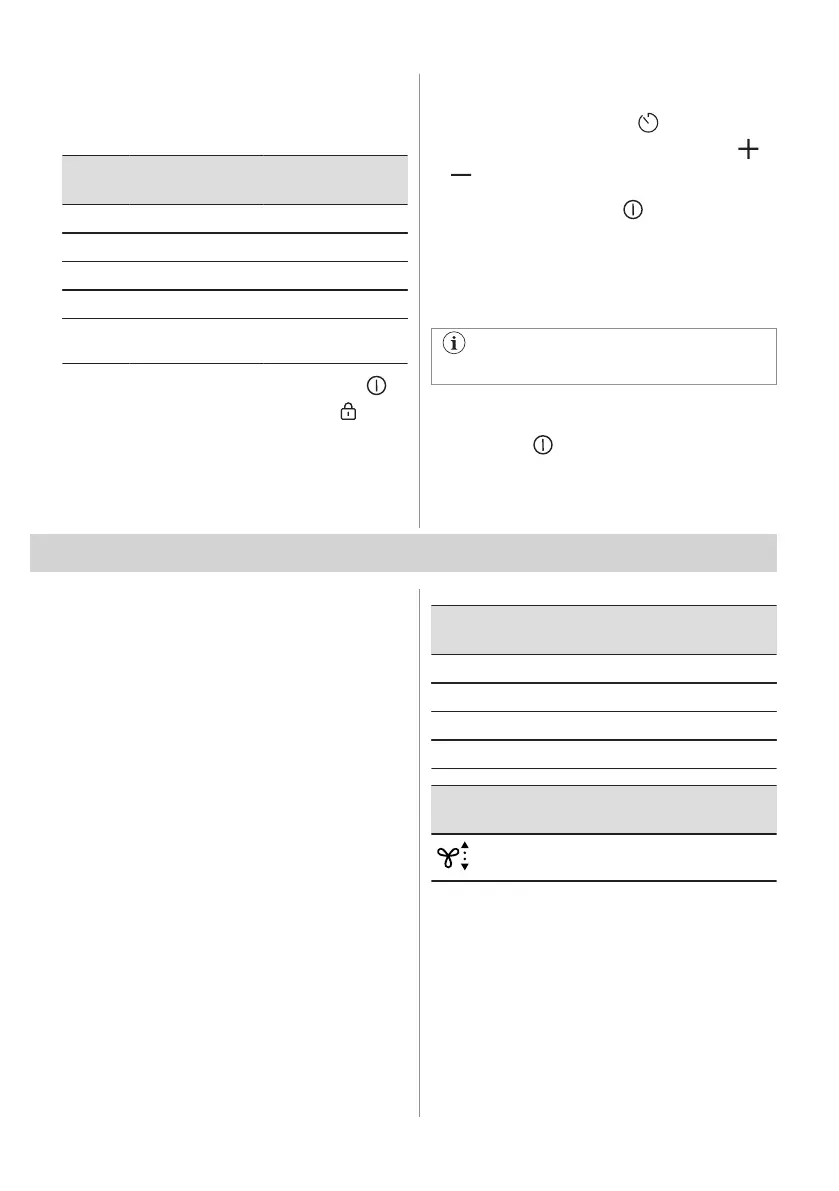
Heat setting The hob deactivates
after
1 - 2 6 hours
3 - 4 5 hours
5 4 hours
6 - 9 1.5 hours
Fan speed setting The hood deacti‐
vates after
10 hours
7.2 Pause
This function sets all operating cooking zones
to the lowest heat setting. The speed of the
hood fan decreases to 1. When you activate
the function while the hood operates in the
automatic mode, the speed of the hood fan
will not be reduced.
16 ENGLISH



 To Next Page