10. HINTS AND TIPS
10.1 Ecological hints
• Spin the laundry well before drying.
• Do not exceed the load sizes which are specified in the
programmes chapter.
• Clean the filter after each drying cycle.
• Do not use fabric softener to wash and then dry. In the tumble
dryer laundry becomes soft automatically.
• The water from the water container can be used to iron the
clothes. You must first filter the water to eliminate remaining
textile fibres (simple coffee filter is suitable).
• Always keep the airflow slots at the bottom of the appliance clear.
• Make sure there is good airflow where the appliance is to be
installed.
10.2 Adjustment of default dryness level
To change the default dryness level:
1. Turn the appliance on.
2. Wait approximately 8 seconds.
3. Select 1 of the available programmes.
4. Touch and hold down the Dryness and Anticrease buttons at
the same time.
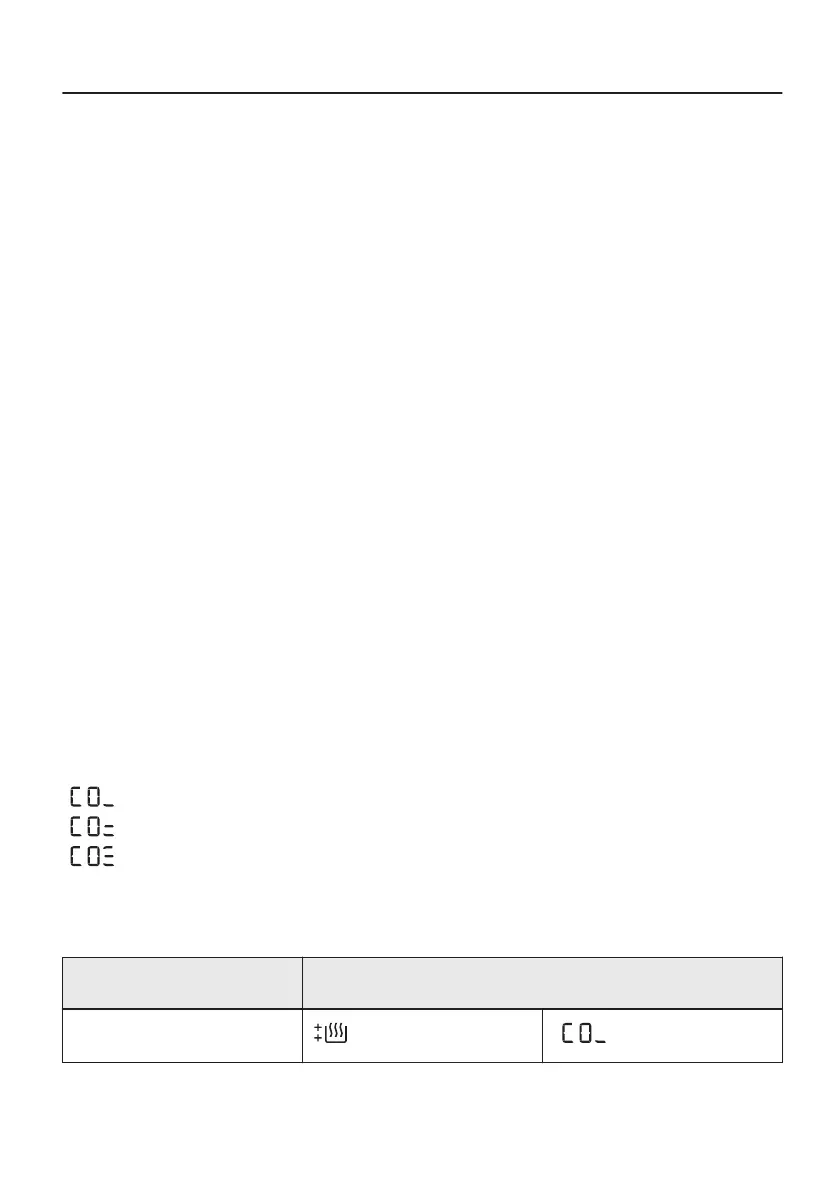
One of the symbols appears on the display:
- Maximum dryness
- Extra dryness
- Standard dryness
5. Touch the Start/Pause button repeatedly until you reach the
desired dryness level.
Dryness level Display symbol
Maximum dryness
38/64


 To Next Page