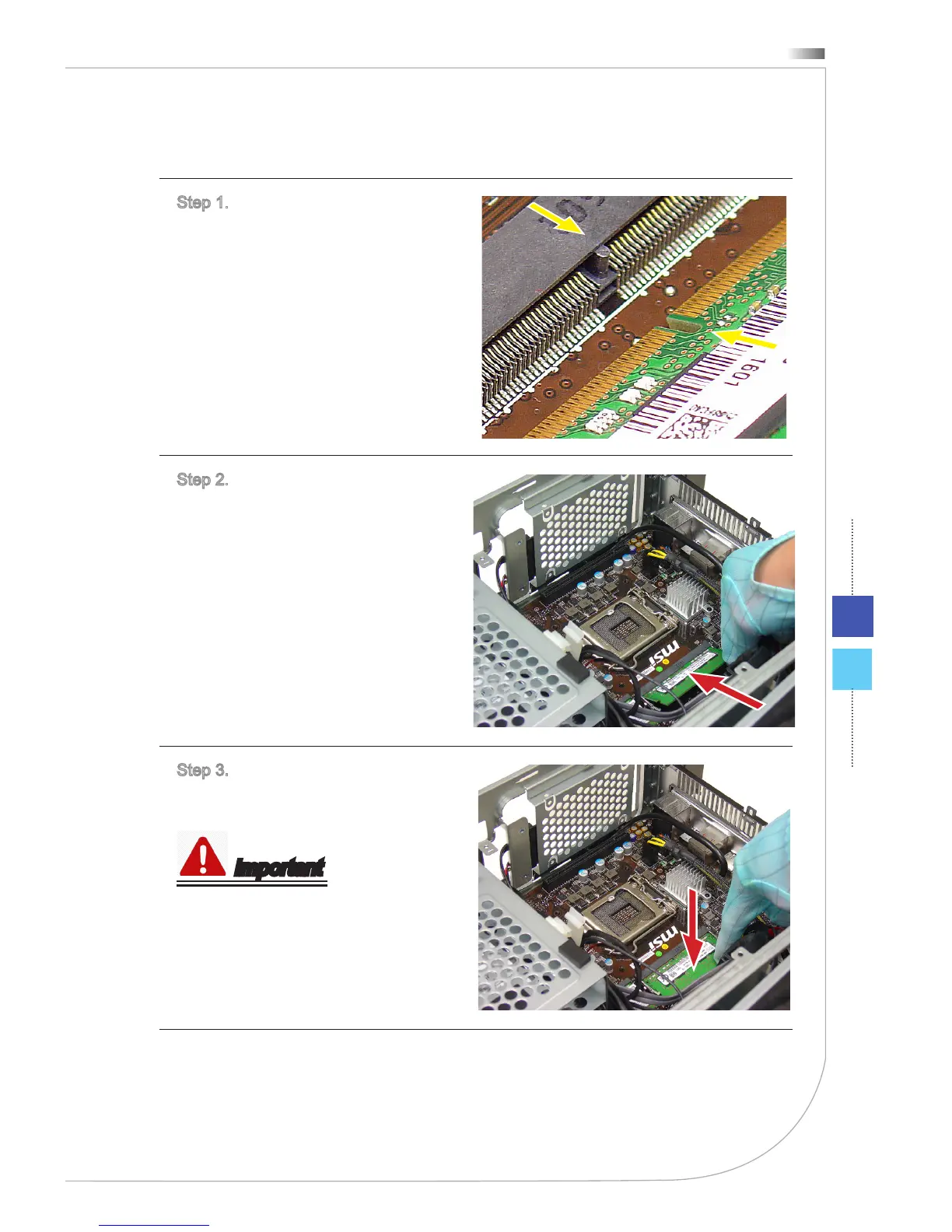
h Installing Memory Module
Step 1. Align the notch on the memory
with the key on the slot and insert the
memory into the slot.
Step 2. Insert the memory module into
the memory socket with the correct
orientation.
Step 3. Push down the memory mod-
ule gently until the bilateral secure
levers are fastened.
Important
Push the memory gently downwards
until the slot clips click and lock the
memory in place.



 To Next Page