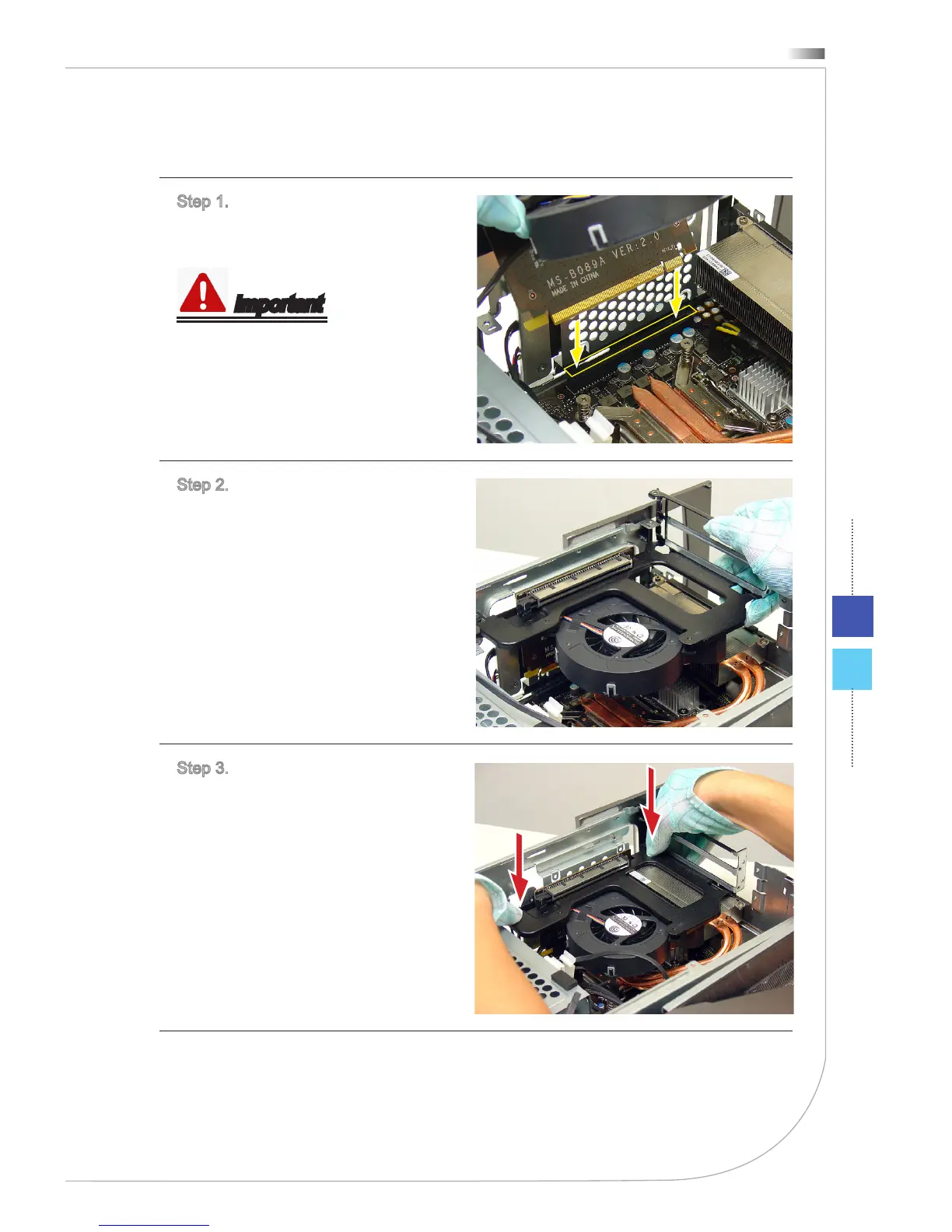
h Installing CPU Fan & VGA Card Bracket
Step 1. Line up the CPU fan &
VGA card bracket on the top of the
expansion slot.
Important
Keep the gold nger and the slot
aligned.
Step 2. Insert the bracket into the
expansion slot on the motherboard.
Step 3. Push the bracket to the end
till it can not go futher. You will hear
a "click".


 To Next Page