34
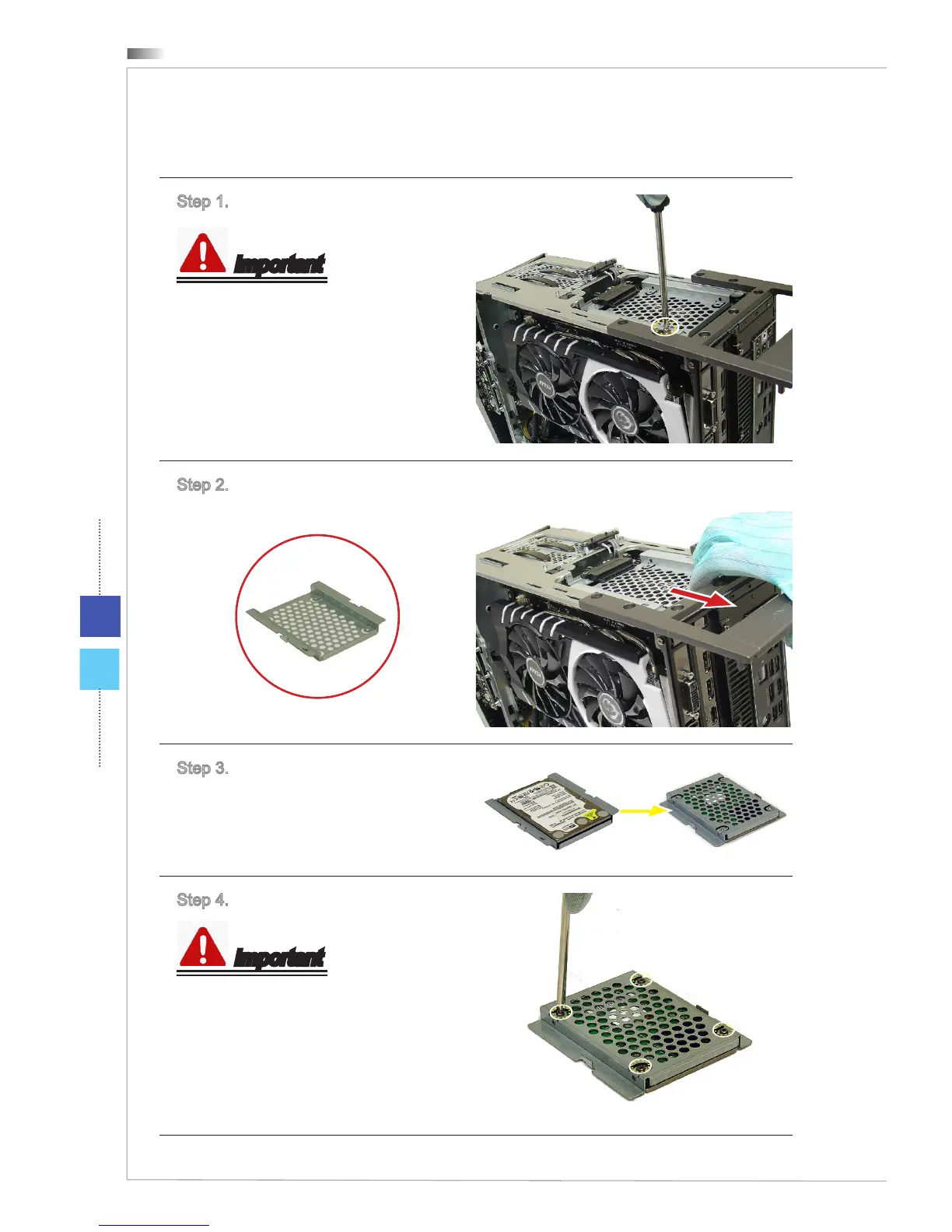
h Installing 2.5” HDD
Step 1. Unlock the screw.
Important
M3X4 screw * 1.
Step 2. Draw and take out the 2.5”
HDD bay.
2.5" HDD Bay
Step 3. Place the 2.5” HDD to the
2.5” HDD bay. Put it upside down;
and then keep the screw holes on
both 2.5” HDD and 2.5” HDD bay are
aligned.
Step 4. Lock all screws.
Important
M3X4 screws * 4, provided by your
HDD supplier.



 To Next Page