26
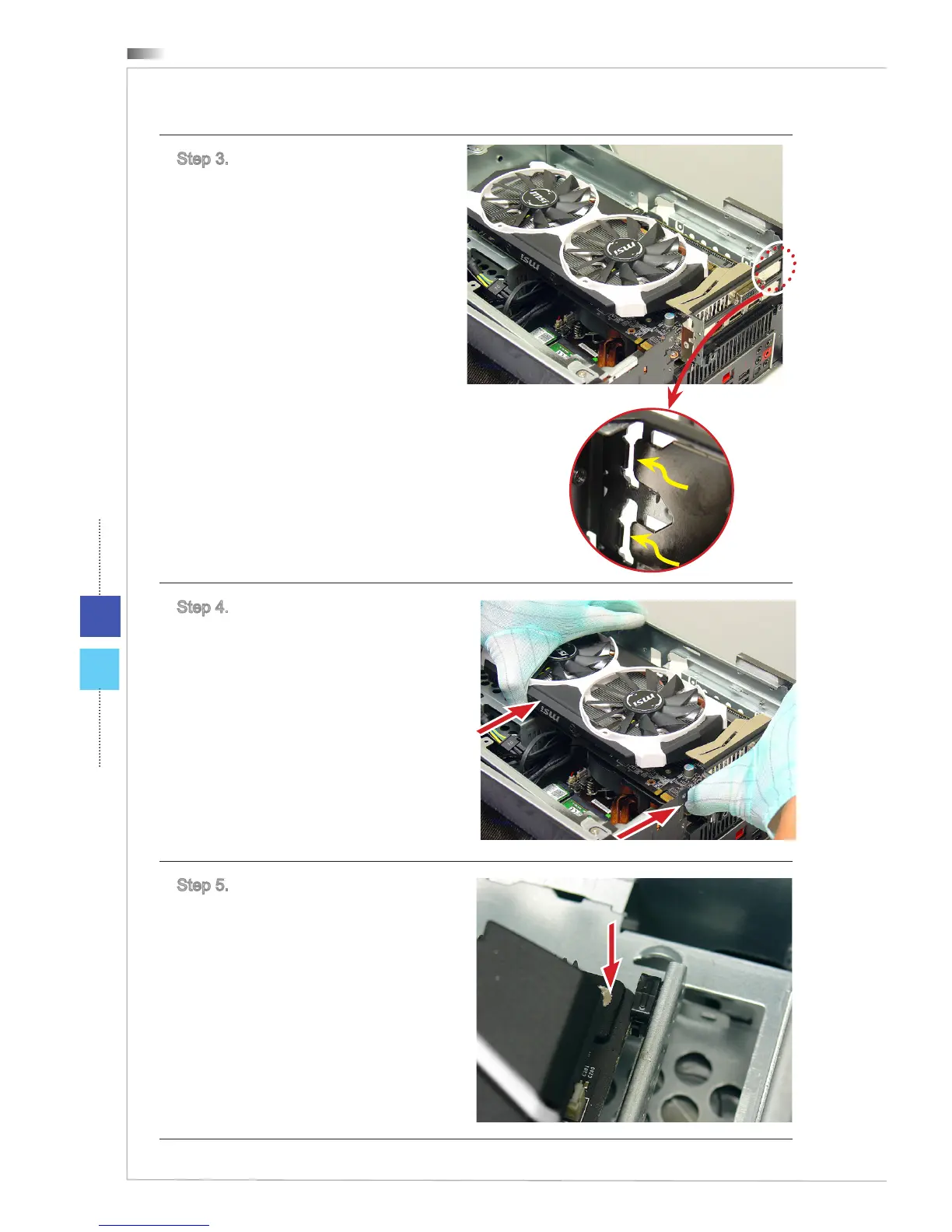
Step 3. Place the graphics card to the
barcket.
Step 4. Push the graphics card into
the expansion slot. When the graphics
card is properly seated, an audible
click should be heard.
Step 5. Adjust the graphics card.
When the graphics card board
matches the notch of the graphics
card holder, an audible click should
be heard.


 To Next Page