28
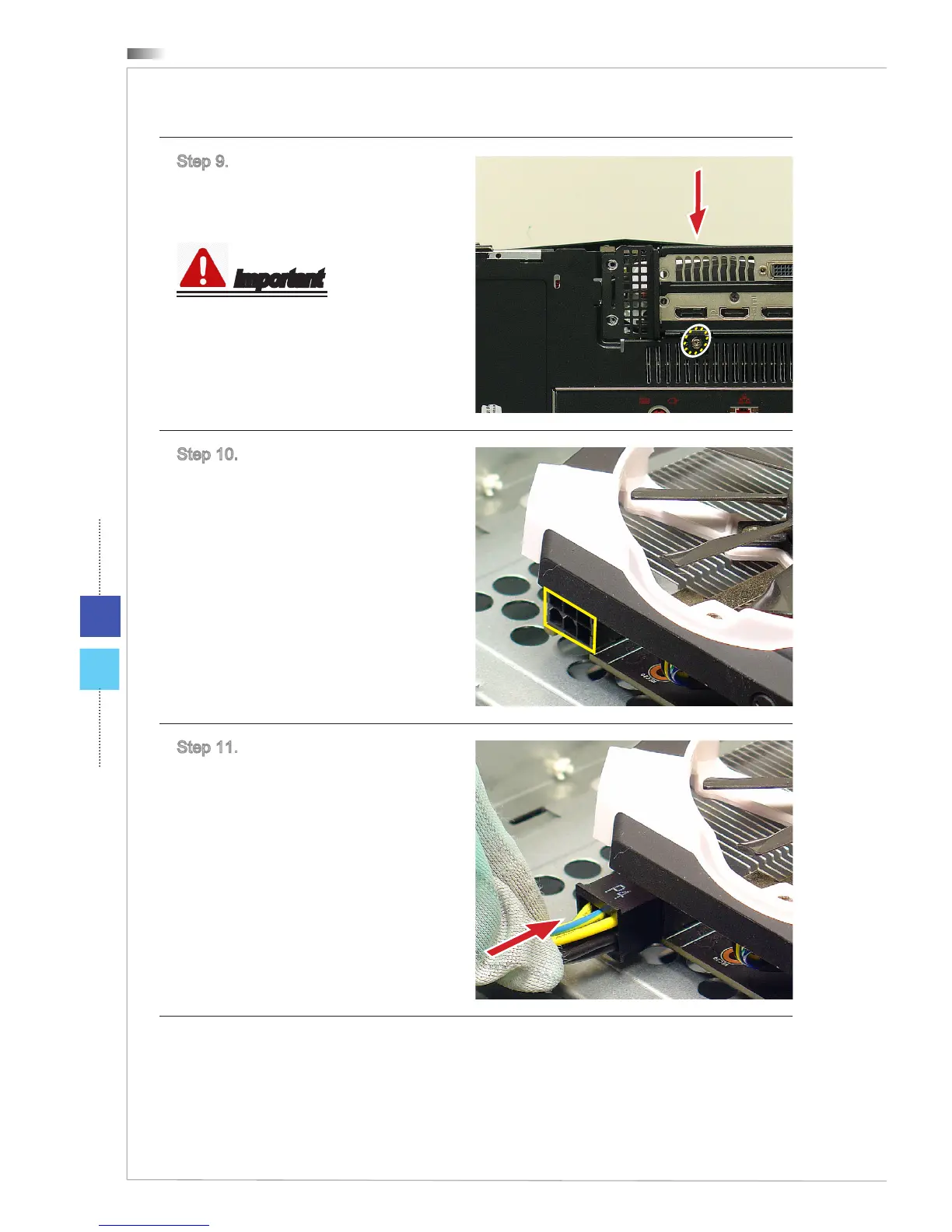
Step 9. If the screw holes are not
aligned. Loosen the screw illustrat-
ed in the picture. Adjust the bracket
position and lock the screw.
Important
When the holder screw holes are
aligned, you can easily lock the holder
.
Step 10. Find the power connector
and cable for the graphics card.
Step 11. Plug the power cable to the
power connector on the graphics
cards to ensure stable operation.
Follow the above procedures in
reversed order to remove the graphics
card.


 To Next Page