32
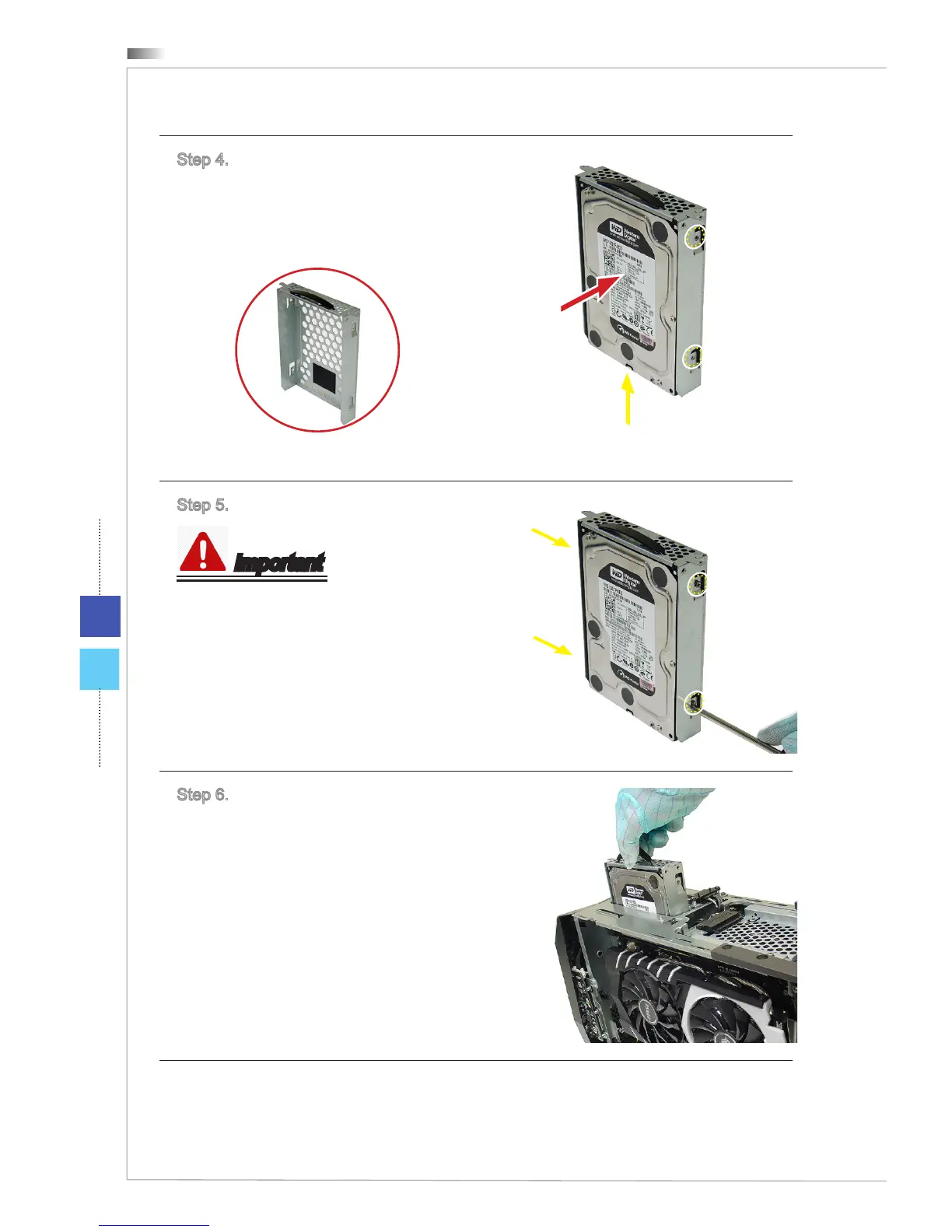
Step 4. Place the HDD to the HDD
bay. Keep the screw holes on both
HDD and HDD bay are aligned. The
power and signal connectors of the
HDD are in the bottom.
3.5" HDD Bay
Power and signal connectors
Step 5. Lock all screws for both sides.
Important
6 # 32 screws * 4, provided by your
HDD supplier.
Step 6. Put and slide the HDD bay
back.


 To Next Page