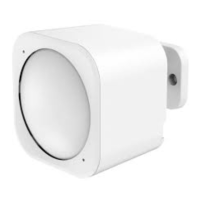
If installing MultiSensor 6 in a corner where the wall meets the ceiling it can take measurements within a 2.5 x 3.5 x 5
metres / 8 x 11 x 15 feet range:
For optimal performance, your MultiSensor 6 should NOT be mounted directly on or near metal framing or other large
metallic objects. Large metal objects may weaken the Z-Wave wireless signal MultiSensor 6 depends on for
communication due to the wireless reflective properties of any metal.
Physically install your MultiSensor.



 To Next Page