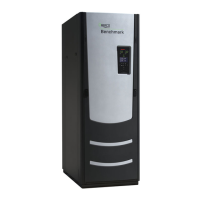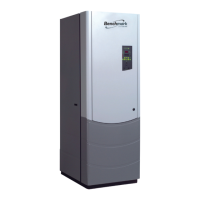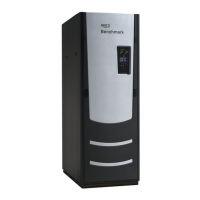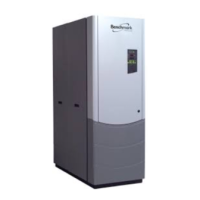
EasyManua.ls Logo

Aerco Benchmark 1500 - User Manual

Aerco Benchmark 1500
186 pages
Print Icon
To Next Page IconTo Next Page
Loading...
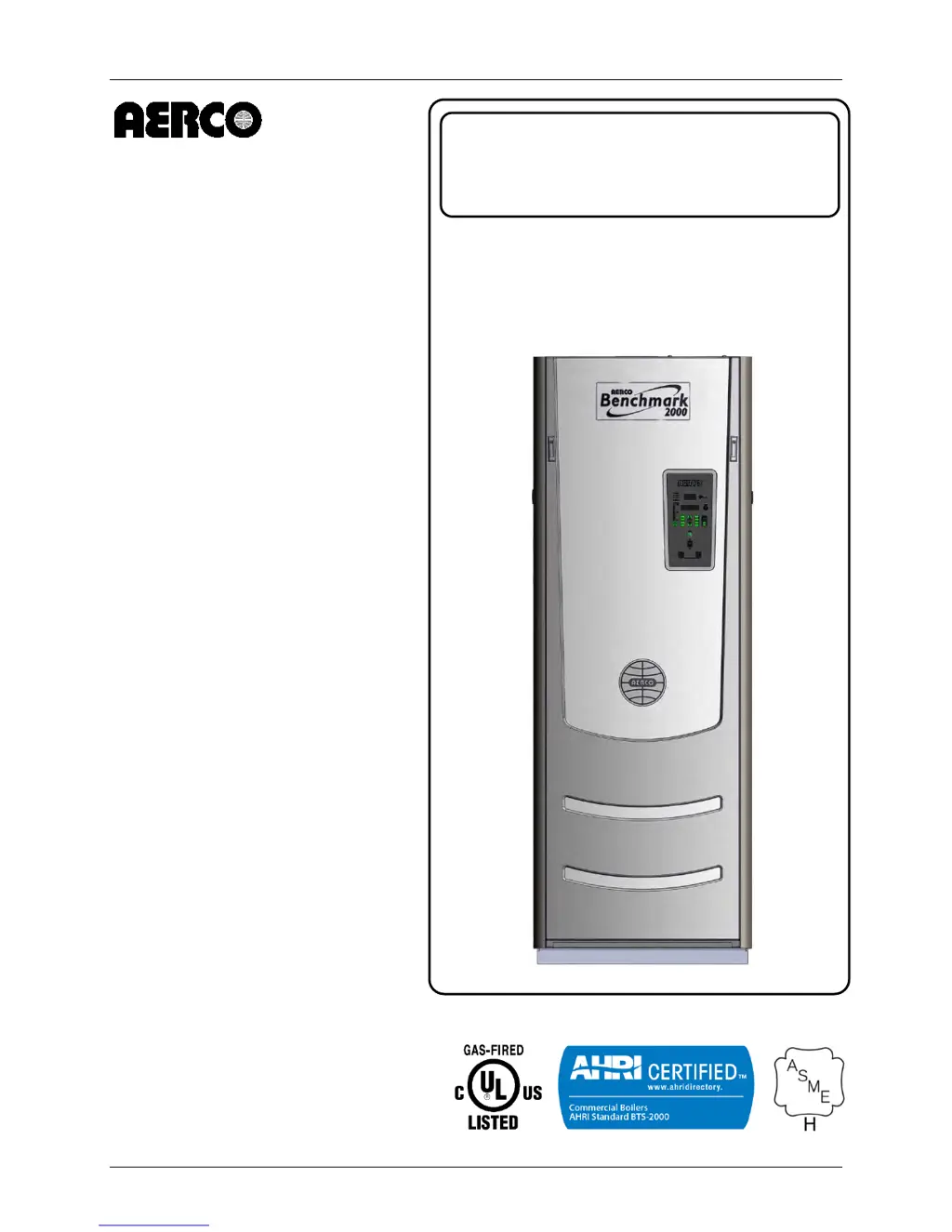
Benchmark 1500 - 2000 Boilers
Installation, Operation & Maintenance Manual (IOMM)
OMM-0097_0D AERCO International, Inc. 100 Oritani Dr. Blauvelt, NY 10913 Page 1 of 188
GF-142 Ph.: 800-526-0288
USER MANUAL
Installation, Operation and Maintenance
BENCHMARK
1500 / 2000
Gas-Fired Boilers
Natural Gas Modulating
& Condensing Hot Water
Boiler Models:
BMK 1500
BMK 2000
Applicable to Serial Numbers:
G-14-0304 and Above
Latest Update: 03/20/2014

Table of Contents

Questions and Answers

  • B
    Brian HendersonDec 1, 2025
    What causes the Airflow Fault During Purge in Aerco Benchmark 1500?
    • V
      victoriagarciaDec 1, 2025
      The Airflow Fault During Purge in your Aerco Boiler could be due to: * Blower not running or running too slow: Start the unit. If the blower does not run check the blower solid state relay for input and output voltage. If the relay is OK, check the blower. * Defective Blocked Inlet switch: Start the unit. If the blower runs, turn off unit and check the Blocked Inlet switch for continuity. Replace the switch if continuity does not exist. * Blockage in air filter or Blocked Inlet switch: Remove the air filter and Blocked Inlet switch and inspect for signs of blockage. Clean or replace as necessary. * Blocked blower inlet or inlet ductwork: Inspect the inlet to the combustion blower including any ductwork leading up to the combustion blower for signs of blockage. * No voltage to Bl...
  • I
    icunninghamAug 25, 2025
    What causes a High Water Temperature error in my Aerco Benchmark 1500?
    • D
      Derrick MillerAug 26, 2025
      A High Water Temperature error in your Aerco Boiler can be caused by the same issues that trigger a High Water Temperature Switch Open error or a Temp HI Limit setting that is too low. Check the Temp HI Limit setting.
  • M
    Michael CarsonAug 27, 2025
    How do I resolve an Interlock Open error on my Aerco Benchmark 1500?
    • C
      cwilsonAug 27, 2025
      An Interlock Open error on your Aerco Boiler can be resolved by: checking for a jumper properly installed across the interlock terminals in the I/O box. If there are two external wires on these terminals check any Energy Management system to see if they have the units disabled (a jumper may be temporarily installed to see if the interlock circuit is functioning). Also, check that proving switch for any device hooked to the interlock circuit is closing and that the device is operational.
  • A
    Anita PorterAug 28, 2025
    What causes a Delayed Interlock Open error on my Aerco Benchmark 1500 Boiler?
    • K
      Kelly HansenAug 28, 2025
      A Delayed Interlock Open error on your Aerco Boiler can be caused by a Delayed Interlock Jumper not properly installed or missing. Check to ensure the jumper is properly installed across the delayed interlock terminals in the I/O Box. Alternatively, it could be caused by a device proving switch hooked to interlocks that is not closed. If there are 2 external wires on these terminals, check to see if an end switch for a proving device (such as a pump, louver, etc.) is tied to these interlocks. Ensure that the device and/or its end switch is functional. A jumper may be temporarily installed to test the interlock.
  • M
    Ms. Valerie RodriguezAug 31, 2025
    Why is my Aerco Benchmark 1500 Boiler showing a Low Gas Pressure error?
    • G
      Gabrielle AndersonAug 31, 2025
      A Low Gas Pressure error in your Aerco Boiler can occur due to: * Incorrect supply gas pressure: Measure gas pressure upstream of the SSOV Actuator(s) with the unit firing. For FM gas trains, ensure it is between 6.0” W.C. and 14” W.C. For DBB gas trains, ensure it is between 6.5" W.C. and 14” W.C. * Defective Low Pressure Gas Switch: Measure gas pressure at the low gas pressure switch. If it is greater than 4.7” W.C. (for both BMK 1500 and BMK 2000), measure continuity across the switch and replace if necessary.
  • V
    Vanessa McintoshSep 23, 2025
    What causes Recirc Pump Failure in Aerco Benchmark 1500?
    • L
      Lisa CraigSep 23, 2025
      Recirc Pump Failure in your Aerco Boiler means that the internal recirculation pump failed, so replace recirculation pump.
  • T
    todd85Sep 18, 2025
    What should I do if my Aerco Benchmark 1500 shows an SSOV Relay Failure?
    • L
      lonniegibbsSep 18, 2025
      If your Aerco Boiler shows an SSOV Relay Failure, first press the CLEAR button and restart the unit. If the fault persists, replace the Ignition/Stepper (IGST) Board. The Neutral and Earth Ground are not connected at the source and therefore there is a voltage measured between the two. Normally this measurement should be near zero or no more than a few millivolts. Check SSOV power wiring.
  • R
    rebecca49Sep 23, 2025
    What to do for Outdoor Temp Sensor Fault in Aerco Benchmark 1500?
    • V
      Victor AndersonSep 23, 2025
      If your Aerco Boiler shows an Outdoor Temp Sensor Fault, inspect the Outdoor Temperature sensor for loose or broken wiring. Also, check the resistance of the sensor to determine if it is within specification. Ensure that the correct sensor is installed.
  • J
    James WoodsSep 12, 2025
    What does 'Direct Drive Signal Fault' mean on my Aerco Boiler?
    • L
      Lori MartinezSep 12, 2025
      A 'Direct Drive Signal Fault' on your Aerco Boiler indicates that the direct drive signal is not present because it is not yet installed, has the wrong polarity, the signal is defective at the source, or there is broken or loose wiring. Check I/O Box to ensure signal is hooked up. Hook up if not installed. If installed, check polarity. Measure signal level. Check wiring continuity between source and unit. It could also mean that the signal is not isolated (floating), so check the signal at the source to ensure it is isolated. Finally, the Control Box signal type selection switches may not be set for the correct signal type (voltage or current). Check DIP switch on PMC board to ensure it is set correctly for the type of signal being sent. Check control signal type set in Configuration Menu.
  • J
    Joanna TorresSep 9, 2025
    What to check if Aerco Boiler shows a Low Water Level?
    • B
      Barbara PettySep 9, 2025
      If your Aerco Boiler indicates a Low Water Level, check the system for sufficient water level. If the water level is adequate, test water level circuitry using the Control Box front panel LOW WATER TEST and RESET buttons. Replace water level circuitry if it does not respond. Also, check continuity of probe end to the shell, change probe if there is no continuity.

Summary

Chapter 1: Safety Precautions

Warnings & Cautions

General warnings and cautions for installers and operators.

Emergency Shutdown

Procedure for emergency shutdown.

Prolonged Shutdown

Recommendations for prolonged shutdown and restart.

Chapter 2: Installation

Site Preparation

Ensures the site selected for installation meets requirements.

Installation Clearances

Details minimum required clearances for unit installation and service.

Piping and Gas Supply

Details water piping, gas supply piping, and related installations.

AC Electrical Power Wiring

Details AC electrical power connections to the unit's power box.

Field Control Wiring

Describes field wiring connections for additional control features.

Chapter 3: Operation

Control Panel Description

Describes the C-More Control Panel, its controls, indicators, and displays.

Setup Menu

Allows entry of unit password, date, time, and communication settings.

Configuration Menu

Permits adjustment of internal setpoint and other configuration settings.

Start Sequence

Details the sequence of events when starting the unit.

Chapter 4: Initial Start-Up

Initial Start-Up Requirements

Lists requirements for initial unit start-up, including installation and testing.

Tools & Instrumentation for Combustion Calibration

Outlines necessary tools and their attachment for combustion calibration.

Natural Gas Combustion Calibration

Step-by-step procedure for calibrating natural gas combustion.

Over-Temperature Limit Switches

Describes the three types of over-temperature limit switches.

Chapter 5: Mode of Operation

Indoor;Outdoor Reset Mode

Operation based on outside air temperature to adjust supply header temperature.

Constant Setpoint Mode

Mode for a fixed header temperature, used for heat pump loops or indirect heat exchangers.

Remote Setpoint Modes

Allows setpoint control via Energy Management System (EMS) or BAS.

Chapter 6: Safety Device Testing

Testing of Safety Devices

Periodic testing to ensure control system and safety devices operate properly.

Low Gas Pressure Fault Test

Procedure to simulate and test the low gas pressure fault.

High Gas Pressure Test

Procedure to simulate and test the high gas pressure fault.

Flame Fault Tests

Simulates flame faults during ignition or running.

Chapter 7: Maintenance

Maintenance Schedule

Outlines routine maintenance procedures and schedules for optimal performance.

Igniter-Injector

Procedures for inspecting and maintaining the igniter-injector assembly.

Burner Assembly Inspection

Detailed steps for inspecting and maintaining the burner assembly.

Condensate Drain Trap

Maintenance procedures for inspecting and cleaning the condensate drain trap.

Chapter 8: Troubleshooting Guide

Introduction

Introduces the guide for isolating and correcting faults in the boilers.

Additional Faults Without Specific Fault Messages

Provides troubleshooting information for faults not displayed with specific messages.

Chapter 9: RS-232 Communication

RS-232 Communication Setup

Guidelines for setting up the RS-232 communication link, including baud rate and data format.

Menu Processing Utilizing RS-232 Communication

How to view/change menus and data logs using RS-232 communication.

Chapter 10: Boiler Sequencing Technology

Introduction

Introduces the Boiler Sequencing Technology (BST) system for efficient boiler operation.

BST Implementation Instruction

Detailed instructions for implementing various BST options and configurations.

Appendix A: Boiler Menu Descriptions

Operating Menu

Descriptions of menu items available in the Operating Menu.

Setup Menu

Descriptions of menu items available in the Setup Menu.

Configuration Menu

Descriptions of menu items available in the Configuration Menu.

Appendix B: Startup, Status & Display Messages

Table B-1: Startup And Status Messages

Describes startup and status messages displayed on the control panel.

Table B-2: Fault Messages

Lists fault messages and their descriptions for troubleshooting.

Appendix C: Sensor Resistance;Voltage Chart

Temperature Sensor Resistance Voltage Chart (Balco)

Provides resistance and voltage data for the Balco temperature sensor.

Appendix D: Boiler Default Settings

Setup Menu

Default settings for the Setup Menu options.

Configuration Menu

Default settings for the Configuration Menu options.

Appendix E: Recommended Periodic Testing

Instrument and Control Checks

Visual checks of instruments, controls, and settings.

Safety Device Tests

Testing critical safety devices and interlocks.

Appendix F: Indoor;Outdoor Reset Ratio Charts

Reset Ratio Charts

Charts showing header temperature based on air temp and reset ratio.

Appendix G: Dimensional and Clearance Drawings

Dimensional and Clearance Drawings

Visual representations of unit dimensions and installation clearances.

Appendix H: Part Drawings

Part Lists

Comprehensive list of all parts for the boilers.

Appendix I: Wiring Diagrams

Control Box Connections

Details connections for the control box.

Input;Output Box

Wiring diagram for the input/output box.

Appendix J: Piping Drawings

Piping Diagrams

Visual representations of piping configurations for various setups.

Appendix K: C-MORE Control Panel Views

Control Panel Views

Exploded and rear views of the Benchmark control panel components.

Appendix L: Recommended Spares

Spare Parts Lists

Lists of recommended emergency, maintenance, and optional spare parts.

Aerco Benchmark 1500 Specifications

General IconGeneral
ModelBenchmark 1500
CategoryBoiler
Input Capacity1500 MBH
Input BTU/hr1, 500, 000 BTU/hr
Efficiency95%
Fuel TypeNatural Gas or Propane
Heat ExchangerStainless Steel
DimensionsVaries by model configuration; consult manufacturer specifications
WeightVaries by model configuration; consult manufacturer specifications
Operating Pressure160 psi
TypeCondensing
Output BTU/h1, 425, 000 BTU/hr

Related product manuals