EasyManua.ls Logo

Aerco Benchmark 1500 - User Manual

Aerco Benchmark 1500
186 pages
Print Icon
To Next Page IconTo Next Page
Loading...
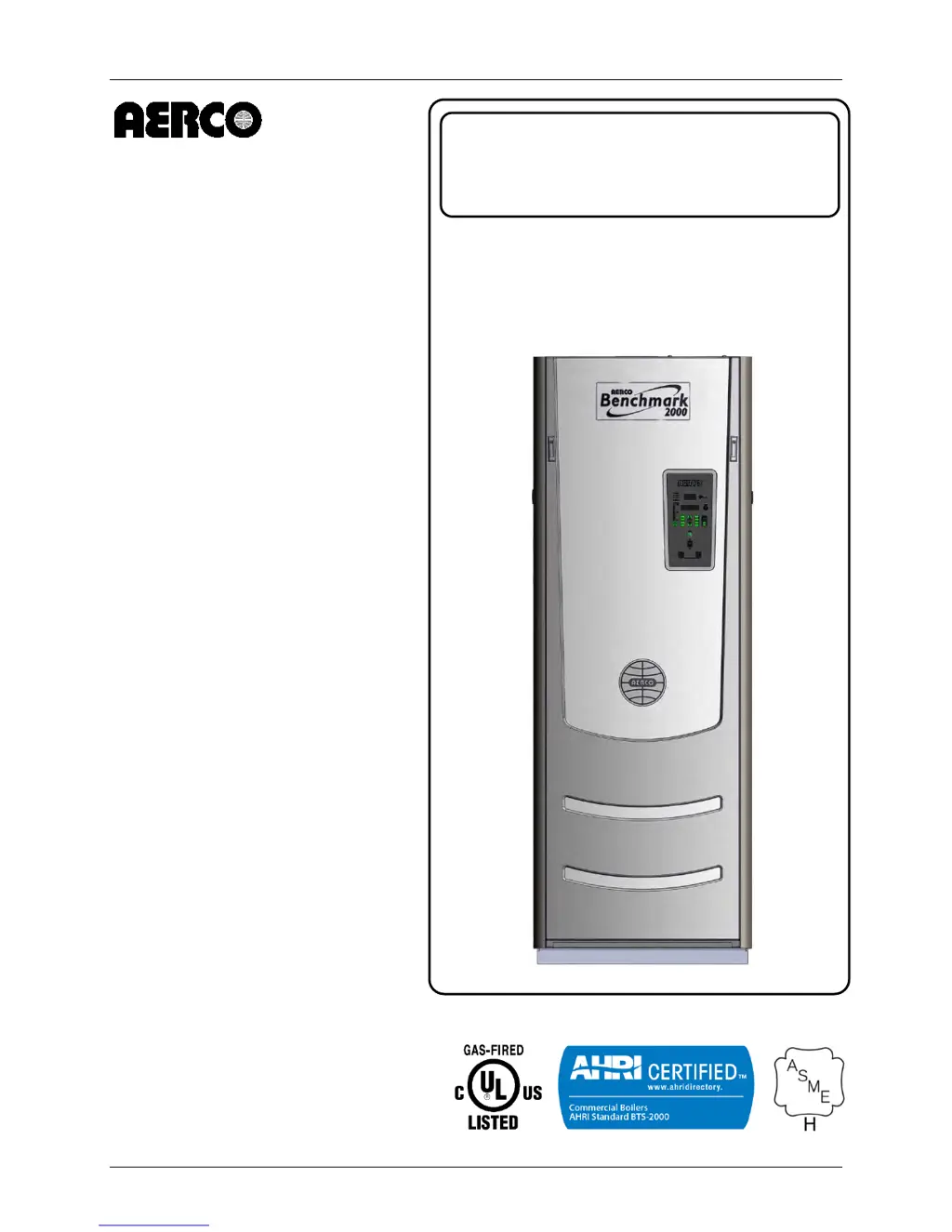
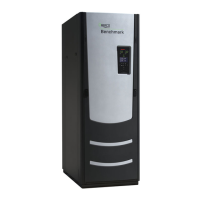
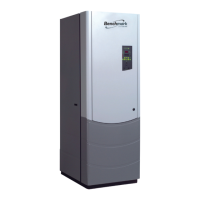
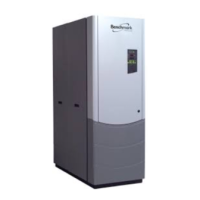
Benchmark 1500 - 2000 Boilers
Installation, Operation & Maintenance Manual (IOMM)
OMM-0097_0D AERCO International, Inc. • 100 Oritani Dr. • Blauvelt, NY 10913 Page 1 of 188
GF-142 Ph.: 800-526-0288
USER MANUAL
Installation, Operation and Maintenance
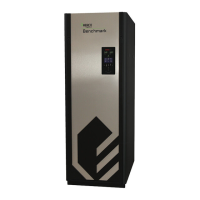
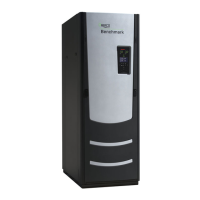
BENCHMARK
1500 / 2000
Gas-Fired Boilers
Natural Gas Modulating
& Condensing Hot Water
Boiler Models:
• BMK 1500
• BMK 2000
Applicable to Serial Numbers:
G-14-0304 and Above
Latest Update: 03/20/2014

Table of Contents

Questions and Answers

  • T
    Timothy CurtisSep 14, 2025
    What does Heat Demand Failure mean for Aerco Boiler?
    • N
      Nathan SandovalSep 15, 2025
      If your Aerco Boiler displays a Heat Demand Failure, it means that the Heat Demand Relays on the Ignition/Stepper (IGST) board failed to activate when commanded. Press CLEAR button and restart the unit. If the fault persists, replace Ignition/Stepper (IGST) Board. It could also mean that the relay is activated when not in Demand, in which case you should replace the IGST Board.
  • C
    Christian DavisSep 13, 2025
    What causes a Residual Flame error in my Aerco Benchmark 1500?
    • J
      John WebbSep 14, 2025
      A Residual Flame error in your Aerco Boiler can be caused by a defective Flame Detector, so replace the Flame Detector. It can also be caused by the SSOV not fully closed. Check open/close indicator window of Safety Shut-Off Valve (SSOV) and ensure that the SSOV is fully closed. If not fully closed, replace the valve and or actuator. Close the 2” Gas Shut-Off Valve downstream of SSOV (Figure 2-7). Install a manometer or gauge at the leak detection port between the SSOV and Gas Shut Off Valve. If a gas pressure reading is observed replace the SSOV Valve and/or Actuator.
  • W
    wnealAug 23, 2025
    Why does my Aerco Boiler experience flame loss during run?
    • J
      Jillian PorterAug 23, 2025
      Flame loss during run in your Aerco Boiler can occur due to several reasons: * A worn flame detector or cracked ceramic: inspect the flame detector for wear or cracks and replace if necessary. * A defective regulator: check gas pressure readings using a gauge or manometer into and out of the air/fuel valve to ensure that the gas pressure into and out of the valve is correct. * Poor combustion calibration: check combustion calibration. * Debris on burner: remove the burner and inspect for any carbon build-up or debris. Clean and reinstall. * A blocked condensate drain: remove any blockage in the condensate drain.
  • J
    James WoodsSep 12, 2025
    What does 'Direct Drive Signal Fault' mean on my Aerco Boiler?
    • L
      Lori MartinezSep 12, 2025
      A 'Direct Drive Signal Fault' on your Aerco Boiler indicates that the direct drive signal is not present because it is not yet installed, has the wrong polarity, the signal is defective at the source, or there is broken or loose wiring. Check I/O Box to ensure signal is hooked up. Hook up if not installed. If installed, check polarity. Measure signal level. Check wiring continuity between source and unit. It could also mean that the signal is not isolated (floating), so check the signal at the source to ensure it is isolated. Finally, the Control Box signal type selection switches may not be set for the correct signal type (voltage or current). Check DIP switch on PMC board to ensure it is set correctly for the type of signal being sent. Check control signal type set in Configuration Menu.
  • M
    Michael LawsonSep 12, 2025
    What to do if PRG SWTCH is Open During Purge in Aerco Benchmark 1500?
    • G
      gabriel97Sep 12, 2025
      If the PRG SWTCH is Open During Purge in your Aerco Boiler: * Defective purge switch: If the air-fuel valve does rotate, check purge switch for continuity when closing. Replace switch if continuity does not exist. * No voltage present at switch: Measure for 24 VAC from each side of the switch to ground. If 24 VAC is not present, refer fault to qualified service personnel. * Switch wired incorrectly: Check to ensure that the switch is wired correctly (correct wire numbers on the normally open terminals). * Defective Power Supply Board or fuse: Check DS1 & DS2 LEDs on Power Supply Board. If they are not steady ON, replace Power Supply Board. * Defective IGST Board: Check “Heartbeat” LED DS1 and verify it is blinking ON & OFF every second. If not, replace IGST Board.
  • J
    Joanna TorresSep 9, 2025
    What to check if Aerco Boiler shows a Low Water Level?
    • B
      Barbara PettySep 9, 2025
      If your Aerco Boiler indicates a Low Water Level, check the system for sufficient water level. If the water level is adequate, test water level circuitry using the Control Box front panel LOW WATER TEST and RESET buttons. Replace water level circuitry if it does not respond. Also, check continuity of probe end to the shell, change probe if there is no continuity.
  • K
    Kristy ThomasSep 8, 2025
    What causes High Exhaust Temperature in Aerco Benchmark 1500 Boiler?
    • S
      suttonshannonSep 8, 2025
      High Exhaust Temperature in your Aerco Boiler can be caused by poor combustion calibration. If exhaust temperature is greater than 200o F, check combustion calibration. Calibrate or repair as necessary or carboned heat exchanger due to incorrect combustion calibration.
  • R
    Ryan ClarkSep 7, 2025
    Why is the SSOV Switch Open on my Aerco Boiler?
    • G
      George RamirezSep 7, 2025
      The SSOV switch might be open on your Aerco Boiler because: * Actuator not allowing for full closure of gas valve: Observe operation of the Safety Shut-Off Valve (SSOV) through indicator on the Valve actuator and ensure that the valve is fully and not partially closing. * SSOV powered when it should not be: If the SSOV never closes, it may be powered continuously. Close the gas supply and remove power from the unit. Refer fault to qualified service personnel. * Defective Switch or Actuator: Remove the electrical cover from the SSOV and check switch continuity. If the switch does not show continuity with the gas valve closed, either adjust or replace the switch or actuator. * Incorrectly wired switch: Ensure that the SSOV Proof of Closure switch is correctly wired.
  • L
    Lisa GraySep 2, 2025
    What should I do if my Aerco Benchmark 1500 displays a Stepper Motor Failure?
    • R
      rjacksonSep 2, 2025
      If your Aerco Boiler displays a Stepper Motor Failure, consider the following: * Air/Fuel Valve out of calibration: Refer to GF-112 (C-More O & M) and perform the Stepper Feedback Calibration procedure in Section 6, section 6.2.1. * Air/Fuel Valve unplugged: Check that the Air/Fuel Valve is connected to the Control Box. * Loose wiring connection to the stepper motor: Inspect for loose connections between the Air/Fuel Valve motor and the wiring harness. * Defective Air/Fuel Valve stepper motor: Replace stepper motor. * Defective Power Supply Board or fuse: Check DS1 & DS2 LEDs on Power Supply Board. If they are not steady ON, replace Power Supply Board. * Defective IGST Board: Check “Heartbeat” LED DS1 and verify it is blinking ON & OFF every second. If not, replace IGST Board.
  • T
    Timothy FlynnSep 1, 2025
    What causes a High Gas Pressure fault in my Aerco Benchmark 1500 Boiler?
    • J
      Jesus WilliamsSep 1, 2025
      A High Gas Pressure fault in your Aerco Boiler may be due to: * Incorrect supply gas pressure: Check to ensure gas pressure at inlet of SSOV does not exceed 14” W.C. * Defective SSOV Actuator: If gas supply pressure downstream of SSOV Actuator cannot be lowered to the range of 3.6” ± 0.2” W.C. for BMK1500 or 3.9” ± 0.2” W.C. for BMK2000 using the gas pressure adjustment screw (see section 4.3.1 or 4.3.2, step 10), the SSOV Actuator may be defective. * Defective High Gas Pressure Switch: Remove the leads from the high gas pressure switch. Measure continuity across the common (C) and normally closed (NC) terminals with the unit not firing. Replace the switch if continuity does not exist.

Summary

Chapter 1: Safety Precautions

Warnings & Cautions

General warnings and cautions for installers and operators.

Emergency Shutdown

Procedure for emergency shutdown.

Prolonged Shutdown

Recommendations for prolonged shutdown and restart.

Chapter 2: Installation

Site Preparation

Ensures the site selected for installation meets requirements.

Installation Clearances

Details minimum required clearances for unit installation and service.

Piping and Gas Supply

Details water piping, gas supply piping, and related installations.

AC Electrical Power Wiring

Details AC electrical power connections to the unit's power box.

Field Control Wiring

Describes field wiring connections for additional control features.

Chapter 3: Operation

Control Panel Description

Describes the C-More Control Panel, its controls, indicators, and displays.

Setup Menu

Allows entry of unit password, date, time, and communication settings.

Configuration Menu

Permits adjustment of internal setpoint and other configuration settings.

Start Sequence

Details the sequence of events when starting the unit.

Chapter 4: Initial Start-Up

Initial Start-Up Requirements

Lists requirements for initial unit start-up, including installation and testing.

Tools & Instrumentation for Combustion Calibration

Outlines necessary tools and their attachment for combustion calibration.

Natural Gas Combustion Calibration

Step-by-step procedure for calibrating natural gas combustion.

Over-Temperature Limit Switches

Describes the three types of over-temperature limit switches.

Chapter 5: Mode of Operation

Indoor;Outdoor Reset Mode

Operation based on outside air temperature to adjust supply header temperature.

Constant Setpoint Mode

Mode for a fixed header temperature, used for heat pump loops or indirect heat exchangers.

Remote Setpoint Modes

Allows setpoint control via Energy Management System (EMS) or BAS.

Chapter 6: Safety Device Testing

Testing of Safety Devices

Periodic testing to ensure control system and safety devices operate properly.

Low Gas Pressure Fault Test

Procedure to simulate and test the low gas pressure fault.

High Gas Pressure Test

Procedure to simulate and test the high gas pressure fault.

Flame Fault Tests

Simulates flame faults during ignition or running.

Chapter 7: Maintenance

Maintenance Schedule

Outlines routine maintenance procedures and schedules for optimal performance.

Igniter-Injector

Procedures for inspecting and maintaining the igniter-injector assembly.

Burner Assembly Inspection

Detailed steps for inspecting and maintaining the burner assembly.

Condensate Drain Trap

Maintenance procedures for inspecting and cleaning the condensate drain trap.

Chapter 8: Troubleshooting Guide

Introduction

Introduces the guide for isolating and correcting faults in the boilers.

Additional Faults Without Specific Fault Messages

Provides troubleshooting information for faults not displayed with specific messages.

Chapter 9: RS-232 Communication

RS-232 Communication Setup

Guidelines for setting up the RS-232 communication link, including baud rate and data format.

Menu Processing Utilizing RS-232 Communication

How to view/change menus and data logs using RS-232 communication.

Chapter 10: Boiler Sequencing Technology

Introduction

Introduces the Boiler Sequencing Technology (BST) system for efficient boiler operation.

BST Implementation Instruction

Detailed instructions for implementing various BST options and configurations.

Appendix A: Boiler Menu Descriptions

Operating Menu

Descriptions of menu items available in the Operating Menu.

Setup Menu

Descriptions of menu items available in the Setup Menu.

Configuration Menu

Descriptions of menu items available in the Configuration Menu.

Appendix B: Startup, Status & Display Messages

Table B-1: Startup And Status Messages

Describes startup and status messages displayed on the control panel.

Table B-2: Fault Messages

Lists fault messages and their descriptions for troubleshooting.

Appendix C: Sensor Resistance;Voltage Chart

Temperature Sensor Resistance Voltage Chart (Balco)

Provides resistance and voltage data for the Balco temperature sensor.

Appendix D: Boiler Default Settings

Setup Menu

Default settings for the Setup Menu options.

Configuration Menu

Default settings for the Configuration Menu options.

Appendix E: Recommended Periodic Testing

Instrument and Control Checks

Visual checks of instruments, controls, and settings.

Safety Device Tests

Testing critical safety devices and interlocks.

Appendix F: Indoor;Outdoor Reset Ratio Charts

Reset Ratio Charts

Charts showing header temperature based on air temp and reset ratio.

Appendix G: Dimensional and Clearance Drawings

Dimensional and Clearance Drawings

Visual representations of unit dimensions and installation clearances.

Appendix H: Part Drawings

Part Lists

Comprehensive list of all parts for the boilers.

Appendix I: Wiring Diagrams

Control Box Connections

Details connections for the control box.

Input;Output Box

Wiring diagram for the input/output box.

Appendix J: Piping Drawings

Piping Diagrams

Visual representations of piping configurations for various setups.

Appendix K: C-MORE Control Panel Views

Control Panel Views

Exploded and rear views of the Benchmark control panel components.

Appendix L: Recommended Spares

Spare Parts Lists

Lists of recommended emergency, maintenance, and optional spare parts.

Aerco Benchmark 1500 Specifications

General IconGeneral
ModelBenchmark 1500
CategoryBoiler
Input Capacity1500 MBH
Input BTU/hr1, 500, 000 BTU/hr
Efficiency95%
Fuel TypeNatural Gas or Propane
Heat ExchangerStainless Steel
DimensionsVaries by model configuration; consult manufacturer specifications
WeightVaries by model configuration; consult manufacturer specifications
Operating Pressure160 psi
TypeCondensing
Output BTU/h1, 425, 000 BTU/hr

Related product manuals