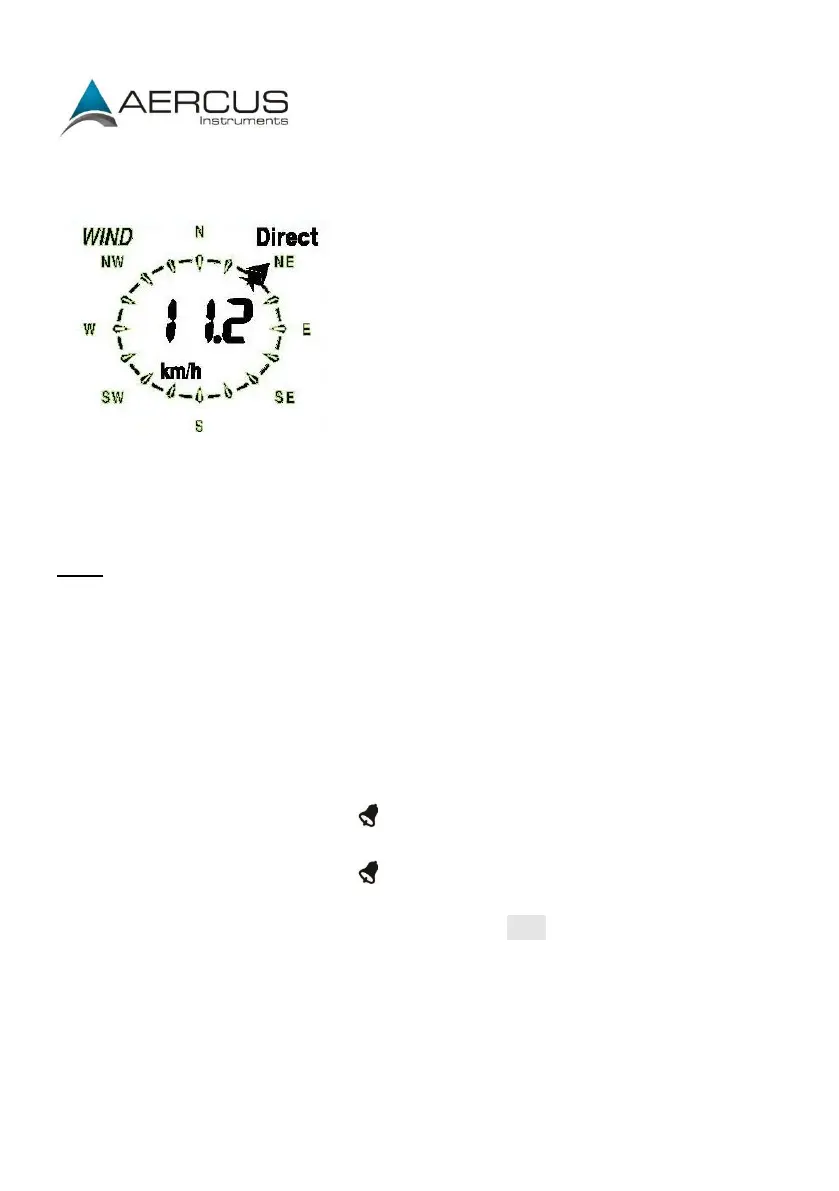
Wind
Press the MENU key eleven times to select the WIND section, the WIND section digits
will start flashing. Press the
UP or DOWN key to shift the display between A
verage wind
speed and Gust (default Average wind speed).
Note: Average wind speed is the average speed over the 48 second period between
signal transmissions. In gusty conditions this may appear as though wind speed is
being under reported as low winds and high winds are averaged across the 48 second
interval. Setting wind speed to Gust will display the maximum wind speed during the
48 second period which can often be more meaningful in these conditions.
Press the ENTER key to select the following modes, then press the UP or DOWN key to
set the value:
Wind speed units - select between km/h, mph, m/s, knots, bft.
Wind speed high alarm (press ON/OFF to enable/disable). If the alarm is
enabled, an alarm symbol appears in the display.
Wind direction alarm (press ON/OFF to enable/disable). If the alarm is
enabled, an alarm symbol appears in the display.
Maximum wind speed (since last reset). Resetting the maximum wind speed
value - when both the wind speed value and MAX icon are flashing, hold the
ENTER key for 3s, the maximum value will be reset to the current reading.


 To Next Page