154
UPLOADING SETTINGS AND DOWNLOADING DATA
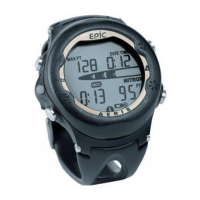
The EPIC is configured with a Data Port located on the back of the left side that enables it
to be connected to a PC through a USB port using the special Interface Cable supplied.
A USB Driver is provided on the CD as part of the Interface System.
The Settings Upload portion of the program provided can be used to set/change the
EPICs Main Time, Date, Set A group (Alarms), and Set U group (Utilities) using the same
Interface System. The Set F group (FO2) and FREE Mode Alarms must be entered using the
EPIC's button controls.
Information available for retrieval (DownLoad) from the EPIC to the PC Download portion
of the program includes dive number, surface interval time, maximum depth, elapsed dive
time, start date, start time, lowest temperature under water, sampling rate, dive profile,
EPIC's Set Points, pressure, Air Time Remaining, OTU, OTS, NIBG, O2BG, and Gas
Switching events/pressures/FO2s.
The EPIC checks for the presence of an interface device connection to the Data Port once
every second while in Watch Main Time Mode. Checks are not made if the Wet Activa-
tion contacts are wet. Upon sensing an interface connection, the requesting device (PC)
connects to the EPIC and is prepared for Upload of settings or Download of data which
are then initiated using the PC programs.
Prior to attempting to Download data from your EPIC or Upload Settings to it, review the
HELP section of the interface program. Recommended is to print those sections of HELP
that you consider appropriate for your Interface activities.


 To Next Page