18
To check the condition of the EPIC or a Transmitter's Battery if
NORM or GAUG Mode is selected, depress the S button for 2
seconds while viewing the NORM, GAUG, or FREE Surface
Main Display, then release it.
As the button is depressed, the ATOM's Receiver will
activate, if in NORM or GAUG Mode.
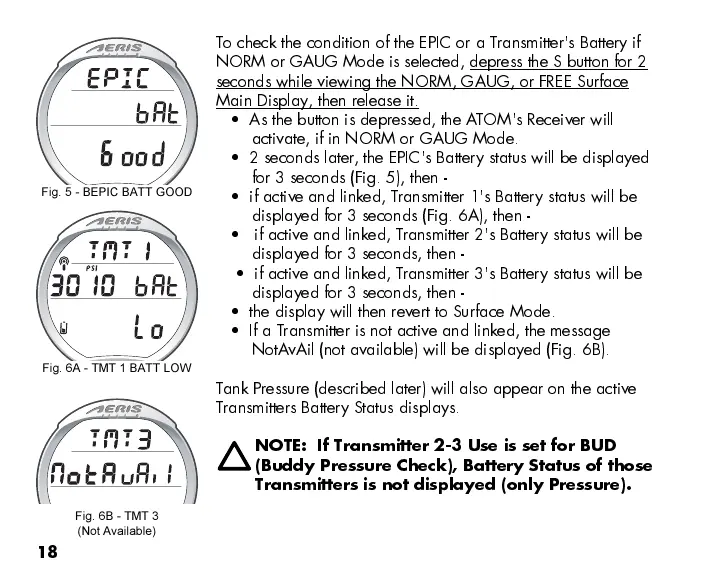
2 seconds later, the EPIC's Battery status will be displayed
for 3 seconds (Fig. 5), then -
if active and linked, Transmitter 1's Battery status will be
displayed for 3 seconds (Fig. 6A), then -
if active and linked, Transmitter 2's Battery status will be
displayed for 3 seconds, then -
if active and linked, Transmitter 3's Battery status will be
displayed for 3 seconds, then -
the display will then revert to Surface Mode.
If a T ransmitter is not active and linked, the message
NotA vAil (not available) will be displayed (Fig. 6B).
Tank Pressure (described later) will also appear on the active
Transmitters Battery Status displays.
NOTE: If Transmitter 2-3 Use is set for BUD
(Buddy Pressure Check), Battery Status of those
Transmitters is not displayed (only Pressure).
Fig. 5 - BEPIC BATT GOOD
Fig. 6B - TMT 3
(Not Available)
Fig. 6A - TMT 1 BATT LOW


 To Next Page
 Loading...





