23
8
7
1
6
2
5
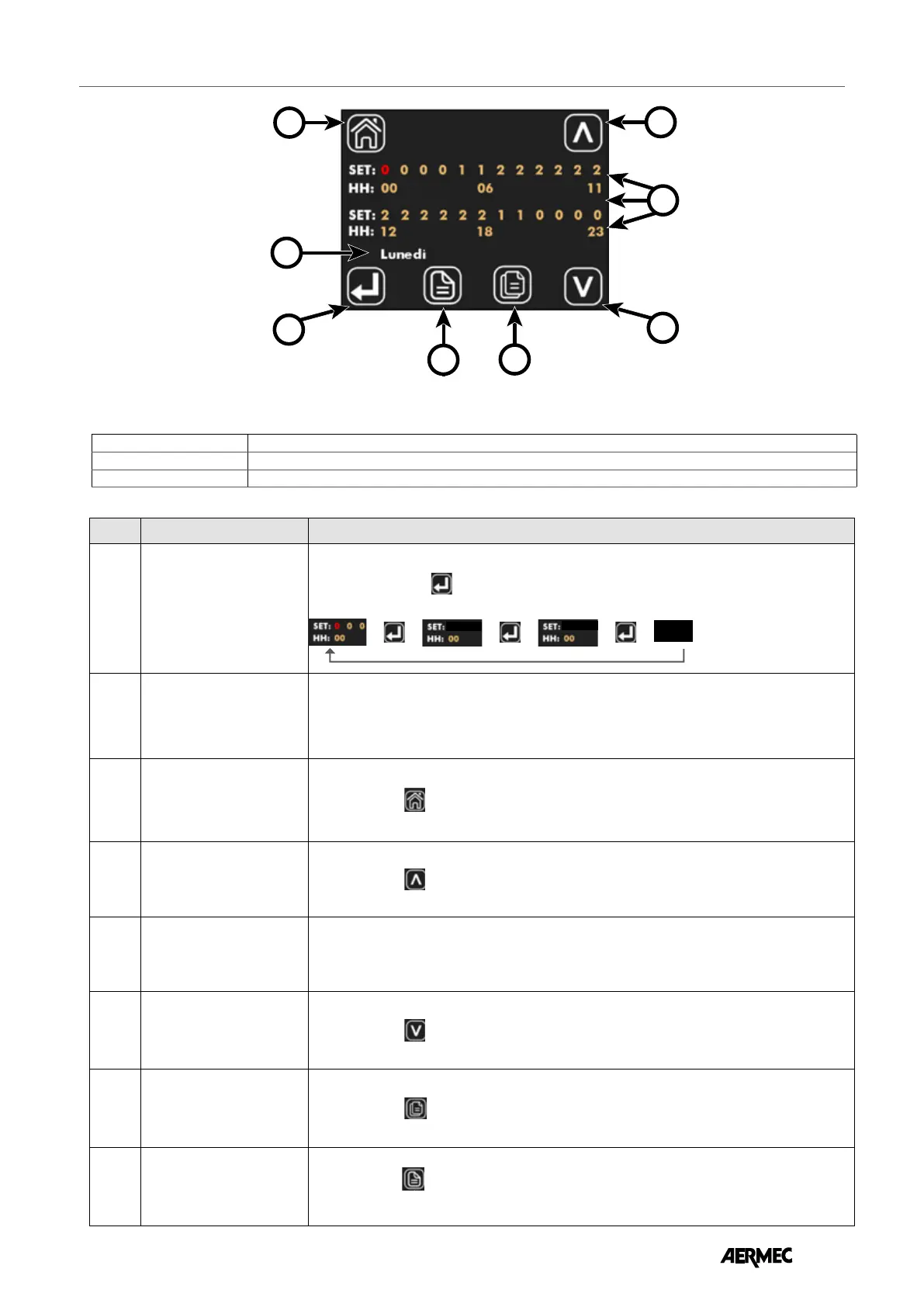
VIEWING THE TIME PROGRAMMING PAGE
In the ID24 panel the daily time slot is divided into 24 hours (from 00 to 23) and for each hour you can select one of the following states:
0
➞
WORN OUT
1
➞
ENABLED TO WORK WITH SET POINT #1 (Parameters P1 and P3)
2
➞
ENABLED TO WORK WITH SET POINT #2 (Parameters P2 and P4)
Index Name Description
1
Parameter selection key to
update
Each time the button
is pressed you select the time you wish to set; the selection is
highlighted by the color change of the status set in the SET section:
➞
➞
0 0 0
➞
➞
0 0 0
➞
➞
0 0 0
23
2
Day of the week Indicates the day of the week on which the daily time programming is being modied.
3
Return to home button
With the button
you can increase the values of the parameter highlighted in red.
4
Increase key
With the button
you can increase the values of the parameter highlighted in red.
5
Time programming area
Area in which you can view the hourly programming in 24-hour development.
The SET section indicates the operating state chosen for the specic time.
The HH section represents the time of day index.
6
Decrease key
With the button
you can decrease the values of the parameter highlighted in red.
7
Copy key
With the button
you can copy the time programming for all days of the week.
8
Days of the week scroll
button
With the button
you can scroll and view the time programming of the dierent days of the
week.
EN



 To Next Page