24
8
1
2
3
4
5
6
7
Parameter index Parameter name Range of values Description
P0
LANGUAGE 0 - 4
0. English
1. English
2. French
3. German
4. Spanish
P1
SET 1 H 12.0 - 33.0 °C SET 1 heating for hourly programme
P2
SET 2 H 12.0 - 33.0 °C SET 2 heating for hourly programme
P3
SET 1 C 12.0 - 33.0 °C SET 1 cooling for hourly programme
P4
SET 2 C 12.0 - 33.0 °C SET 2 cooling for hourly programme
P5
FS1 10 - 33 % Fan speed in V1 mode
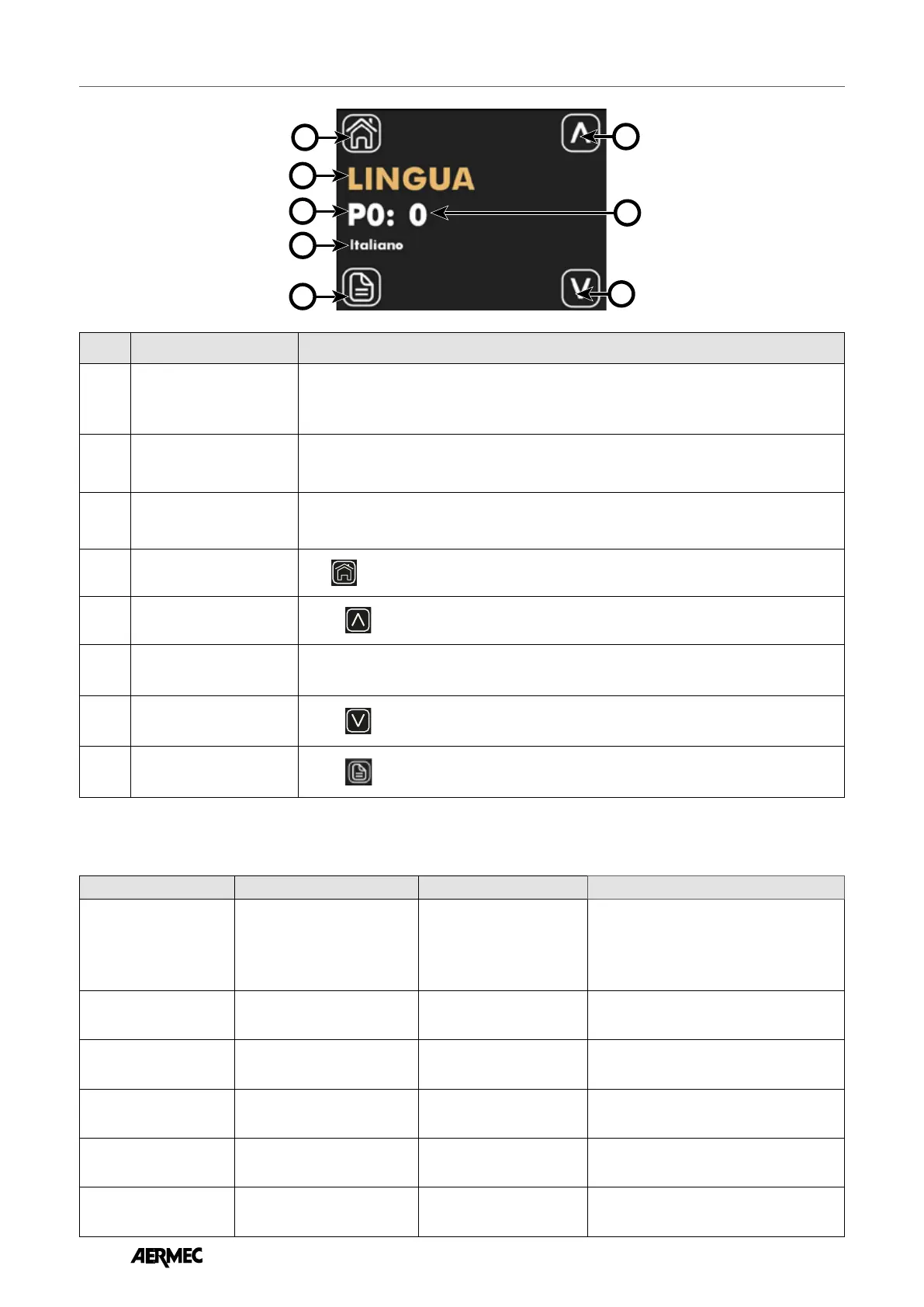
On the parameter edit page, it is possible to view and/or edit all the parameters in the application, which are listed and described in
the table below.
Index Name Description
1
Parameter label
For the parameters linked to the selection of a feature, a string is given indicating the choice
made
2
Parameter index Index of the parameter being displayed, parameter range P0 to P15
3
Parameter name Indicates the name/function associated with the displayed parameter
3
Return-to-home button
Press
to return to the menu selection page display.
5
Increase button
Use the
button to increase the values of the displayed parameter.
6
Parameter value Indicates the value and any unit of measurement associated with the displayed parameter.
7
Decrease button
Use the
button to decrease the values of the displayed parameter.
8
Parameter scroll button
Use the
button to scroll through and display the system parameters.
DISPLAYING THE PARAMETER EDIT PAGE
EN



 To Next Page