SPL User Manual Page 11 of 24 0412-6180864-rev.00
The temperature settings can be modified as required from the second
page of the initial default mask.
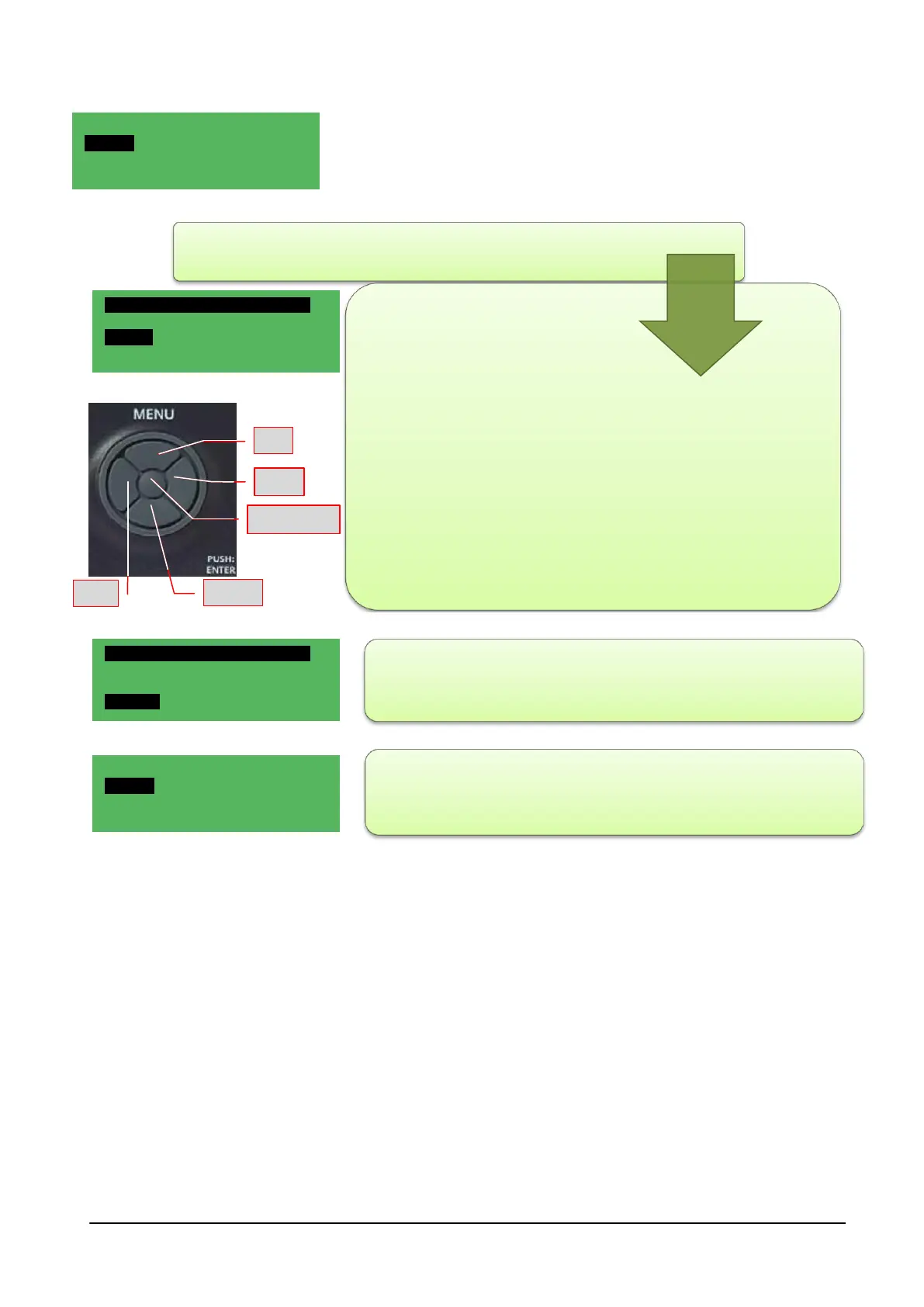
Position the cursor on the text "Set Point" using the UP-DOWN keys:
press the ENTER/PUSH button
1 DOWN arrow to select the value to be
modified (Comfort - Economy);
2 Right arrow to select the value;
3 ENTER/PUSH to modify it (the value
flashes);
4 UP arrow or DOWN arrow to modify it;
5 ENTER/PUSH to confirm. Left
arrow/ESC to end the editing of the
value selected.
6 Left arrow/ESC to return to the initial
screen.
- Modify the economy SET POINTS by repeating steps 1 to 6.
- To return to the default mask, press the "Left arrow" key several
times.
SET-POINT 01/03
Pool
Comfort: 29.0°C
Economy: 27.0°C
SET-POINT 01/03
Pool
Comfort: 29.0°C
Economy: 27.0°C
Hh:mm NRGXTPRO 02/02
Set Point
Time slots
Menu
Hh:mm NRGXTPRO 02/02
Set Point
Time slots
Menu



 To Next Page