.
SPL user manual Page 12 of 24 0412-6180459 – rev.00
10 TIME SLOTS
Up to 4 different interventions called "slots" can be set for each day of the week. They can be activated
individually and within them all the information necessary to operate the unit in
automatic mode can be entered.
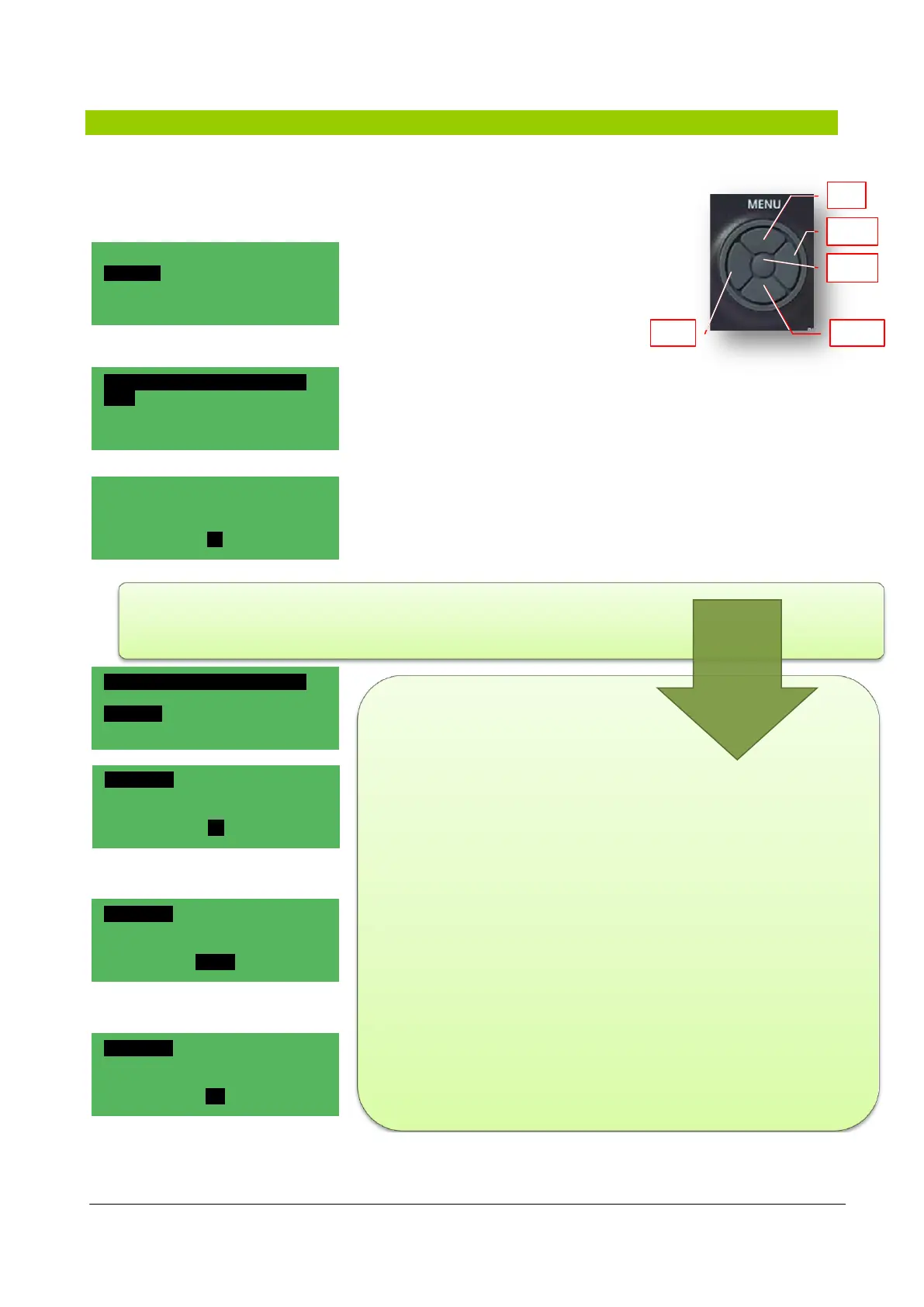
The management of the time slots can be
accessed from the main menu; scroll on the
main menu with the DOWN key as far as the
heading TIME SLOTS appears.
After confirming the selection with the centre key of the MENU, the
Timer, Timer type and Settings modes appear on screen.
This menu can be accessed directly by pressing and holding the F4
key.
The TIMER menu is only accessed to set or not the application:
TIMER, ENTER, right key to make the YES/NO flash, UP - DOWN key
to perform the desired variation, confirm with ENTER and exit a level
with ESC + ESC.
The TIMER TYPE can be selected from the TIMER menu by means
of the UP–DOWN keys;
the following types are available:
1 - 7/7:
in which the data can be
entered subdivided in each
day of the week in order to
meet all user needs;
2 - Weekly:
in which is set a standard
value repeated for each day
of the week;
3 - 5+2:
in which the week is
essentially managed with
working slots and festive
slots.
Hh:mm NRGXTPRO 02/02
Time slots
Summer / Winter / Auto
Menu
TIME SLOTS 01/01
Timer Yes
Timer type
Weekly
Settings
TIMER 01/01
TIME SLOTS
No
TIME SLOTS 01/01
Timer No
Timer type
Weekly
Settings
TIMER TYPE 01/01
TIME SLOTS
TYPE
7/7
TIMER TYPE 01/01
TIME SLOTS
TYPE
Weekly
TIMER TYPE 01/01
TIME SLOTS
TYPE
5+2



 To Next Page