SPL User Manual Page 13 of 24 0412-6180864-rev.00
Depending on the choice made (7/7, Weekly, 5+2) the SETTINGS menu,
of the TIME SLOTS menu, will give you the possibility to set options
according to your personal needs: by the way, in any case 4 slots are
managed for each type of timer, in which it is possible, for each of them, to
change the condition of the unit.
e.g.: Slot 1- switch on at 5.00 in the morning in economy mode;
Slot 2- mode variation from economy to comfort at 08.00 in the morning;
Slot 3 - mode variation from comfort to economy at 22.00 at night;
Slot 4- off at 24.00 at night.
or
Slot 1- mode variation from economy to comfort at 08.00 in the morning;
Slot 2 - mode variation from comfort to economy at 22.00 at night;
Slot 3- not in use;
Slot 4- not in use.
(in this case the unit is not switched off; rather it remains on 24/24h).
Etc.
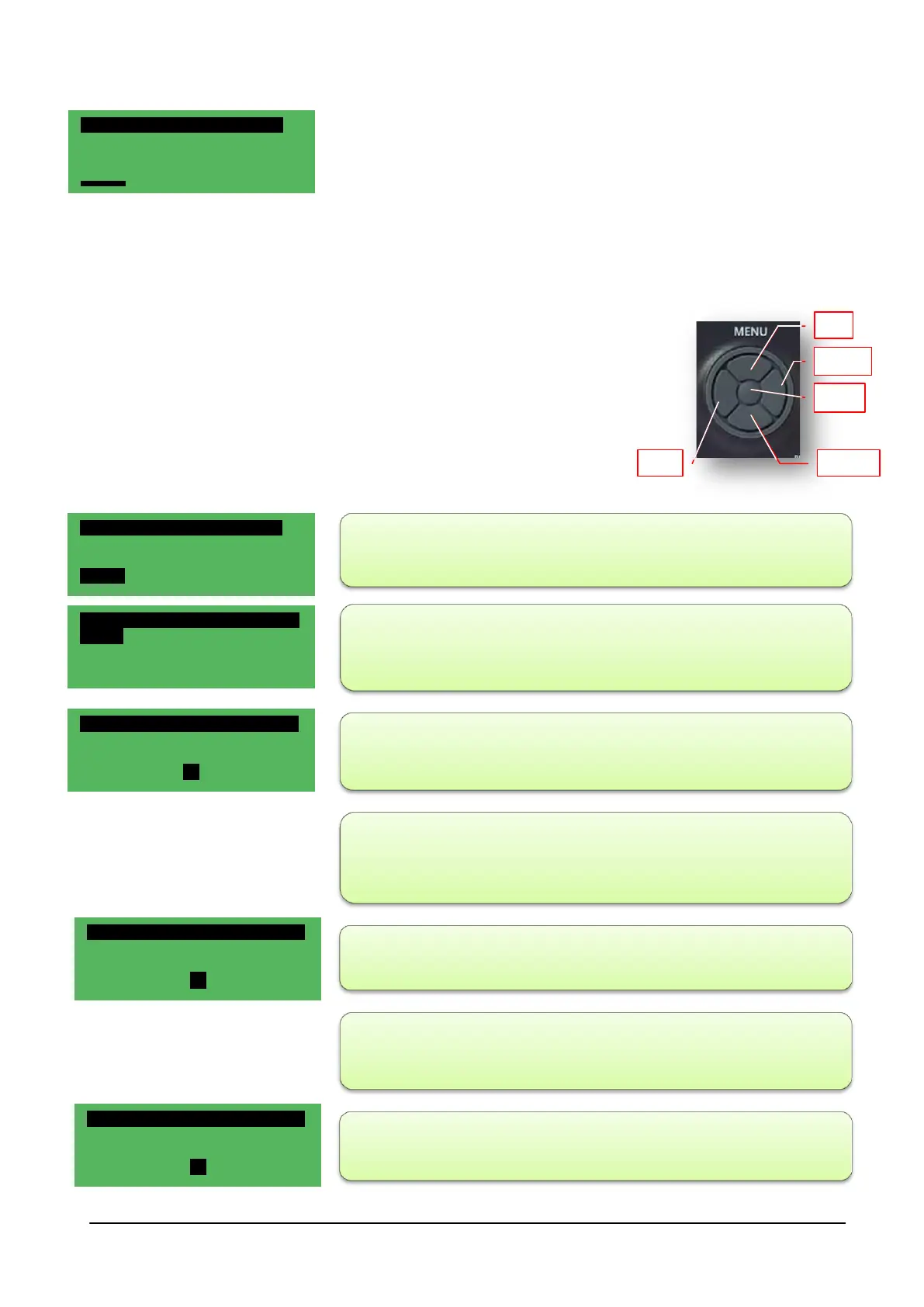
- Timer type 7/7:
- scroll the Time Slots menu with the UP-DOWN keys till you find
SETTINGS, then press ENTER;
- all the days of the week that can be selected via the UP-DOWN keys
appear
; select the desired day by pressing ENTER (e.g.: Monday);
- SLOT1 appears on the screen with the TIME setting, press ENTER
(the time flashes);
- press the UP-DOWN key to select the hours, press ENTER to confirm
(the hours continue to flash), press ESC to exit by one level;
- press the DOWN key, press the ENTER key to select the MINUTES;
- press the UP-DOWN key to select the minutes, press ENTER to
confirm (the minutes continue to flash), press ESC to exit by one level;
- press DOWN and then ENTER to select the MODE that can be: ON or
OFF
TIME SLOTS 01/01
Timer No
Timer type
Weekly
Settings
TIME SLOTS 01/01
Timer No
Timer type Weekly
Settings
SETTINGS 01/03
Monday
Tuesday
Wednesday
MONDAY 01/19
SLOT 1
TIME
8 h
MONDAY 02/19
SLOT 1
MINUTES
0m
MONDAY 03/19
SLOT 1
MODE
Off



 To Next Page