SPL User Manual Page 7 of 24 0412-6180864-rev.00
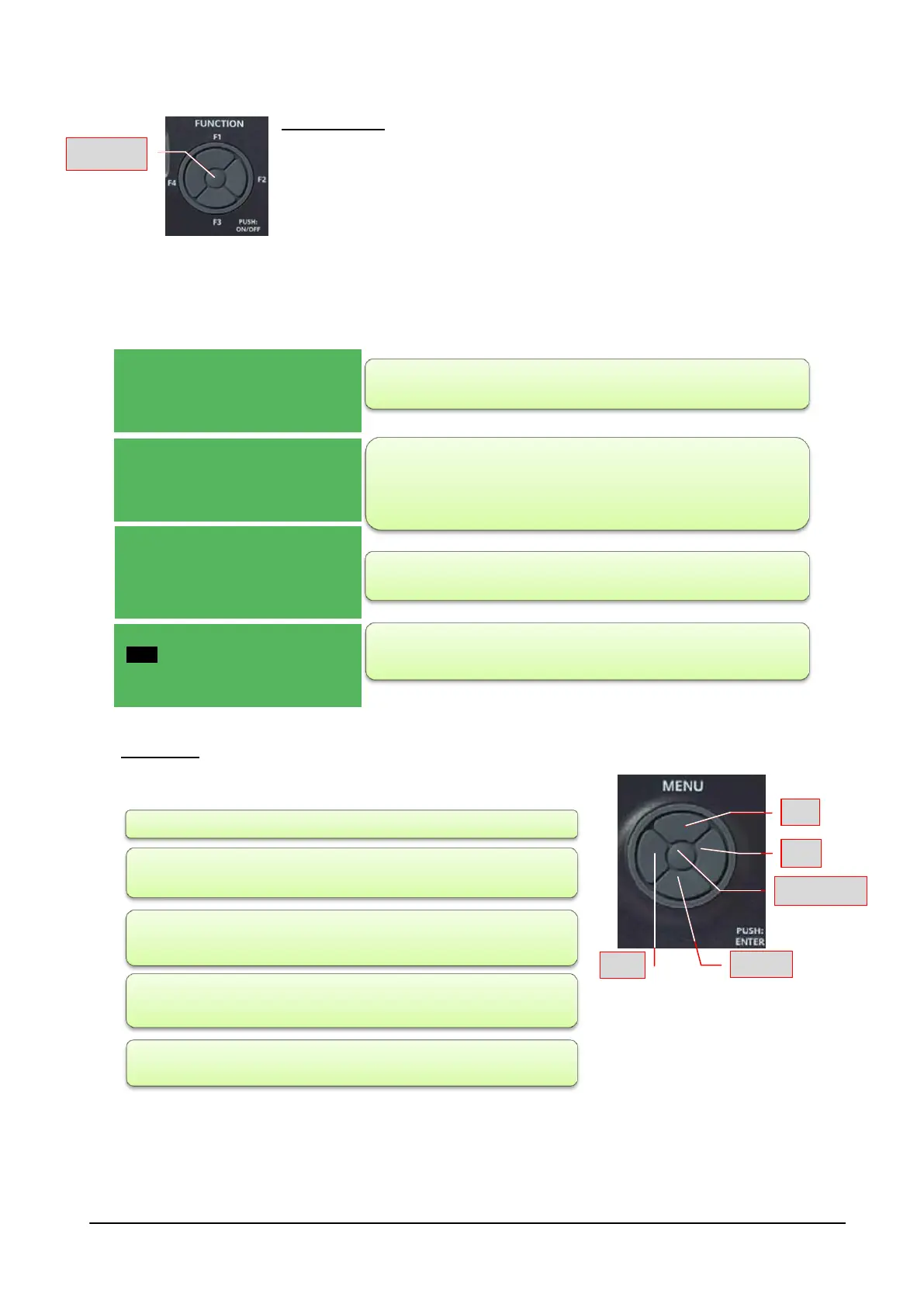
Function keys: F1, F2, F3, F4 and Push: ON/OFF
These buttons provide access via shortcuts to specific commands that are
present in the general menu. These keys give direct access to some commands
without following the canonical path foreseen by the menu.
The unit is turned on or off by pressing the centre button for a few seconds (PUSH: ON / OFF).
Act on the four external positions (F1: above; F3: below; F2: right; F4: left):
• a single press: accesses the Menu menu
• pressing for a few seconds:
Menu keys: Arrow up, down, right, left and central Enter/Push key.
With a single press of the keys:
As well as the main panel there may also be a remote panel (additional) which repeats all of its functions; to
connect the remote panel follow the instructions on the wiring diagram of the unit. The indications for fixing the
remote panel to a suitable support are included in the packaging of the accessory itself. The accessory
normally comes packed and positioned inside the electrical panel of the unit.
- F1: displaying the temperatures detected and the SETs set;
- F2: displaying the component's operation conditions (e.g.
whether it is operating a Comfort or Economy cycle);
- F3: access to the alarms menu;
- F4: access to the time slot menu.
top arrow: scrolls the items in the menu upwards;
bottom arrow: scrolls the items in the menu downwards;
left arrow (ESC): returns to the previous menu (each press
returns by one level)
right arrow: accesses to possible changes and/or confirms the
set value
central Push key: confirms the command or accesses the
indicated menu.
TEMPERATURE 01/03
Room 26.7°C
Limit 37.5°C
Outside 0.5°C
STATUS 01/05
System Comfort
Mode Cycle3s
ALARMS 01/02
Bios Alarms
User Alarms
Probe errors
TIME SLOTS 01/01
Timer No
Timer type Weekly
Settings



 To Next Page