EasyManua.ls Logo

AERMEC NXP 0700 - User Operational Procedures

AERMEC NXP 0700
28 pages
Print Icon
To Next Page IconTo Next Page
To Previous Page IconTo Previous Page
Loading...
22 21.05 - 6068956_00
NXP 0500 - 1650 2-PIPE SYSTEM / 4-PIPE SYSTEM
EN


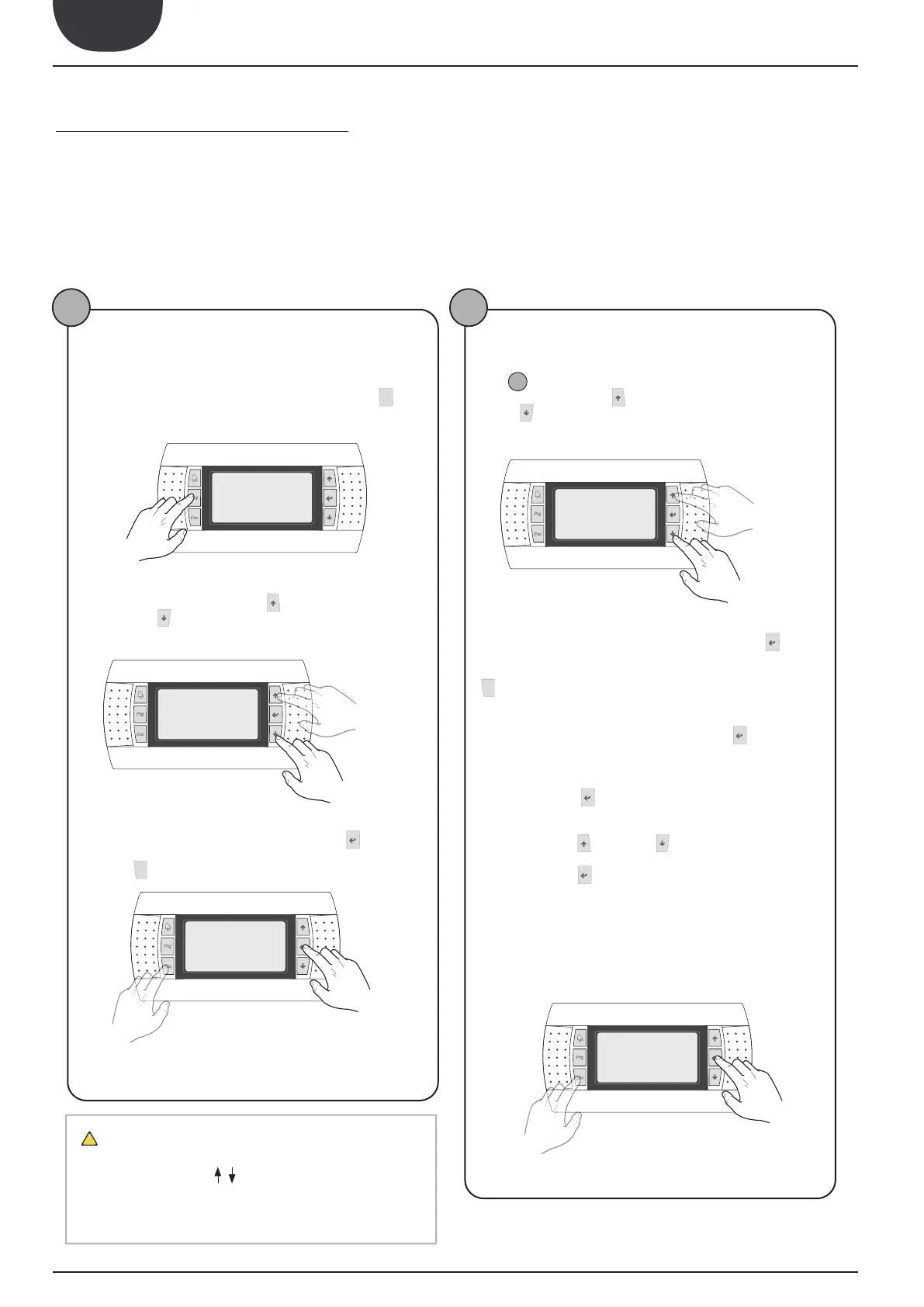
user must be able to perform for correct use of the unit are:


1
To pass from one menu to another
(a)          
         




(b) Once the menu selection mode has been entered, these can be
  


     




previous menu
subsequent menu
(c)



the menu. To exit the menu and go back to menu selection mode,




To exit a
menu
Enter
in a menu
2
To select and modify a parameter
(a)

1









previous
parameter
subsequent
parameter
(c)



enter the parameter. To exit the parameter and go back to parame-
ters selection mode, press the



ATTENTION:
     


 
matically enter the modification mode of that parameter. From this
mode it is possible to set the desired values for the parameters,
following the procedure below:
(1)


 


(2)






be increased or decreased;
(3)



be confirmed, saving in the memory;
On the basis of the type of the type of parameter selected, the
number of fields that can be modified could vary;
To exit a param-
eter
To enter a
parameter
ATTENTION
To adjust display contrast, press Alarm + Prg simulta-
neously and use the keys to increase or decrease
contrast.
15. USER OPERATIONAL PROCEDURES


Other manuals for AERMEC NXP 0700

Related product manuals