16
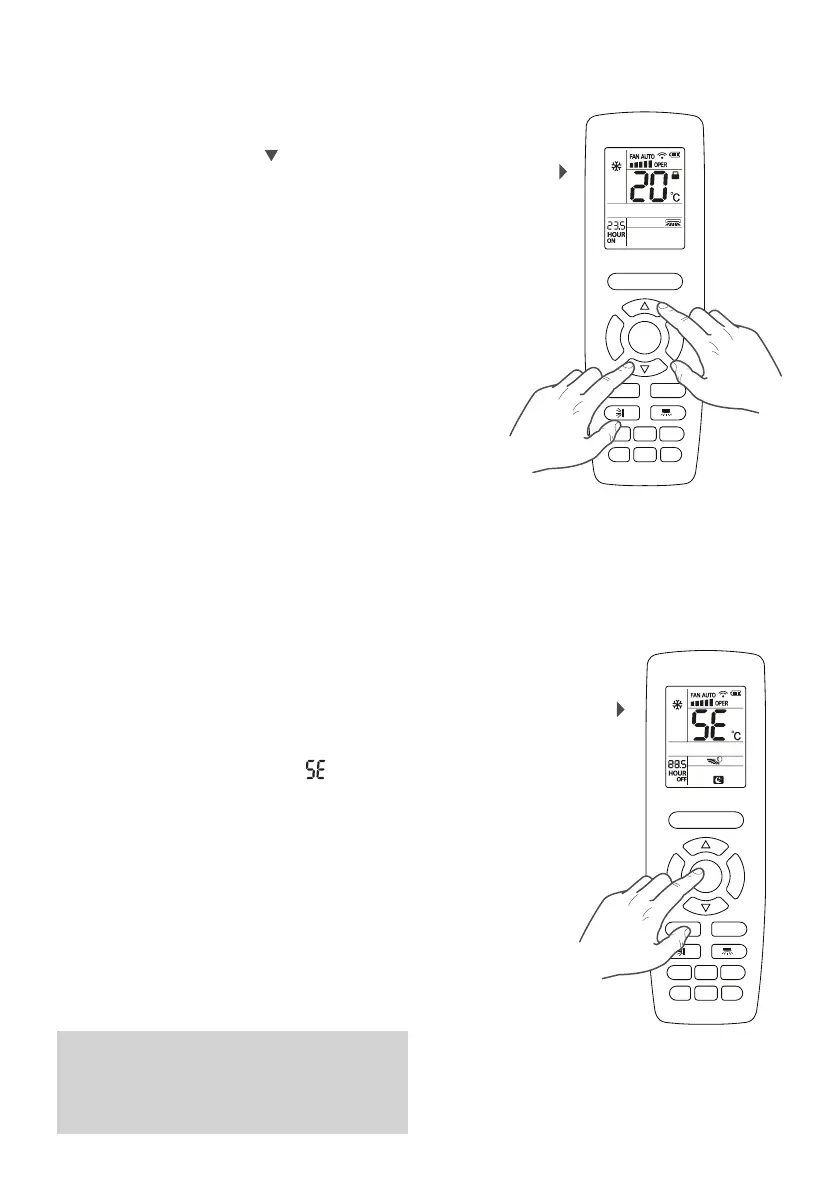
The unit display and the remote control display can
show the set temperature value in °C or °F. To change
the measurement unit, press the and MODE buttons
simultaneously while the unit is switched off.
The temperature value on the two displays will be
immediately converted.
Setting the unit of
measurement
F
A
N
M
O
D
E
ON/OFF
SAVE
HEATCOOL
TIMERQUIET
SLEEP
LIGHT
X-FAN
E-HEATER
WiFi
SETTING THE UNIT OF MEASUREMENT
The ENERGY SAVING function makes it possible to reach
the set temperature with lower energy consumption.
In COOLING mode
Press the SAVE button to set the ENERGY SAVING
function.
On the remote control display, the icon
will appear
or disappear to indicate if the function is activated or
deactivated.
ACTIVATING OR DEACTIVATING THE ENERGY
SAVING FUNCTION
Activating or deactivating the
energy saving function
F
A
N
M
O
D
E
ON/OFF
SAVE
HEATCOOL
TIMERQUIET
SLEEP
LIGHT
X-FAN
E-HEATER
WiFi
NOTE
In ENERGY SAVING mode, the fan speed (set on
AUTO) and set temperature cannot be altered.
The SLEEP and ENERGY SAVING functions cannot
work at the same time.



 To Next Page