8
FUNCTIONS AVAILABLE THROUGH THE
REMOTE CONTROL
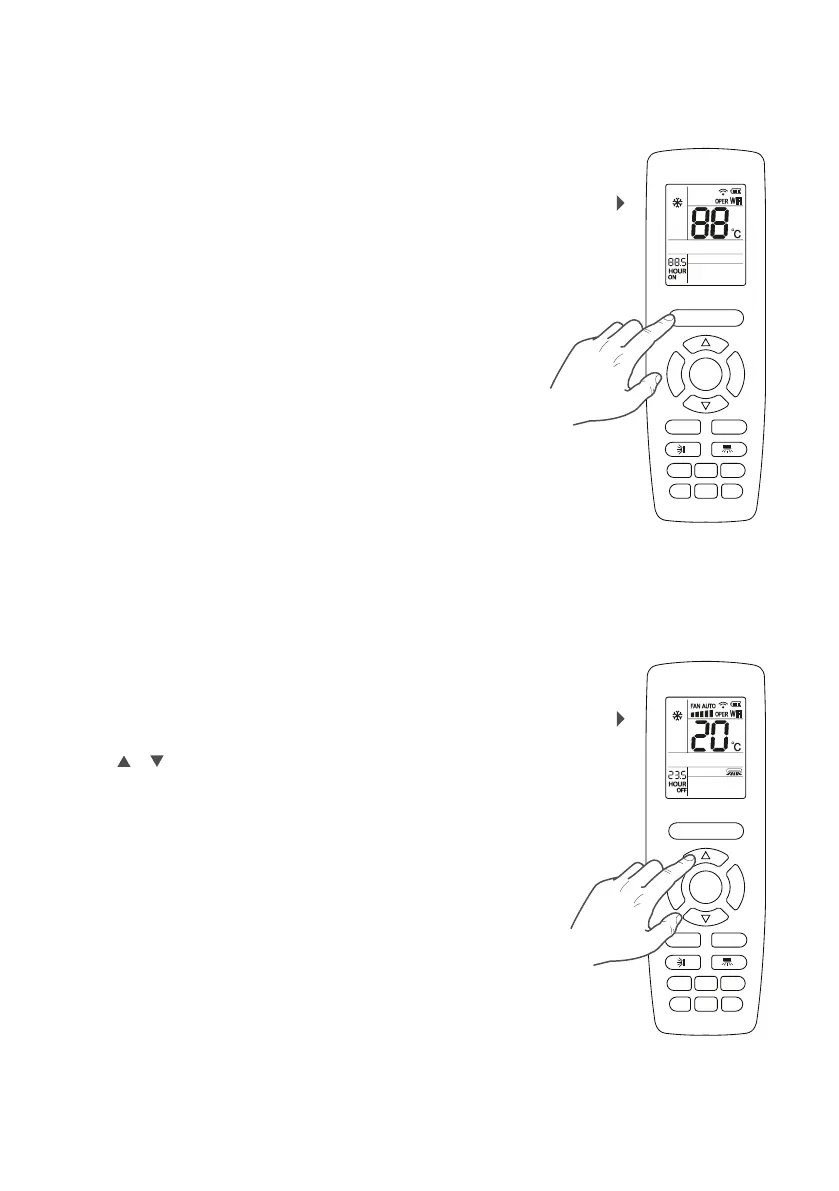
Switching on
All the operating modes (except automatic) require a
target ambient air temperature value; this is called the
operating set-point.
If the unit is on (and automatic mode is not selected),
press the or button to decrease or increase the
working set-point. The set-point value is displayed in
the central part of the remote control display.
Defining the operating set-point
F
A
N
M
O
D
E
ON/OFF
SAVE
HEATCOOL
TIMERQUIET
SLEEP
LIGHT
X-FAN
E-HEATER
WiFi
F
A
N
M
O
D
E
ON/OFF
SAVE
HEATCOOL
TIMERQUIET
SLEEP
LIGHT
X-FAN
E-HEATER
WiFi
By pressing the ON/OFF button it is possible to switch
the unit on or off. When off, some information is still
displayed on the remote control: the operating set-
point of the last operating mode used, and switch on
timers programmed (ON) and any icons tied to the
function active during the last switch on of the unit
(enabling the display of the indoor unit, etc.) Once
switched on the unit uses the settings selected during
the last operating session.
SWITCHING THE UNIT ON OR OFF
DEFINING THE OPERATING SETPOINT



 To Next Page