19
UNITS CONNECTION
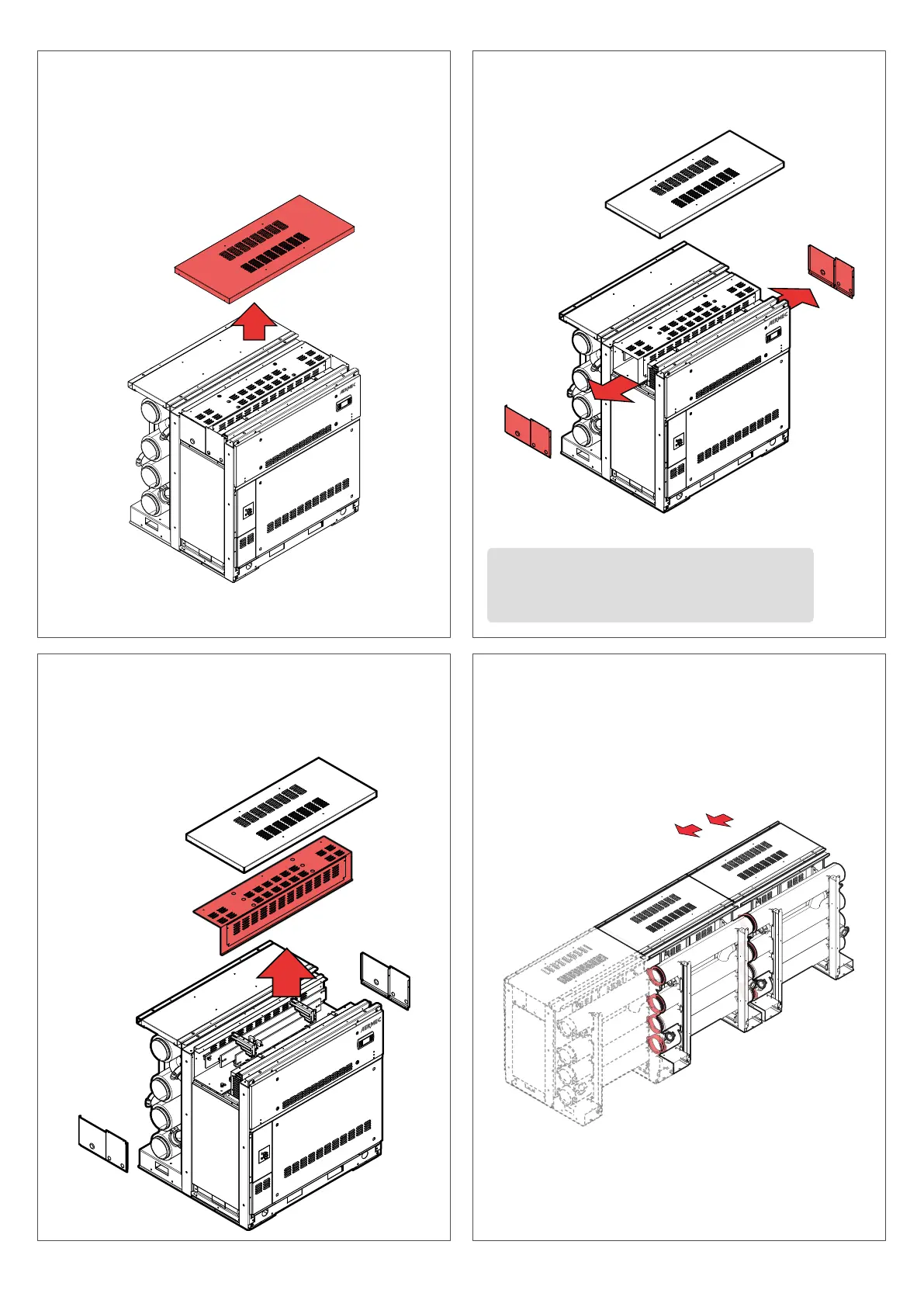
Once the unit is positioned, proceed with the removal of the top panel.
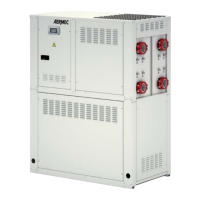
Once disassemblied both side panels, it is possible to remove the cover
that protects the power supply’s box (bars or cables depending on the
conguration). According to the version, inside the power supply box
there are bus bars or a terminal for the connection.
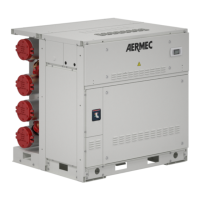
After removing the top panel, disassembly the side panels, on both sides.
①
③
②
④
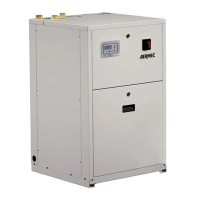
ALWAYS link the units from left to right.
1. First connect the hydraulic system with the dedicated grooved joints.
2. Connect the electrical system.
3. Connect the units together with M10 screws (not supplied).
ATTENTION: REMEMBER THAT THE SIDE PANELS (LEFT AND
RIGHT) MUST BE DISASSEMBLIED BEFORE THE CONNECTION
WITH ANOTHER UNIT.



 To Next Page