6
OPERATION
WARNING: Fully assemble before operating. This vacuum is intended for household use only.
Reclining the Handle
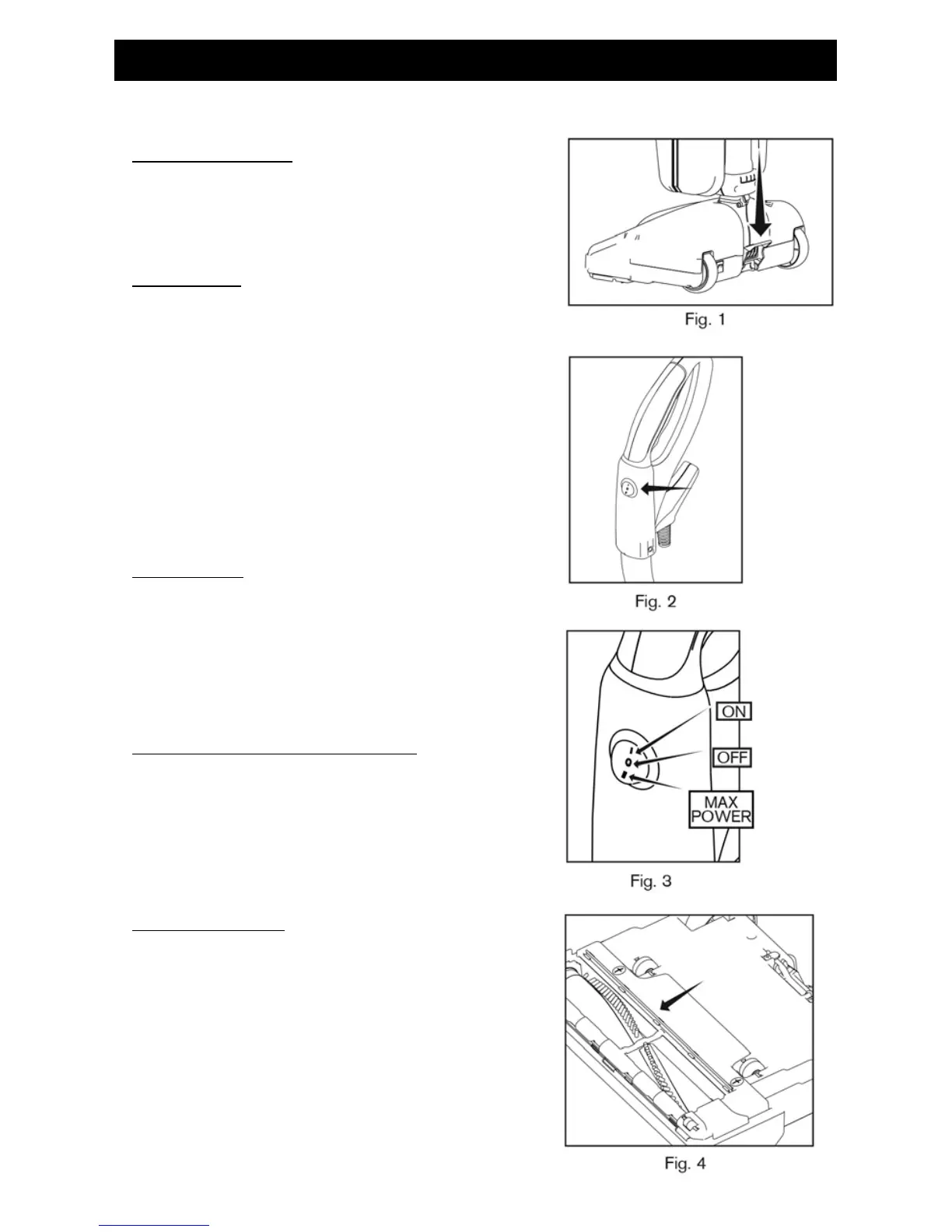
Press the handle release pedal located on the back of the vacuum
with your foot to recline the handle (Fig. 1).
On/Off Switch
The power switch located on the vacuum handle, is a three-way
switch (Fig. 2). The middle position (O) is the “Off” setting, the rear
position (I) is the “On” setting and the forward position (II) is for
“Maximum Power” (Fig. 3).
Use the “Maximum Power” setting (II) for carpet cleaning. Use the
“On” setting (I) for cleaning bare oors and throw rugs. Always turn
the vacuum cleaner to the “Off” setting (O) before unplugging it
from the electrical outlet.
Edge Cleaning
The edge cleaning feature provides improved cleaning near walls
and stationary furniture. For maximum edge cleaning, place the left
side of the nozzle, from the user’s perspective, against the wall or
stationary furniture.
Automatic Carpet Height Adjustment
Your vacuum is designed with an automatic self-adjusting nozzle.
No manual adjustments are required. The height of the nozzle
automatically adjusts to the ooring surface. This self-adjusting
feature allows the nozzle to oat evenly over all ooring surfaces.
Bare Floor Cleaning
Your vacuum is equipped with a squeegee on the bottom of the
vacuum to improve its effectiveness in cleaning bare oors (Fig. 4).
When cleaning tile, hardwood, vinyl, etc., use the “On” setting (I) for
best results.


 To Next Page