9
MAINTENANCE & CARE
Removing / Reinstalling the Bottom Plate
WARNING! To reduce the risk of electrical shock or injury from
moving parts, unplug before servicing or cleaning.
To remove the bottom plate:
1. Press the handle release pedal to place the vacuum cleaner in
the at position.
2. Turn the vacuum cleaner over, exposing the bottom plate.
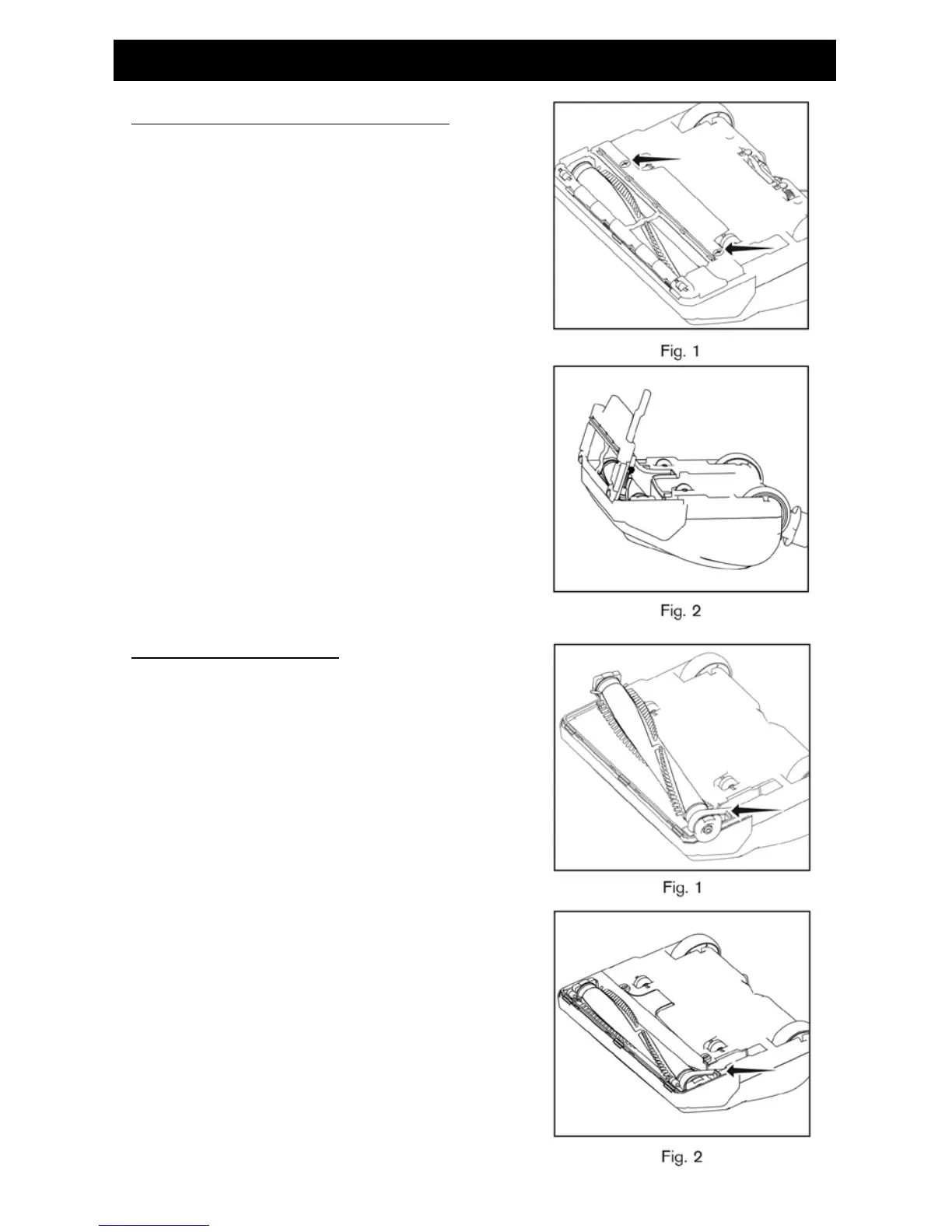
3. Turn the two screws a quarter turn to release the bottom plate
(Fig. 1). Remove the bottom plate.
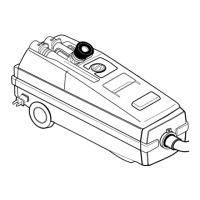
4. Reinstall the bottom plate by aligning the front edge of the
bottom plate into the notches inside the nozzle housing (Fig. 2).
5. Press the bottom plate into position until the plate “clicks” on
both sides. Tighten the two screws a quarter turn to secure the
bottom plate.
Replacing the Agitator Belt
WARNING! To reduce the risk of electrical shock or injury from
moving parts, unplug before servicing or cleaning.
NOTE: To ensure maximum cleaning efciency, the belt should be
checked regularly to be sure it is in good condition. Check to see if
the belt is stretched, cracked, or if excessive slipping is occurring.
Replace if needed with service #49831.
1. Remove the bottom plate.
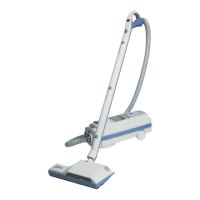
2. Remove the brushroll and the worn or broken belt from the
brushroll pulley and the motor drive shaft (Fig. 1).
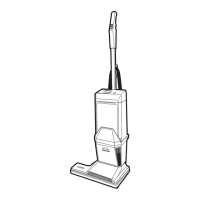
3. Loop the new belt around the motor drive shaft and the
brushroll (Fig. 2).
4. Reinstall the brushroll into the housing. Turn the brushroll by
hand, making sure the belt is not twisted and all rotating parts
move smoothly.
5. Reinstall the bottom plate.


 To Next Page