8
MAINTENANCE & CARE
Replacing the Vacuum Bag
NOTE: Unplug the vacuum cleaner from the electrical
outlet before changing the bag.
1. Unzip the outer bag compartment.
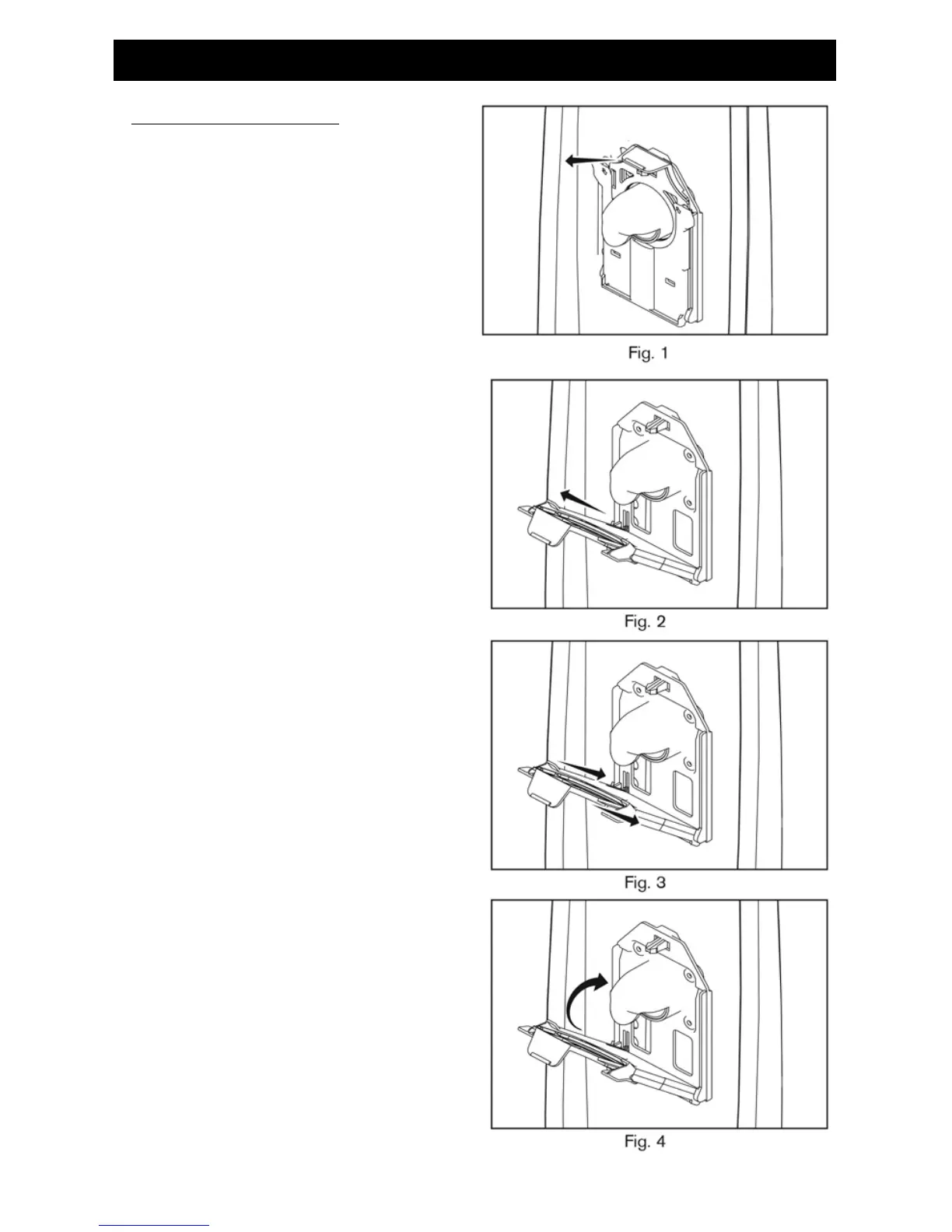
2. Remove the used vacuum bag by pulling the
green bag collar tab away from the vacuum
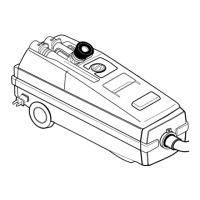
(Fig. 1). Slide the used bag out of the bag holder
which automatically seals the bag opening
(Fig. 2). Discard the used bag.
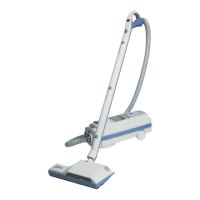
3. To install a new bag, slide the bottom of the
green bag collar into the bag holder until it
“snaps” into place (Fig. 3).
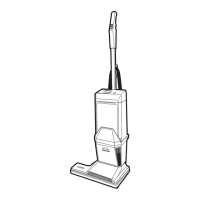
4. Push the top of the bag collar upward until the
collar “snaps” into place on the vacuum (Fig. 4).
5. Tuck the bag corners into the bag compartment
then zip the bag compartment closed.


 To Next Page