To change the fax number
This section describes how to change the fax number.
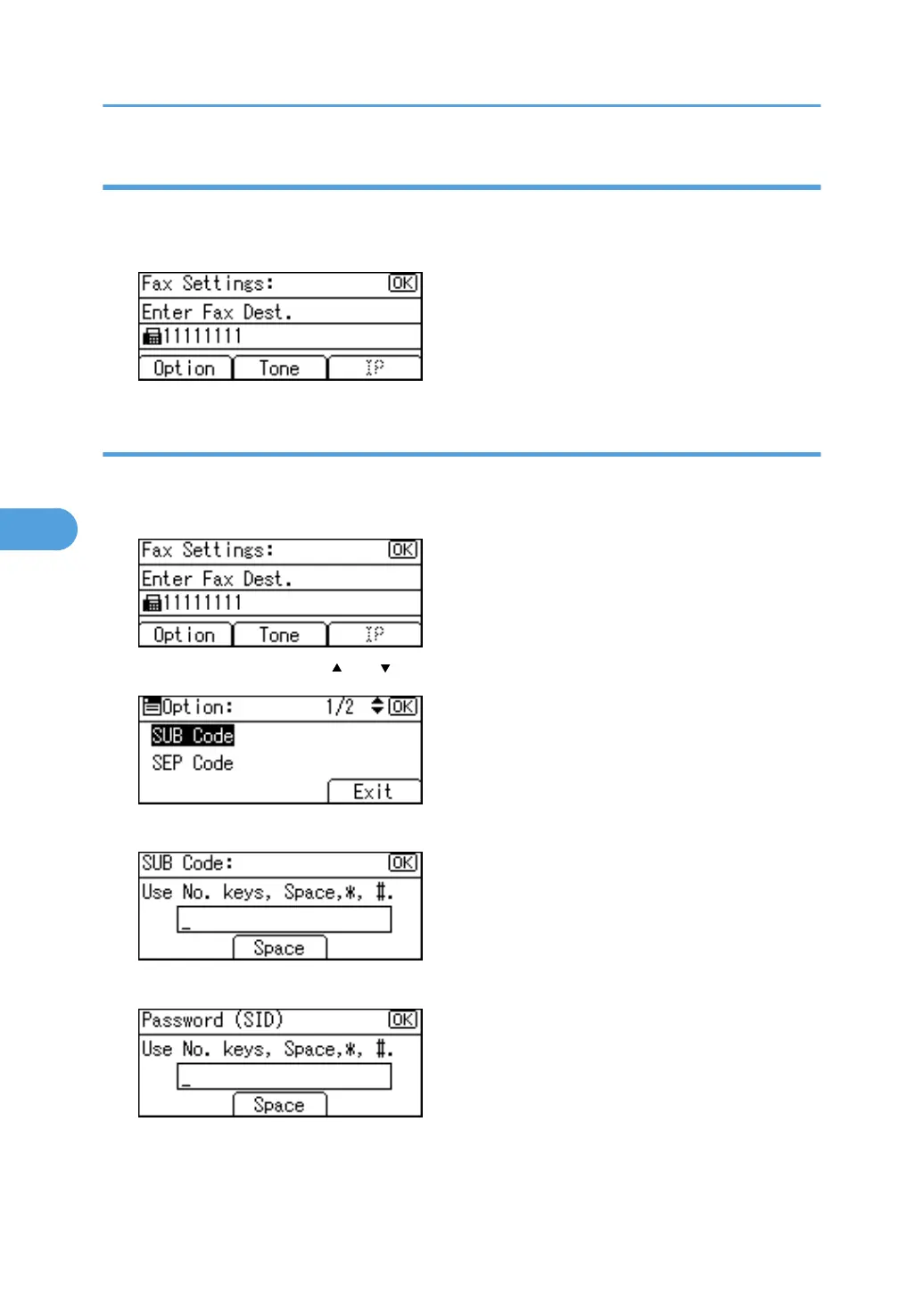
1. Enter the new fax number using the number keys, and then press the [OK] key.
To program the SUB Code
This section describes how to program the SUB Code.
1. Press [Option].
2. Select [SUB Code] using [ ] or [ ], and then press the [OK] key.
3. Enter the SUB Code using the number keys, and then press the [OK] key.
4. Enter the password using the number keys and then press the [OK] key.
5. Registering Addresses and Users for Facsimile/Scanner Functions
256



 To Next Page